|
Users have highly emotional reactions to newsletters. This is in strong contrast to studies of website usability, where users are usually much more oriented towards functionality. Even a website that you visit daily will feel like a tool where you simply want to get in and get out.
The positive emotional aspect of newsletters is that they can create much more of a bond between user and company than a website can. The negative aspect is that usability problems have much stronger impact on the customer relationship than they normally do.
Users spend 51 seconds reading the average newsletter. The layout and writing both need superb usability to survive in the high-pressure environment of a crowded inbox.
Averaged across our study, newsletters lost 19% of potential subscribers due to usability difficulties in their subscription processes and designs. People often stay subscribed to newsletters they don't want (cursing the sender with every new issue that clutters their inbox), so the unsubscribe process is also worth improving.
Newsletters need to be smooth and easy: they must be seen to reduce the burdens of modern life. Even if free, the cost in e-mail clutter must be paid for by being helpful and relevant to users - and by communicating these benefits in a few characters in the subject line.
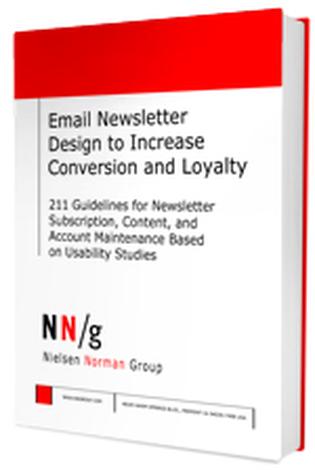
This report shows what happened when real people used a broad set of real newsletters: trying to get on and off the subscription lists, maintaining their subscriptions, and receiving issues in their inboxes (sometimes opening the newsletters and sometimes scanning or reading them).
> executive summary of the report
> sample chapter as thumbnail pages
The 149 design guidelines in the report are based on usability tests of 228 email newsletters. User testing was mainly conducted in the United States (in 12 states across the country) but we also studied users in Australia, Hong Kong, Japan, Sweden, and the United Kingdom. 101 newsletters were studied in the users' own environment, focusing on the user experience of receiving and reading newsletters. These newsletters were about equally divided between business newsletters and personal newsletters.
The following 22 newsletters were tested exhaustively in the usability lab:
- AdAge.com: AdAge Daily (daily industry news)
- Allrecipes.com: Daily Dish (cooking advice)
- Bankrate.com: Frugal News (financial information)
- BNET: Business Tools for Busy Leaders (weekly management info)
- Cooking.com: All About Shopping (retail)
- Dictionary.com: Word of the Day (reference)
- The Economist: The World This Week (weekly news)
- Entertainment Weekly: EW Monitor (daily specialized news)
- Fodors.com (weekly travel advice)
- Handspring (consumer electronics customer newsletter)
- The Herman Group: Trend Alert (weekly consulting insights)
- ManhattanUsersGuide.com (daily local entertainment guide)
- Morningstar: Technology Bytes (twice-weekly investment advice)
- MSNBC: Breaking News Email (daily news)
- New York City Parks and Recreation: The Daily Plant (update from municipal department)
- New York Times: Books Update (weekly book reviews)
- Overstock.com: O-Mail (e-commerce)
- Site 59: Top Picks (travel deals)
- SmarterTravel.com: Last Minute Airfares (travel deals)
- USAToday.com: Daily Briefing (news headlines)
- WineLoversPage.com: The 30 Second Wine Advisor (weekly wine tips)
- Zacks.com: Profit from the Pros (investment advice)
The remaining newsletters were tested with a few users each. This is particularly true for the B2B newsletters which were often so specialized that only a few study participants received any given newsletter.
The report is richly illustrated with 342 color screenshots of newsletters and subscribe/unsubscribe screens that worked well or caused problems in user testing, including eyetracking heatmaps showing where users looked when reading newsletters. The screenshots show examples and best practices from 118 different newsletters and websites. (228 newsletters were tested, but not all are shown in the report.)
|