

In order to analyze the data for our Search Meta-Analysis Project, we needed a consistent definition of the various elements in search-results pages.
We started with the schemas already established by Google, as well as some SEO and marketing companies. From their element descriptions, we inductively created broader categories that we could use as consistent definitions across studies and different types of pages.
We divided each search-engine results page (SERP) into 3 types of content:
- Results
- Advertisements
- SERP features
We focus on Google in these definitions because it’s by far the most popular search engine in the United States. However, many of these elements are present in other search engines. (For example, Bing now uses knowledge panels and video packs. The visual presentation of these elements is very similar to how they’re presented on Google.)
Results
Text results consist of a blue link, a green URL, and a snippet excerpt. These results point directly to a specific website and are often deep links to a specific page within the site that supposedly best addresses the user’s query. They might also have sublinks to different areas within the site.
These results are usually referred to as organic results, because they represent websites that emerge from the web naturally. Organic results are differentiated from the paid results and the results that are created as features (e.g., knowledge panels, ads) by the search engine.

Advertisements
We considered nonorganic, paid promotional content in any form to count as ads (sometimes known as sponsored links).These may have additional features like images and reviews, but may also be presented as text results with an Ad tag.
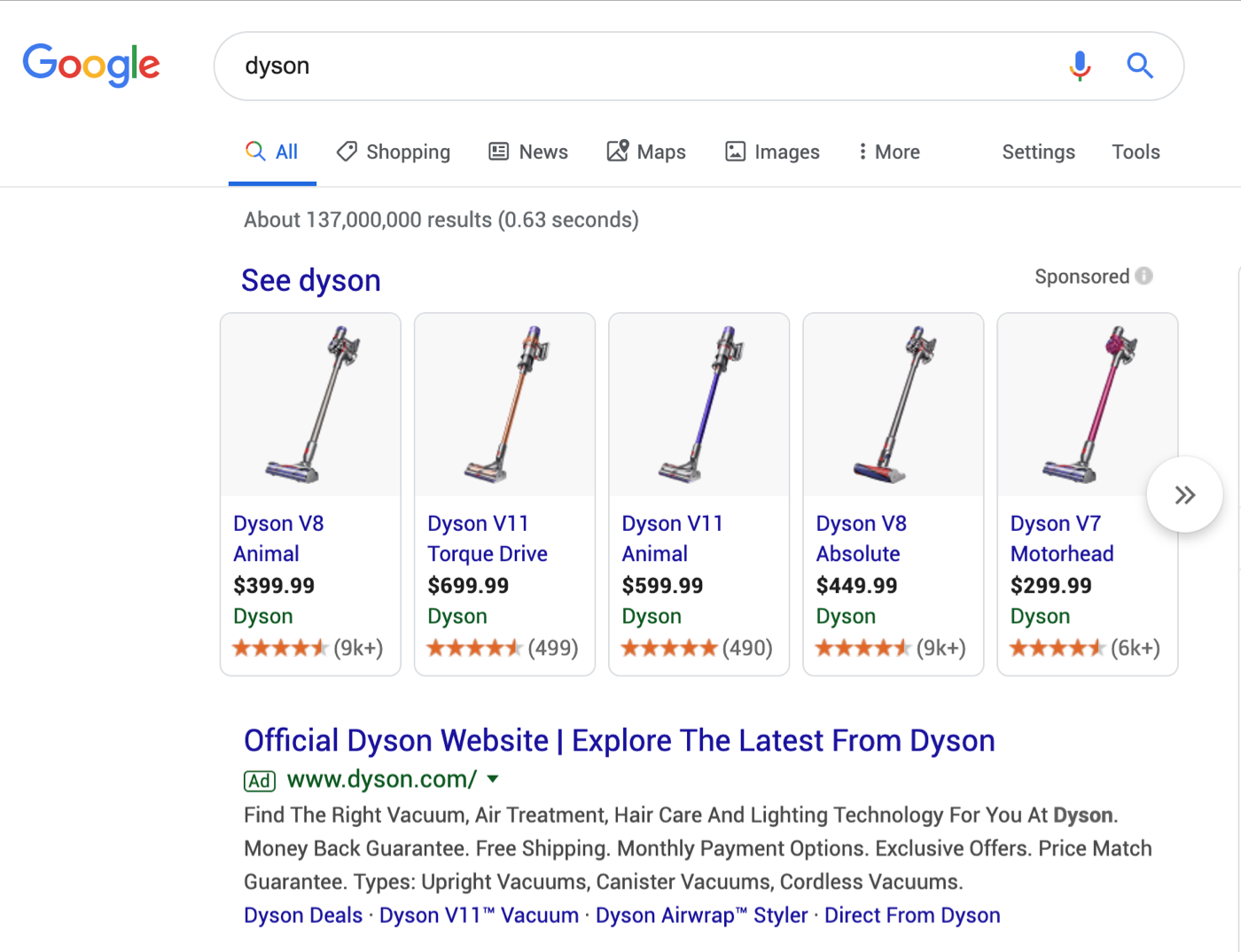
Ads can appear anywhere on the SERP. Between 0 and 4 ads appear at the top of any given SERP, and up to an additional 4 may appear at the bottom of the page near the Related Searches feature.
SERP Features
For the purposes of this project, we defined a SERP feature as any element on the page that served up unpaid, organic content in a format other than a traditional result. As a consequence, our use of the term SERP feature includes a wide diversity of elements. These features are all attempts to provide answers (or other helpful information) to users directly on the SERP as opposed to on an outside website. Thus, they are examples of search engines as answer engines.
In the main, centered column of content, common SERP features included:
- Featured snippet
- People Also Ask
- Top Stories
- Packs: image, video, and local
- Carousel
In the sidebar, we primarily observed the presence of the Knowledge Panel.
Featured Snippet
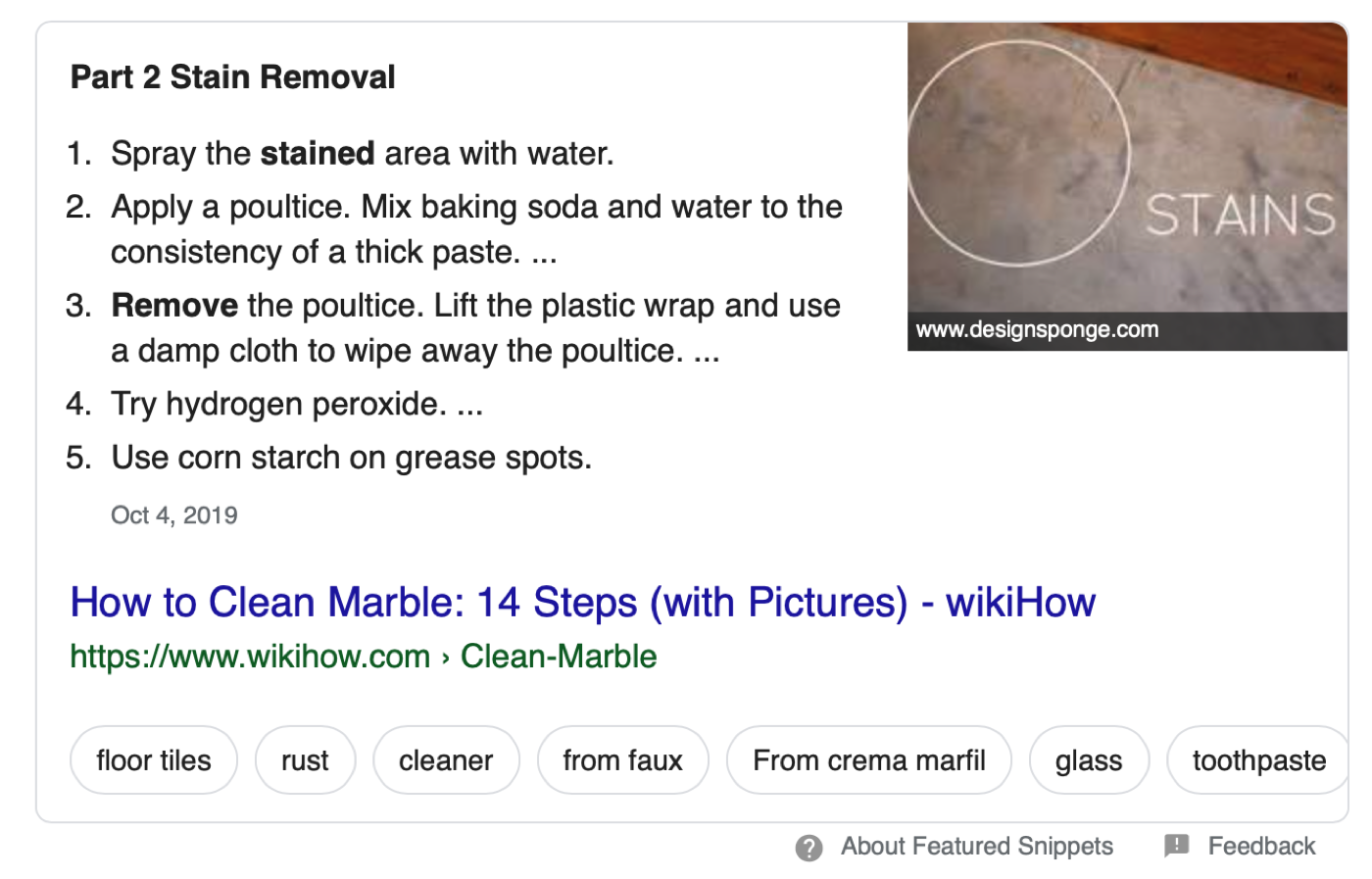
This feature is a summarized answer from an organic result, which is shown at the top of the SERP. Google’s algorithm attempts to determine which page contains the most contextually relevant information and presents the most relevant excerpt of that page to the user.
Featured snippets may be formatted as paragraphs, lists, or tables. An enlarged video may appear as a featured snippet.
People also ask
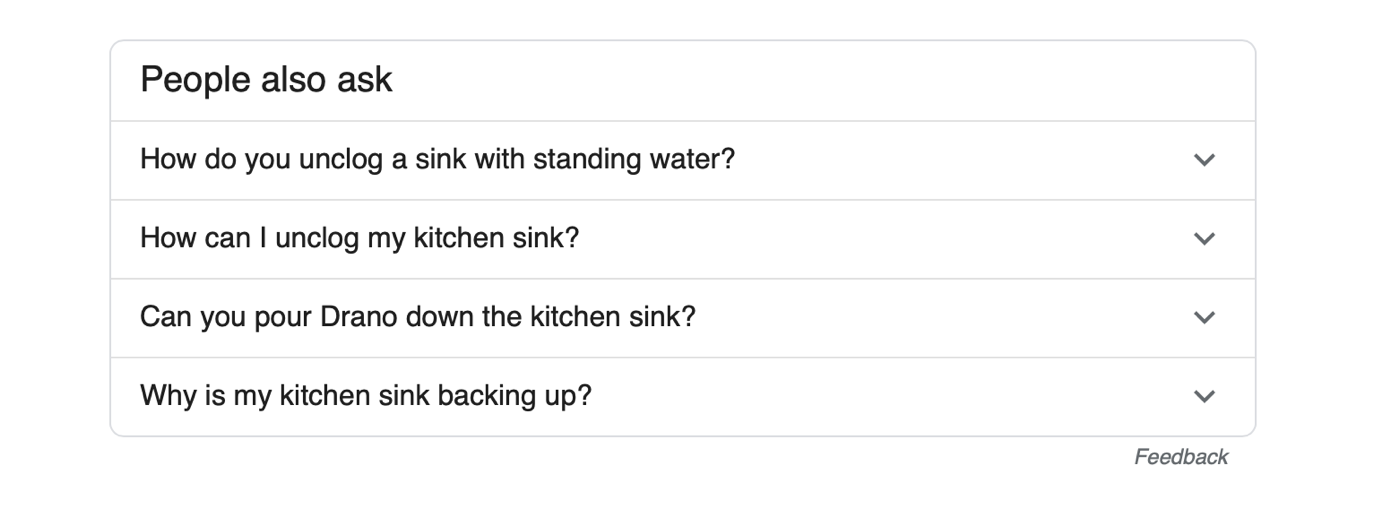
The People also ask feature is stylized as list of expandable accordions. Each accordion is a labeled with a question related to the user’s query.
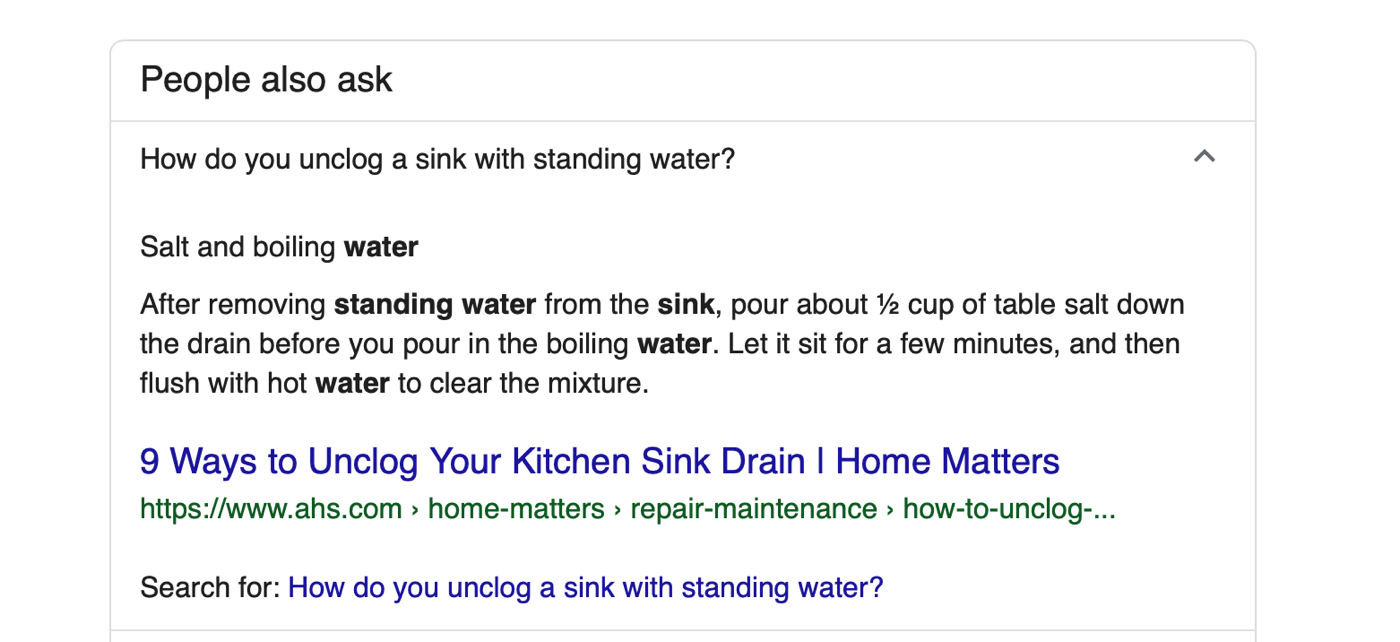
When expanded, each accordion reveals a featured snippet answering the question, along with a link to more information.
Top stories
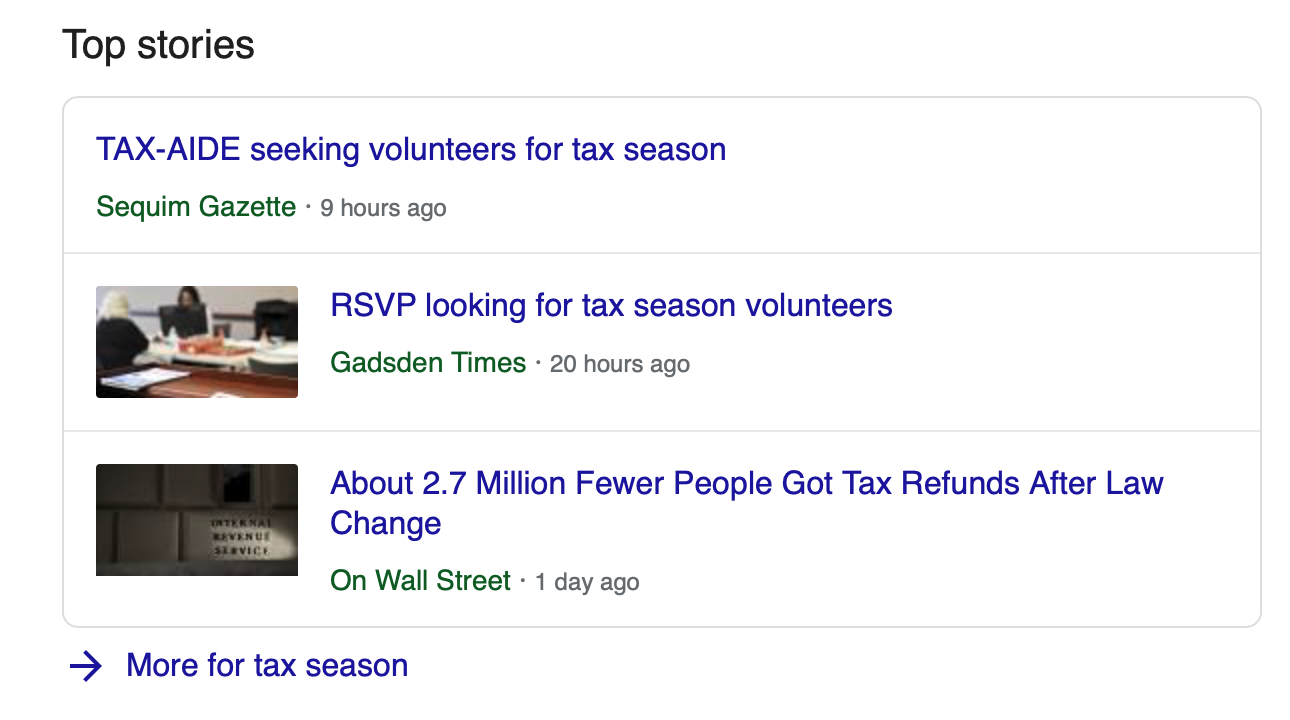
This element presents a carousel of news stories, usually related to time-sensitive events.
Packs: Image, Video, and Local
When Google finds it has image, video, or map content relevant to the user’s query, it will embed previews of that content on the SERP.
For example, when Google anticipates that a query is geographic in nature (like a search for “ramen london”), it pulls three related results from Google Maps and embeds them on the SERP along with a preview of the map. These listings also include the address, ratings, and a short description of each location.

Carousel
Carousels contain a row of related results, presented across the top of the SERP, usually with an image thumbnail for each result. For example, when one participant searched for true crime podcasts, her SERP had a carousel of different podcasts across the top.
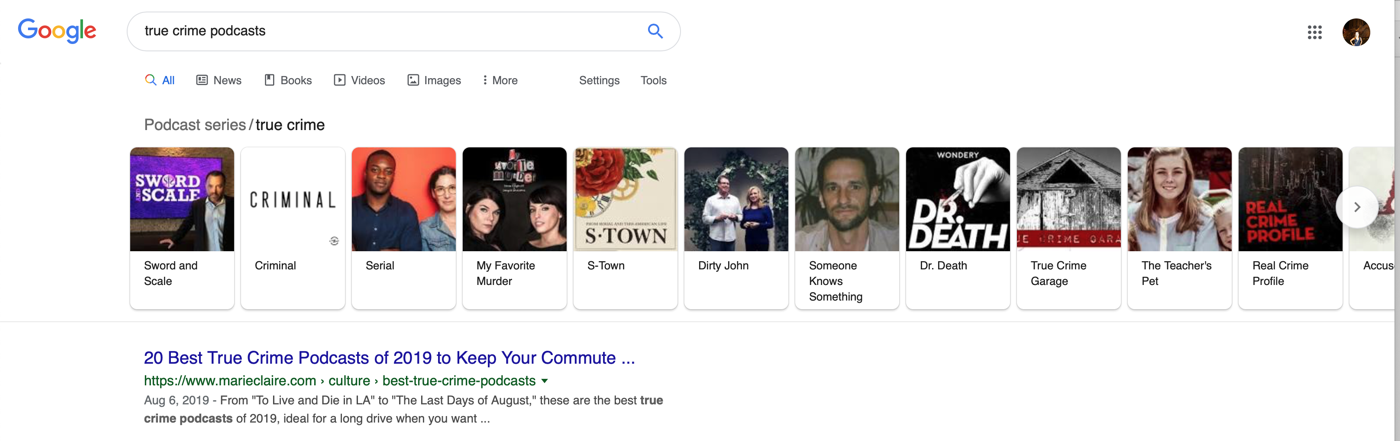
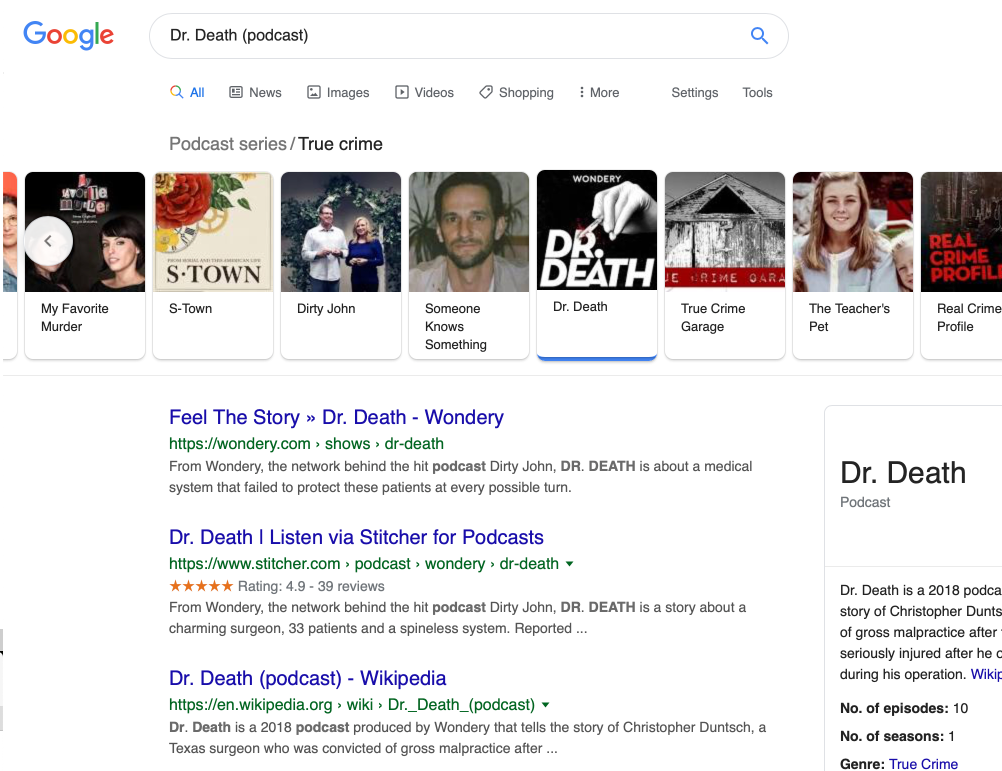
She used the carousel as a navigation tool. As she clicked each card in the carousel, she was brought to a SERP for that podcast.
Knowledge Panel
Knowledge panels (also known as knowledge graphs) appear in the sidebar of search-results pages. They provide structured information about entities: for example, a famous person, a business, venue, or movie.
They display information such as:
- Name of the entity
- Category or job title
- Description (usually from Wikipedia)
- Metadata (for example, birth date, life expectancy, height)
- Related entities that people also search for

References
“What are SERP Features & How to Achieve Them.” SEMrush. 15 Aug 2017. https://youtu.be/CUTCLe8GuPo
Meyers, Peter. “Mega-SERP: A Visual Guide to Google.” moz.com. 10 Oct 2013. https://moz.com/blog/mega-serp-a-visual-guide-to-google
O’Neill, Michael. “A Guide to Every 2019 Google Search Feature.” brafton.com. July 2019. https://www.brafton.com/blog/distribution/a-content-marketers-guide-to-every-2018-google-serp-feature/
"Learn how content appears in Google Search." Google Developers. https://developers.google.com/search/docs/guides/search-features


