

Notifications are central to how smart home technologies inform users about the system’s status and invite interaction. Well-designed notifications build trust and help users stay in control. However, too many alerts can cause notification fatigue, leading users to ignore or disable them and potentially miss important information. Poorly timed or unclear notifications can also increase stress and disengagement.
To prevent these pitfalls, designers need clear guidelines for useful and effective notifications. The next sections outline three types of smart device notifications — reactive, proactive, and optimization — and present seven principles for making notifications more useful.
3 Types of Useful Notifications
Notifications are not one-size-fits-all. Users expect and need different types of alerts, depending on the context. Some require immediate attention and action, others provide reminders, and some suggest ways to optimize device use.
- Reactive: alert users to events that need immediate attention
- Proactive: serve as reminders or inform users about events that are coming up and need preparation
- Optimization: guide and inform users about how they could use devices more efficiently
Reactive Notifications: “Something Happened, Respond Now”
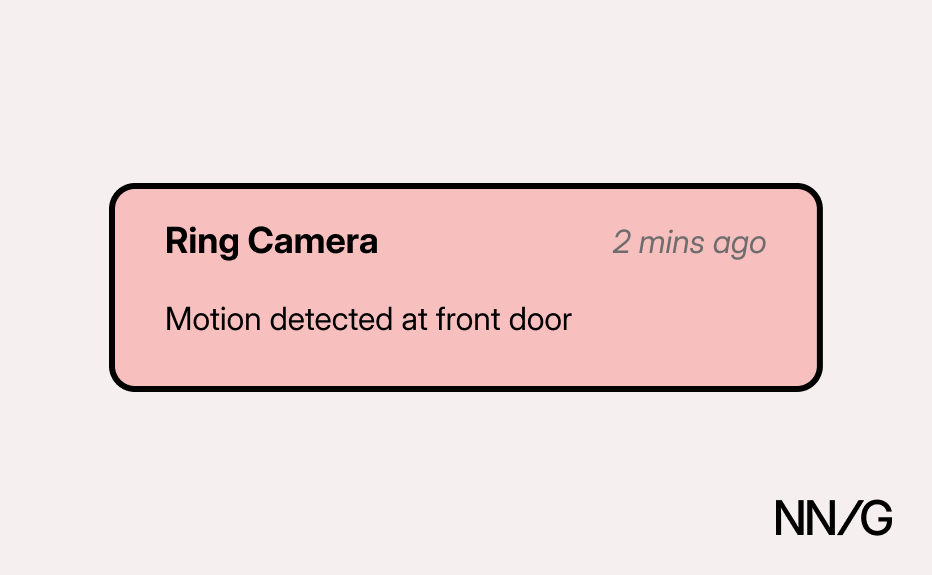
Reactive notifications alert the user about events that require immediate attention and action. Many are safety or security-related (e.g., a smart-doorbell notifies you when someone is at the door, a smart-camera signals that motion has been detected). Other reactive notifications may be less urgent, such as an alert when your washing machine finishes its cycle; while some response may be needed in these cases, it doesn’t necessarily have to be immediate.
Proactive Notifications: “Something Is About to Happen, Prepare”
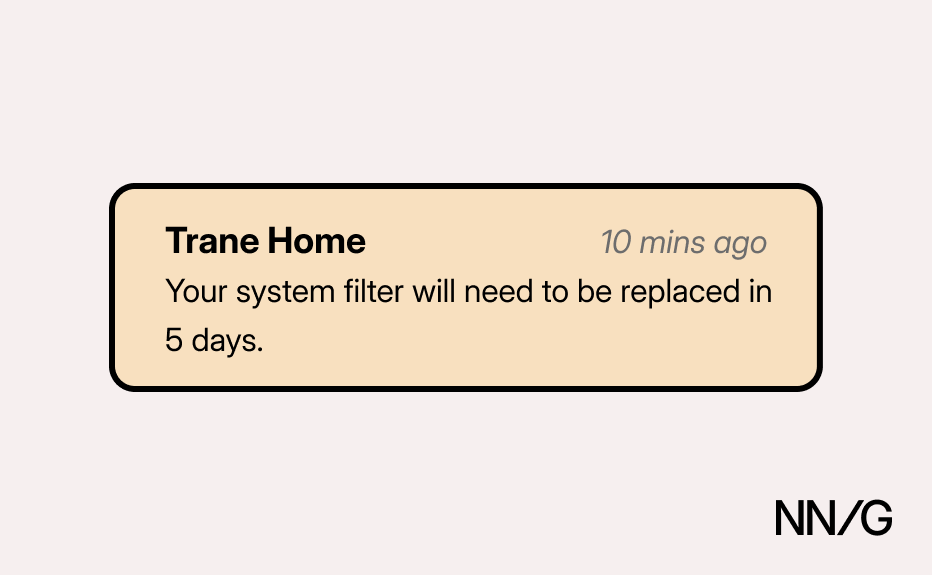
Proactive notifications serve as reminders or inform users about upcoming events or tasks that require preparation. These can range from alerts for required device maintenance (e.g., an expiring filter) to warnings about scheduled changes in device modes (e.g., thermostat switching to eco mode).
Optimization Notifications: “You Can Do This to Optimize”
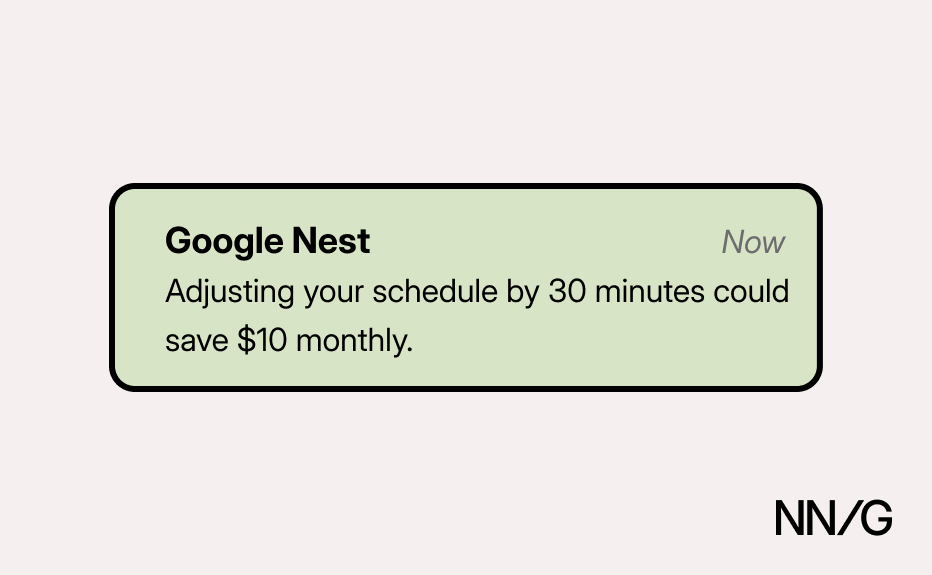
Optimization notifications are the least urgent type of alerts. They inform users about how to use devices more efficiently, recommending cost- or energy-saving actions based on usage patterns. For example, a smart thermostat might analyze monthly-usage patterns and suggest schedule adjustments to reduce costs.
Different Types of Notification Channels
Smart-home notifications can also be delivered through different channels, each with its distinct characteristics that affect how and when users see alerts:
- Push notifications appear on a device's lock screen or notification center and typically include sound or vibration alerts. They're ideal for time-sensitive information that requires immediate attention.
- In-app notifications appear only when users open the smart-home app. These are best for less urgent information that users can review at their convenience.
- Email notifications are sent to the user's inbox. While less immediate and visible, they provide a lasting record and work well for nonurgent updates or detailed information.
- SMS/text notifications are sent as text messages to the user's phone. They're highly visible but should be reserved for critical alerts due to their intrusive nature.
- On-device alerts appear directly on the smart device itself through lights, sounds, or display messages. These work well when the user is physically near the device.
The choice of channel significantly impacts whether notifications prompt action or go unnoticed. Matching the right channel to each notification type is essential for effectiveness.
7 Principles for Designing Useful Smart-Home Notifications
In a 2-week diary study with smart home users, we identified the following insights into what makes notifications useful. People value alerts that are timely, relevant, and specific in the information they’re conveying; based on their urgency and goal, notifications should also have the right intensity and frequency and be delivered through appropriate channels.
1. Timely: Deliver at the Right Moment
Notifications need to be displayed exactly when the user needs them – not too late to act on them, and not so early that they are irrelevant and soon forgotten. The appropriate moment for an alert depends on the type of notification: reactive, proactive, or optimization.
Reactive
The user should be alerted instantly, in real time whenever an event requiring their immediate attention or action occurs (for example, when motion is detected or the doorbell rings). Given the urgent nature of these situations, even a small delay might undermine trust in the device’s reliability.
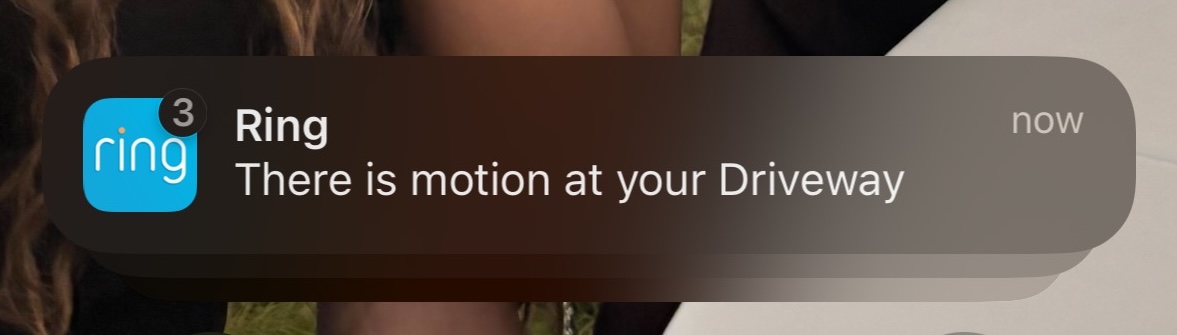
One participant found it critical that her Ring camera notify her immediately after the selected boundaries were crossed, so she specifically tested the system to ensure it was alerting her promptly:
“I wanted to see when [the camera] would alert me. So, like, see where [my partner] was standing when it would alert my phone.”
The importance of timely alerts extends to nonsecurity devices. One participant described how her smart-vacuum app notified her about device issues only after a significant delay, which decreased the value of the alert system:
“[The vacuum] does make a sound [...] when it's been caught underneath the beds before. And I've never heard it. Until the app catches up, and it'll send a push notification [...] but it’s delayed. I'm like, how long ago did that happen?”
Proactive
The user should receive timely advanced notifications; however, the optimal timing depends on the type of action required. For actions that take minimal preparation or that are time-sensitive, the device should alert the user closer to the event (e.g., five minutes before a washer cycle ends). In contrast, for tasks that require more preparation or are less urgent, earlier notifications are better:
“I received a push notification through my phone that the smart litter box needed its batteries changed [...] That only 20% of the battery life remains.”
Optimization
Such notifications are most effective when sent at the right time and tailored to the situation — for example, recommending energy-saving opportunities during high usage.
2. Relevant: Align with User Priorities
Notifications need to be meaningful and aligned with users’ priorities and needs. Too many irrelevant alerts can lead to notification fatigue. Once that happens, even critical alerts may be missed, and users may revoke the app's notification permissions altogether. Therefore, by default, devices should send only alerts related to their core purpose (e.g., a smart camera should prioritize safety-related notifications) while allowing users to customize what other kinds of notifications they want to receive.
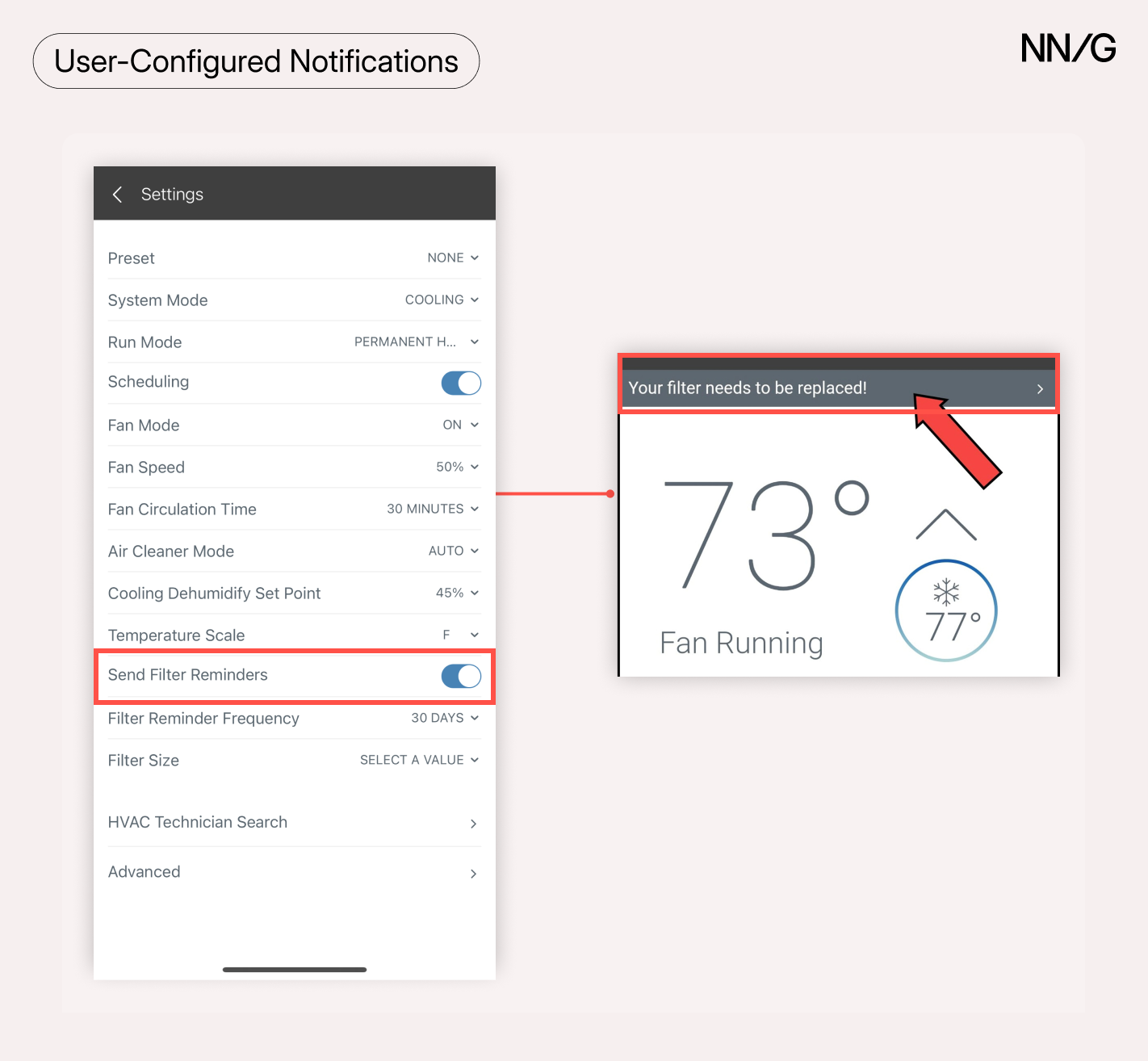
For example, one participant appreciated being able to manually set up notifications for his HVAC filter, as one of his priorities was to save energy:
“I set the alerts to allow the Trane app to notify me of system-related issues. In this case, it alerted me to the issue regarding the air filter and specifically that it needed to be changed.”
Maintaining relevancy also means that alerts should automatically expire once the issue is resolved or the event is appropriately acknowledged, so users aren’t left with irrelevant clutter. In smart homes where multiple devices are often competing for the user’s attention, outdated notifications add unnecessary cognitive load and may make the system seem unreliable and unresponsive. Promptly removing resolved or outdated alerts makes devices feel more attentive and helps keep users’ attention on relevant information.
Recovery notifications matter too: when a device comes back online or an issue resolves itself, it should notify users that normal operation has resumed, especially for security devices where gaps in coverage have safety implications:
“[My ring camera] won't tell me that it's back online. Most of the time, the power just comes back on, and then I notice that it started getting notifications again.”
Reactive
Reactive notifications need to provide accurate and relevant information to users when immediate attention is required. For example, smart cameras should not alert users to motion events that are not related to real security risks, such as those caused by leaves or insects:
“Last night I got 99 notifications. It looks like literally every five minutes I got notifications because [...] there was, like, a bug on a spider web.”
Another participant shared how her smart camera continued to alert her about a dead battery even though she had recently replaced it. Irrelevant or outdated notifications cause frustration and appear unreliable; as a result, they may lead to distrust and cause important alerts to be missed.
Proactive
Proactive notifications should be tied to clear and actionable thresholds. For example, alerting that a device battery is at 50% is unnecessary; however, alerting at 20% is more relevant, as it allows enough time for the user to react, whilst also signaling urgency.
Optimization
Optimization recommendations should be personalized and connect directly to goals such as comfort, saving energy, or saving money. They should also be actionable.
A study participant completely ignored a thermostat’s suggestion because it was impractical for her household. Smart devices can learn users’ habits and should use that information to offer relevant, personalized recommendations.
Additionally, marketing notifications that push sales or premium plans often come across as manipulative and annoying, especially when users can’t distinguish them from functionality-related notifications:
“I get notifications from the camera app all the time for sales. They've got sales on cameras and sales on doorbells [...] I get those notifications, and they drive me nuts. I don't want the sales notifications, but I want the motion notifications. And so that's annoying because I can't separate [them].”
Optimization notifications should prioritize safety and utility over marketing, letting users opt out of irrelevant alerts. Done right, they guide users and strengthen engagement; done poorly, they undermine trust and are often ignored.
3. Specific: Answer Users’ Immediate Questions
Notifications should be concise and specific, answering the user's key questions — what happened, what action is needed, and when — without requiring app access. For example, "Filter expires in 5 days" clearly states both the event and the timeframe.
Reactive notifications should clearly specify the event and trigger. For example, “Person detected at front door” is far more informative and actionable than “Motion detected,” which runs the risk of being ignored. As AI becomes more ubiquitous in smart home technology, providing even more specificity and context – for example, “Lawn service arrived at front door” – would make these notifications even more useful.
“[The camera] has the ability to identify the types of motion. It has various categories that you can search by animal, person, etc. Yet, when it alerts you, it simply says motion. Because I receive a number of these alerts I don't always check them.”
Similarly, when a major error prevents the device from working properly, users should receive a clear and detailed notification so they can resolve the issue with confidence.
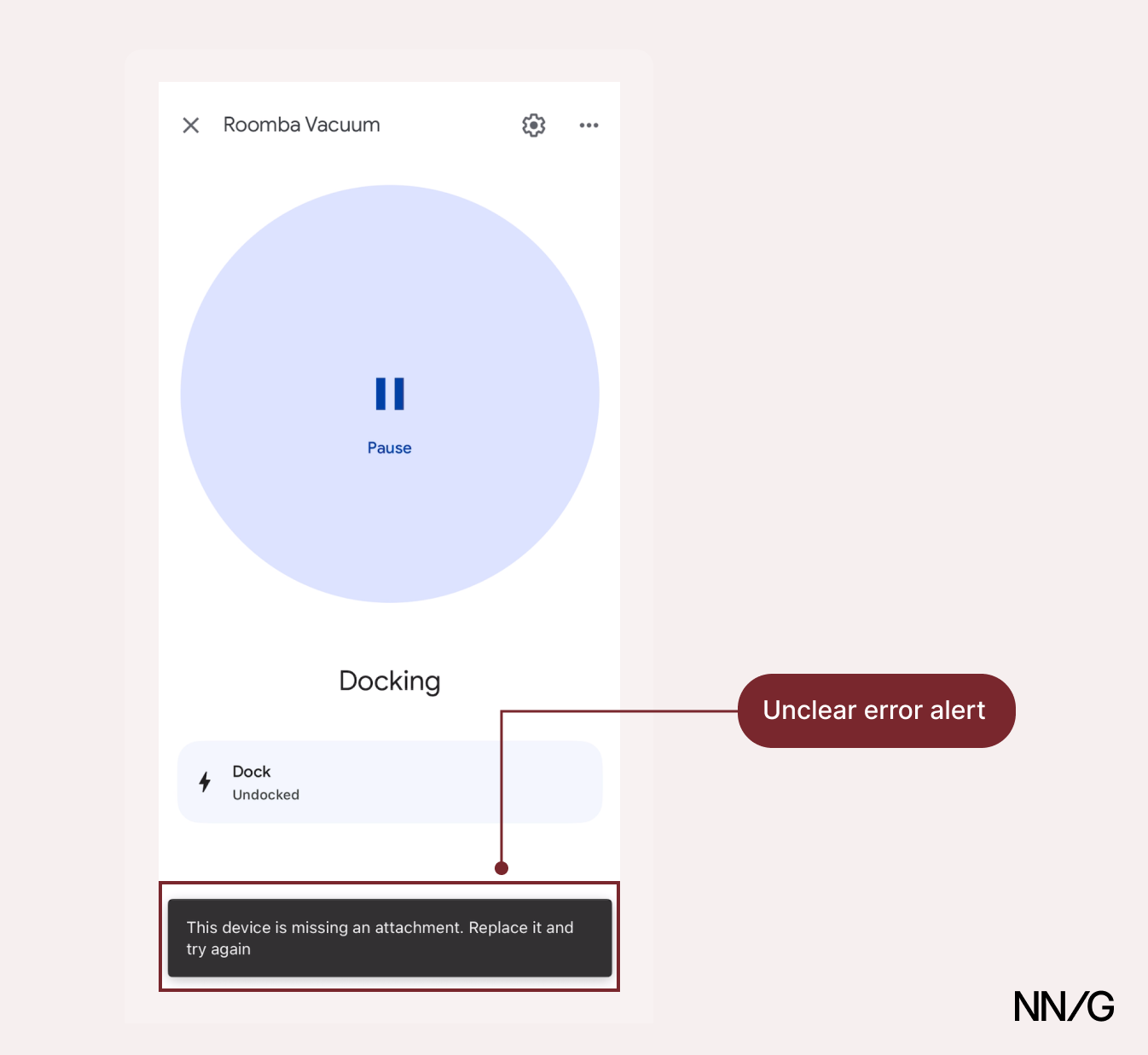
Ultimately, the more specific and clear the notification, the less time and effort the user will spend understanding it, and the more they will trust the device’s ability to guide and inform them.
4. Right Intensity: Match Urgency with Presentation
Notifications vary in urgency. For instance, a security-breach alert should be clearly differentiated from a recommendation to activate eco mode. It should be easy to determine whether a notification requires immediate action, can be addressed later, or serves only as general information.
If all alerts look the same, users will struggle to prioritize them and may treat them as if they had the same urgency level. The result may be complete apathy (ignoring all notifications) or heightened anxiety (feeling compelled to check every notification immediately).
A clear hierarchy of urgency can help users distinguish among different alerts and understand their urgency. Visual cues (e.g., colors and font weights) combined with auditory signals (e.g., sound volume and vibration strength) can help differentiate notifications. For instance, Nest Protect, a smart-home smoke and CO detector, uses a pulsing on-device red light and spoken alerts for critical smoke events, while a yellow light signals less urgent maintenance issues.
When asked how a missed alert could have been made more visible, one user explained:
“Some sort of buzzing […] With the security alarm, for example, there are different buzzing sounds.”
These cues should be consistent across devices and interfaces, so users know what level of attention each notification requires.
Reactive
Reactive notifications are the most urgent alerts and should stand out immediately. These would be appropriate to send as push notifications. Bold colors (e.g., red) or distinctive sounds can ensure that users see them and respond to them quickly. For example, a camera detecting a person at the front door should trigger a more prominent alert than if the same camera detected a spider.
Proactive
Due to their moderate urgency, proactive notifications should be clearly noticeable but not overly disruptive. For example, maintenance or filter-replacement reminders should be visible enough to attract attention without demanding immediate action or interrupting the user.
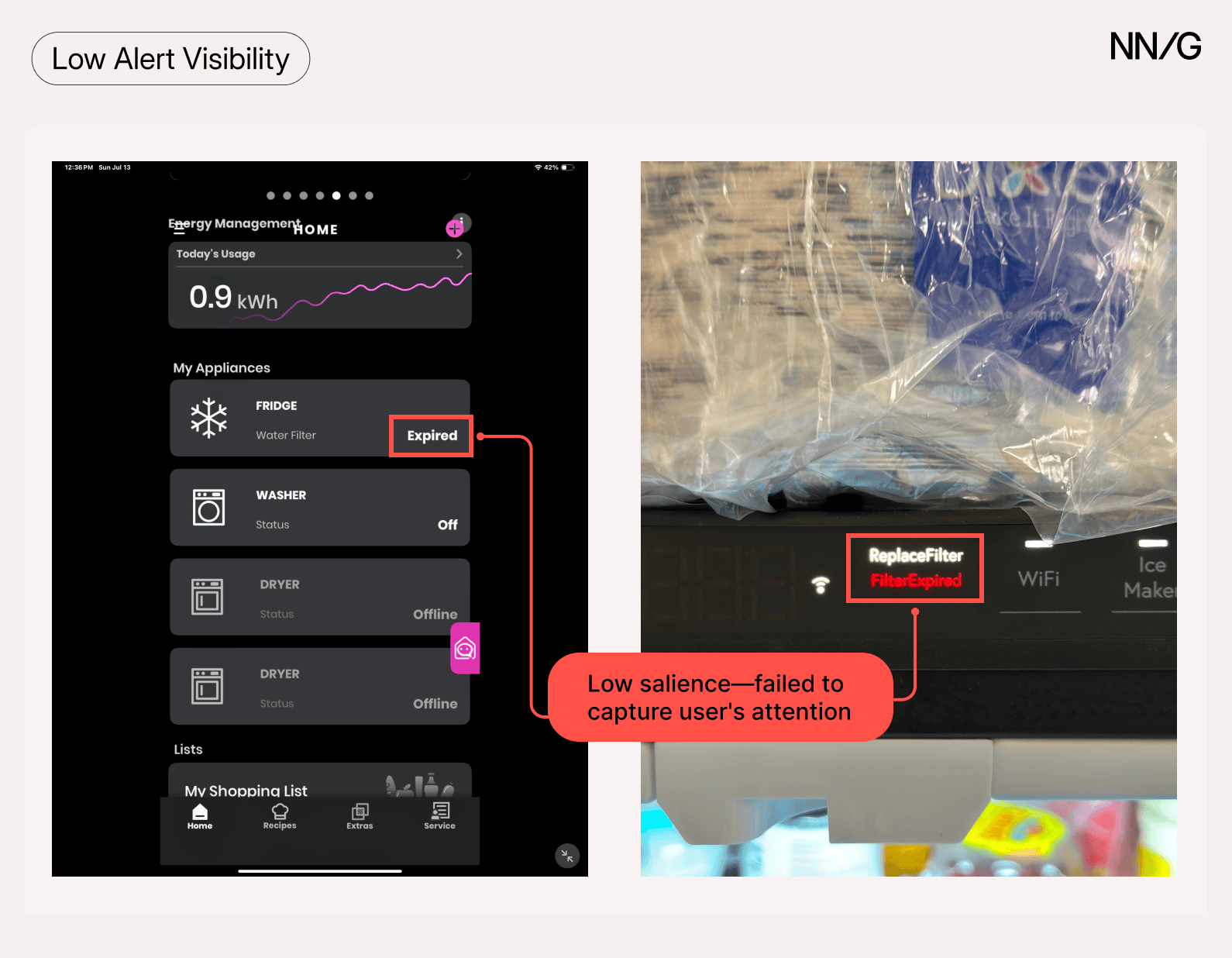
One participant in his 70s described missing a filter-change reminder because it was way too subtle and did not alert him in any noticeable way:
“There's a light that comes on inside the refrigerator when you open the door [...] and it says ‘Replace water filter.’ And then when I went on the app, it was there. But there wasn’t anything to get my attention to it.”
Optimization
Optimization notifications, such as energy-saving or usage-optimization suggestions, should be the least intrusive and not overshadow critical, urgent alerts. Optimization notifications that are too visually prominent can disrupt users and feel manipulative, causing some people to disable or ignore them.
Matching notification prominence to notification urgency ensures that every alert gets the right level of attention and enables users to respond appropriately.
5. Right Frequency: Keep Users Informed Without Overwhelming Them
Excessive alerts, especially for minor issues, can lead users to ignore notifications altogether — creating a "cry wolf" effect where important messages are missed due to notification fatigue. Notifications should be informative but not so frequent that they become overwhelming or lose significance.
One participant signed up for humidity alerts from her thermostat but the overwhelming amount of alerts made the feature unusable, so she eventually disabled them:
“I found out that my humidity was getting over that percentage all the time, and it would alert me, like, every 30 seconds. [...] It was driving me nuts. So, I turned the notifications off.”
One approach to prevent notification fatigue is for devices to allow users to set clear thresholds for when and how often alerts appear:
- Event thresholds: Users should be able to specify the exact conditions that trigger an alert (e.g., notify only if humidity is above 50% for more than 10 minutes).
- Event types: Users should be able to filter what kind of events generate alerts (e.g., motion notifications only when a person is detected, not for bugs or leaves).
- Frequency: In less critical situations, users should be able to control how often alerts repeat and within what intervals (e.g., one alert per hour if the condition persists, instead of every 30 seconds).
Reactive
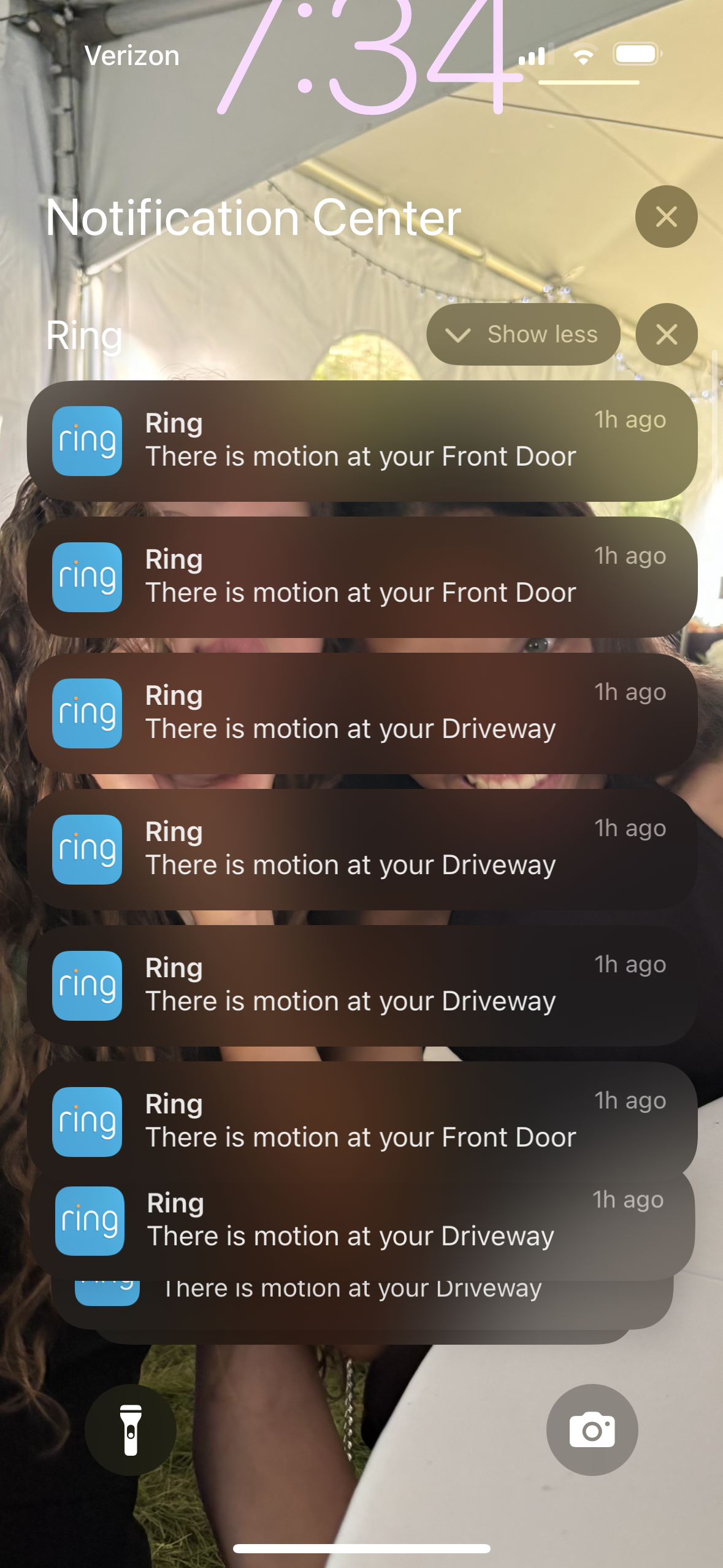
Reactive notifications should be meaningful and event-driven. The key to avoiding notification fatigue is to filter for significance. Users need to be alerted every time a significant event occurs, but systems must be smart enough to distinguish genuine events (e.g., a person detected in the backyard) from false positives (e.g., a leaf blowing).
Devices should also distinguish between discrete independent events (e.g., multiple failed door-unlock attempts) and ongoing conditions (e.g., persistent high humidity). For discrete events, they should notify immediately for each occurrence. For ongoing conditions, they should use smart thresholds (such as duration, as described above) to avoid alerting nonstop.
However, many participants struggled with excessive reactive notifications because they lacked access to event-type filtering features (e.g., "people only" for cameras), which are often restricted to paid versions. Many of our participants relied on free plans, which forced them to sift through countless generic alerts.
Proactive
Proactive notifications are most effective when delivered on a predictable and moderate cadence that suits the task. Devices should resend notifications if they prevent device failure or significant drops in performance. For example, an HVAC filter reminder might alert at 30% filter life remaining and then at 10% — each reminder increasing in urgency as the filter becomes more critical to replace. This escalating approach keeps alerts relevant and appropriately paced without overwhelming users, while ensuring important maintenance isn't forgotten.
Optimization
Optimization notifications should be rare and context-driven. A well-timed suggestion to use eco mode when heading out can be genuinely helpful. However, receiving daily reminders to “save energy” may feel like spam, especially if they are delivered in the wrong context or lack clear advice and practical suggestions. Frequency is a balancing act: too few alerts and users might miss important information; too many, and they might stop engaging altogether. Striking the right cadence can prevent notification fatigue and ensure notifications remain useful over time.
6. Right Channel: Meet Users Where They Are
Different users, and even the same user in different contexts, have distinct preferences for how they want to receive alerts. Some prefer push notifications on their phones, others prefer email or SMS, while in certain cases, on-device cues (such as a light or chime) may be the most effective. If the delivery channel doesn’t align with user needs and preferences, even relevant notifications may be ignored.
Participants in our study reported that they often overlooked email alerts (“Emails can be easy to ignore”), while push notifications were more likely to prompt timely action. For nonurgent alerts, in-app notifications that users could review at their convenience were preferred.
Devices should allow users to select one or more channels for different types of notifications. For example, a user might want safety-critical alerts to be sent as push notifications and text messages but prefer filter-change reminders via in-app messages only.
Additionally, as central hubs (e.g., Google Home, Alexa, Apple Home) become more integrated, they can go beyond traditional communication channels and allow even more flexibility in alert delivery. Users can set automations or routines specifying when and how they want to receive notifications.
Consider, for example, a routine where the completion of a dryer cycle triggers a smart light in the kitchen to turn green, reverting back to its normal state once the laundry is collected. This type of advanced customization allows users to tailor alerts to their environment and routines, making notifications more useful and less likely to be ignored.
Reactive
Reactive notifications should use high-priority, attention-grabbing channels (push notifications, SMS, on-device visual and sound alerts). Safety-related alerts should never be delivered solely through low-visibility channels like email.
Proactive
Proactive notifications can use less disruptive channels (push notifications, in-app messages, or on-device alerts) depending on urgency. For example, a filter reminder can appear as a push or on-device notification, but a reminder to check energy usage might be less intrusive if delivered within the app.
Optimization
Optimization notifications should be contextual and nonintrusive, while still remaining visible. Push, in-app, or on-device notifications can all work well, as they reach users in real time. For example, recommending eco mode as someone leaves the home is best surfaced through a push notification that can be quickly dismissed, rather than an email that may not be acknowledged until hours later.
Some optimization notifications, such as general energy-saving tips, are better suited for email if urgency is low. The key is to ensure these notifications don’t compete for attention with safety-critical alerts.
The right channel at the right moment can determine whether a notification prompts immediate and appropriate action or goes unnoticed. Aligning delivery channels with urgency and context can ensure that alerts reach users when they need them most.
7. Adaptable: Adapt to Changing Contexts
Notification preferences can change depending on the situation, so devices should make it simple to adjust settings.
Several participants highlighted this need, reporting that they had disabled motion detection when working in the yard, to prevent their phones from constantly buzzing with “motion detected” alerts. One muted their notifications, while another disarmed the cameras entirely:
“I wanted to disarm the outdoor cameras because my husband was going to mow the lawn, and it would have set motion off a lot.”
This points to a gap in how notifications currently handle edge cases and suggests that smart devices should make it easier for users to adjust alerts in extraordinary circumstances (without having to disable the device entirely).
Furthermore, users increasingly expect location-aware behavior—adjusting settings when they leave home or return—as a baseline capability:
“Maybe you could somehow get your smartphone or your Nest device to somehow coordinate with your location? And see if I'm located at home through my phone, then adjust the temperature according to the schedule. And if I'm located out of the house, then don't.”
Finally, all types of notifications (reactive, proactive, and optimization) should offer a “remind me again” or “snooze” option. Some participants received important notifications, such as device failures or maintenance reminders, when they were away from home and could not respond right away.
“I'm away from home, and the HVAC system alerted me to unusually high humidity in my house [...] It alerted me to the issue, but it was not something I could correct right away.”
In such circumstances, devices may have to realert users. Allowing them to opt for repeat reminders can help them remember the notification without appearing too spam-like.
Conclusion
Smart-home notifications shape how people perceive their devices' usefulness. Well-designed alerts don’t just inform people about important events; they also foster trust and confidence in the device, while demonstrating respect for the user's time and attention.
The goal is not to communicate more but to communicate better. Notifications that disregard user goals and priorities — whether through excessive volume, irrelevant alerts, or unsolicited marketing messages — may cause fatigue, frustration, and disengagement. Once users get to that stage and disable notifications altogether, it can be very difficult to regain their trust.
As smart homes evolve and become ubiquitous, this challenge will only grow. Most households purchase and own devices from multiple manufacturers yet expect them to work together seamlessly — a gap that emerging interoperability standards like Matter are positioned to address. By establishing consistent notification patterns across ecosystems and applying the seven principles in this article, designers can ensure notifications and smart devices become more useful, reliable, and trusted.


