
This is an updated version of an article written by Jakob Nielsen in 2007.
Tabs are a fundamental and frequently used control in interface design. For decades, the humble tab has enabled designers to organize and facilitate content navigation. In that time, tabs subtly evolved from the classic file-folder paradigm that initially inspired them. These essential best practices will ensure your tabs do not introduce usability issues for your users.
(This article discusses tabs found within the user interface and not those that allow users to keep multiple pages open in the browser chrome.)
What Are Tabs?
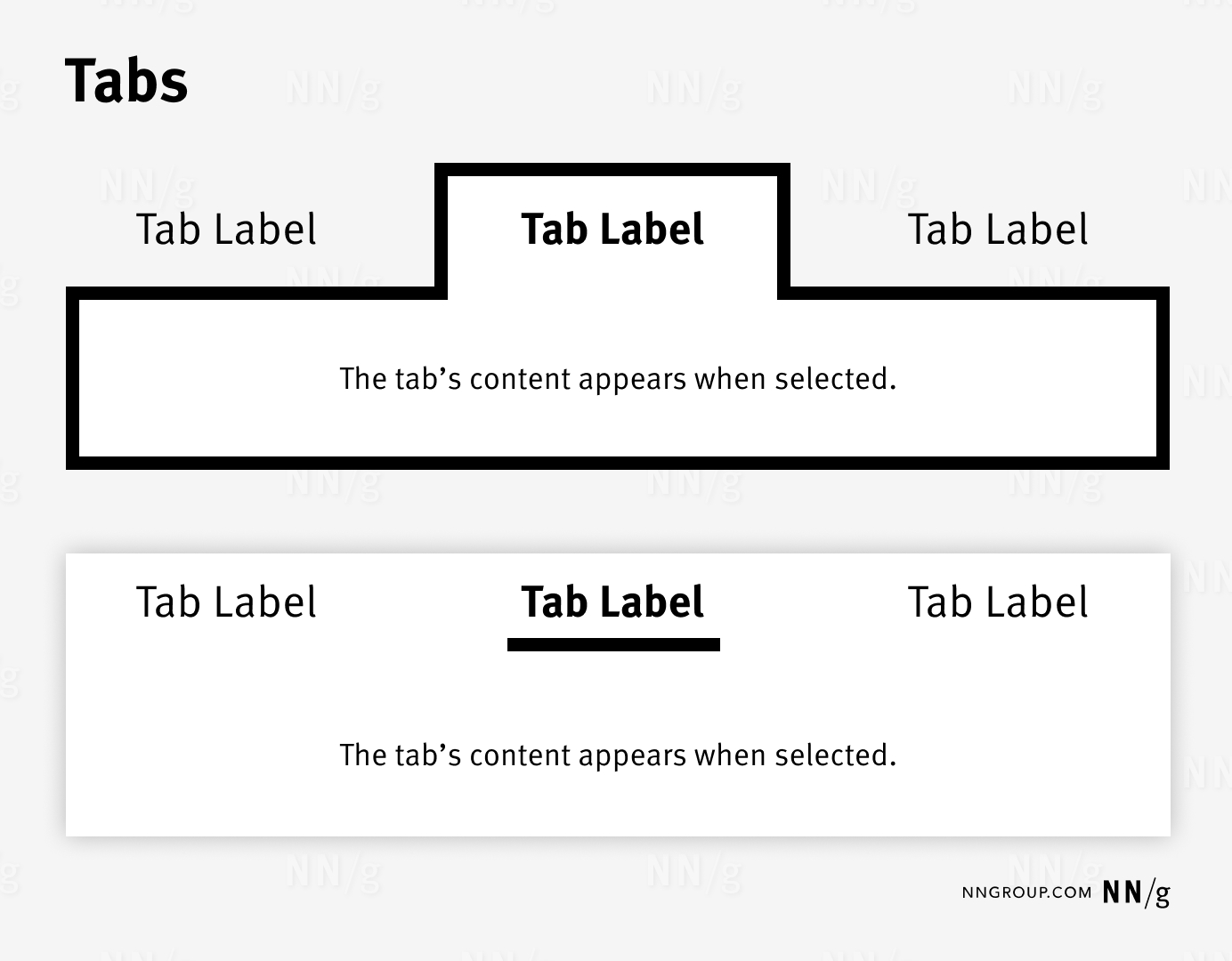
Tabs allow users to selectively view a single panel of content from among a list of options.
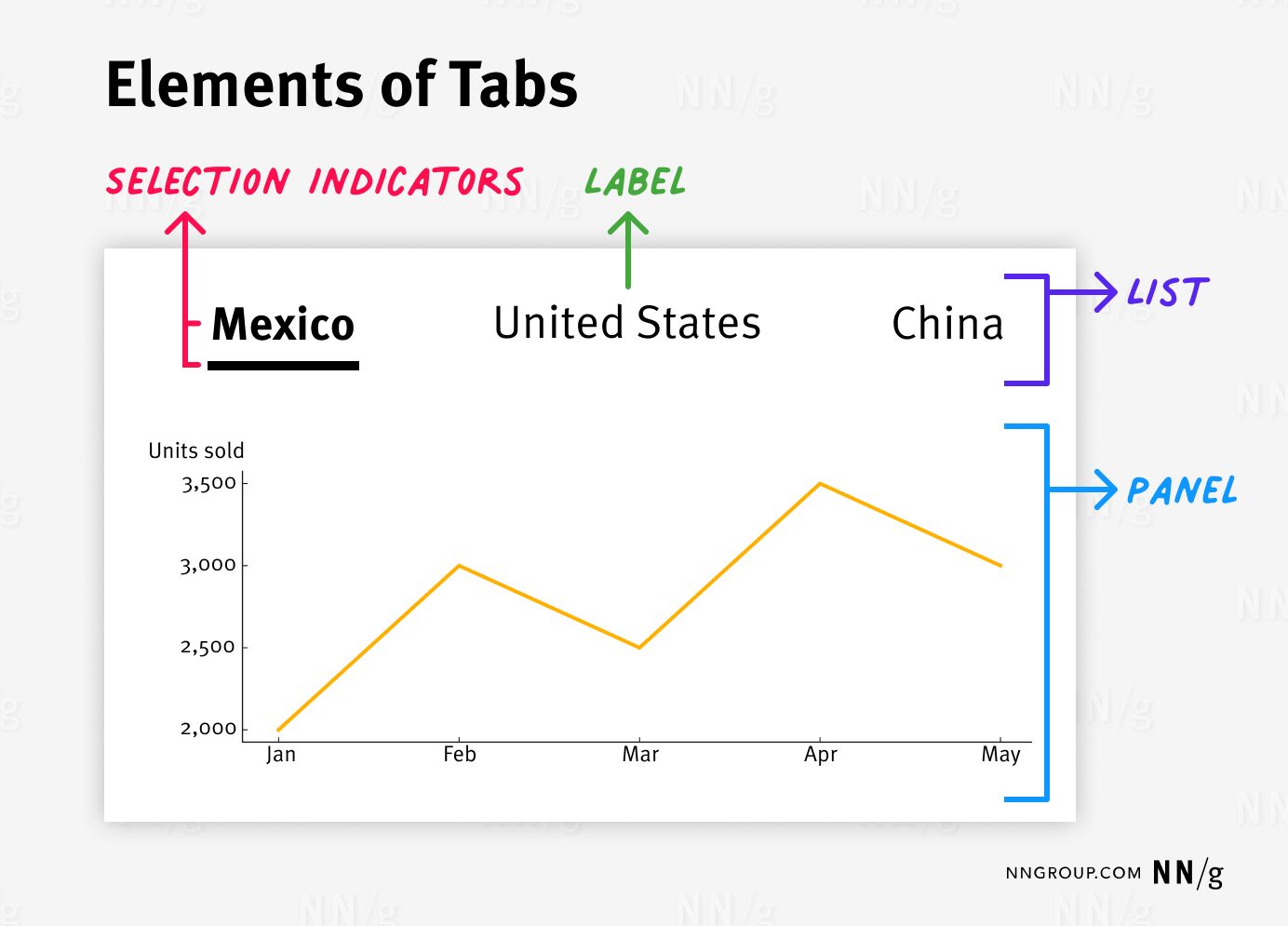
From a user experience perspective, a tab-based design includes the following elements:
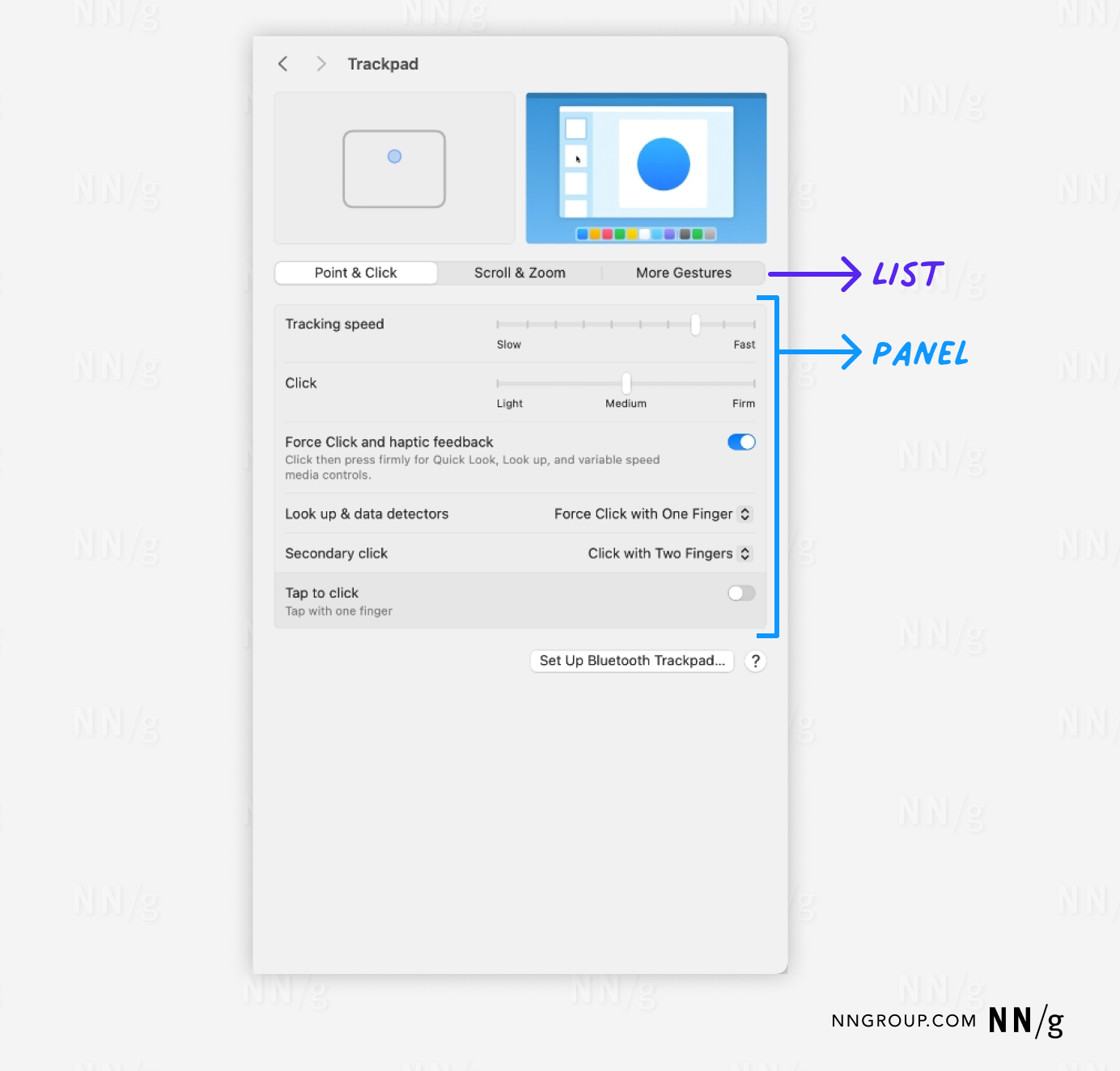
- List: A (traditionally horizontal) list of the available tabs
- Label: A concise description of the content found on that tab
- Panel: A panel displaying the selected tab’s content
- Selection indicators: A visual signifier that marks which tab is displaying content
Clicking or tapping on the label selects the tab.
In addition to these common elements, complex applications may contain other supplemental features to help users. These include:
- Icons (ideally the icon should be accompanied by a label)
- Adding, closing, renaming, or copying tabs
- Reordering tabs via drag and drop
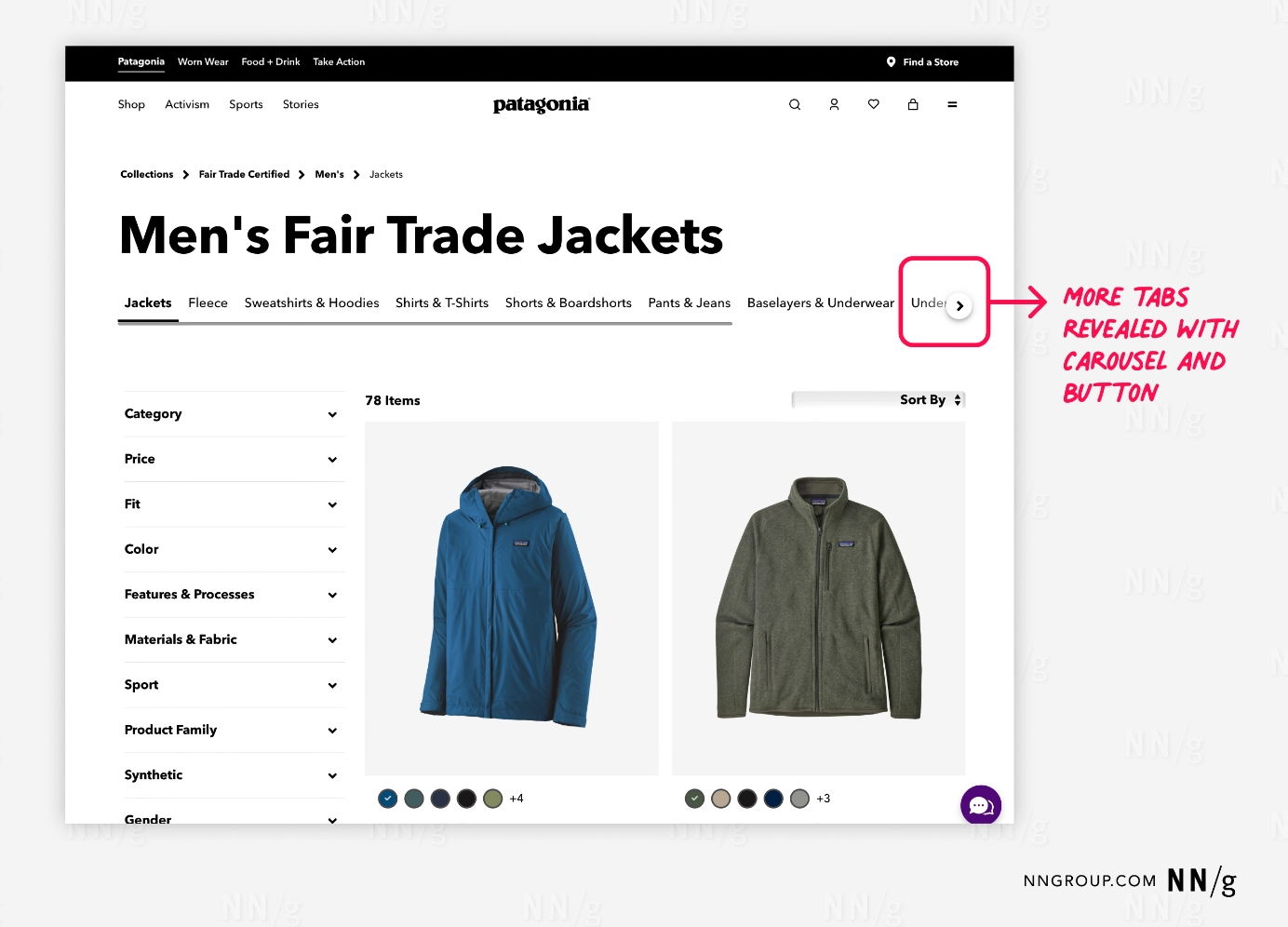
- Scrolling through the set of tabs if not all are visible on the screen (i.e., carousel-like tabs)
When to Use Tabs
When lengthy content has clear groupings. Tabs minimize cognitive load by chunking content into scannable pieces instead of showing it all at once.
When there are few content groupings. When the number of tabs overflows the tab list, the tab bar often becomes a carousel. As a result, the hidden tabs become less discoverable, and the interaction cost needed to access them increases, as users need to manipulate secondary controls to reveal those tabs. The fewer tabs, the better.
When content has unequal importance. Tab controls select and display a tab by default. This default tab receives more attention from users, while the other tabs may be ignored. Ensure that the content within nondefault tabs is supplemental rather than critical for a successful user experience.
When content can be labeled concisely. Short tab labels work best, as they conserve horizontal space in the tab list and avoid horizontal scrolling.
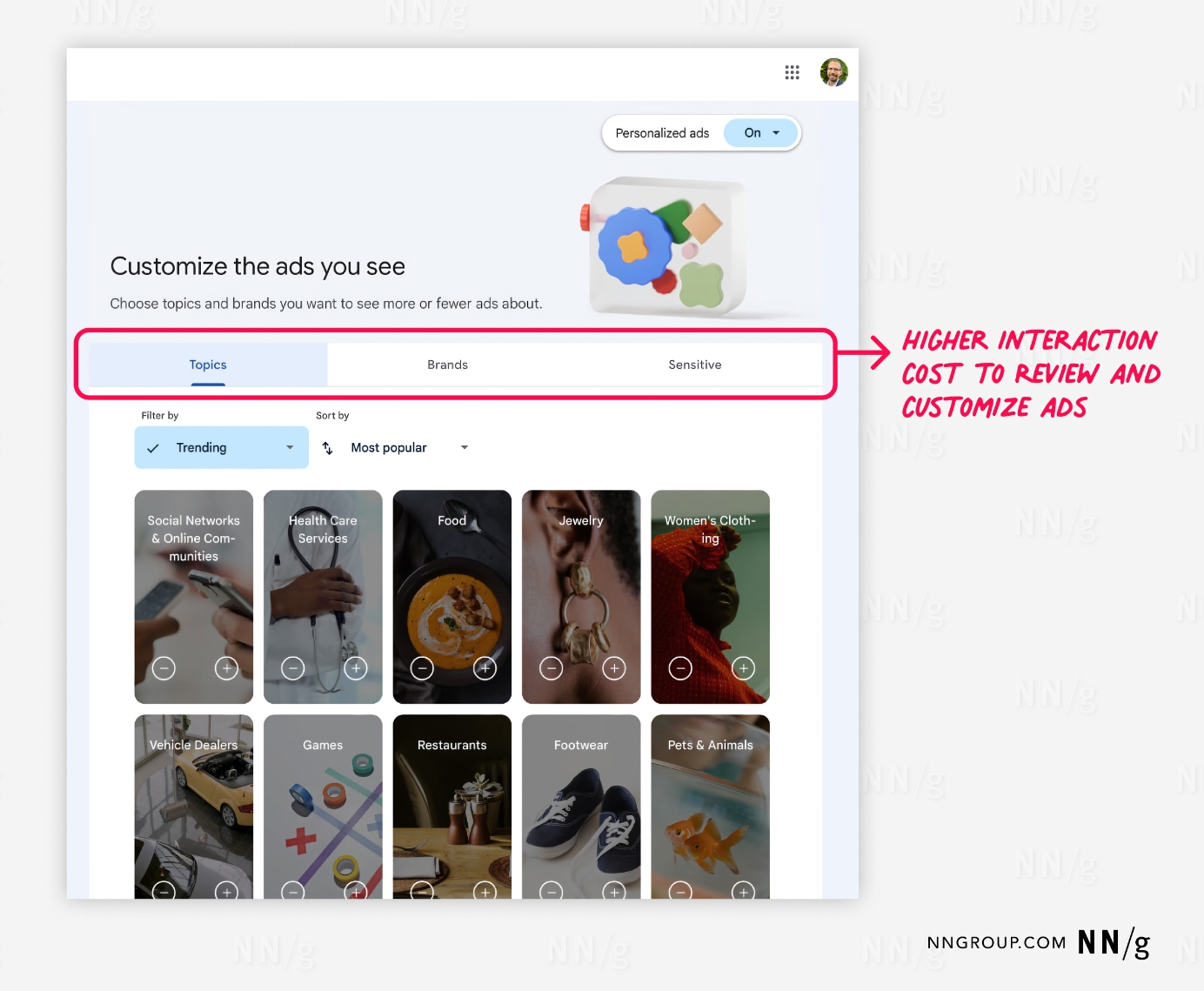
When users don’t need to simultaneously see information presented under different tabs. Otherwise, users must repeatedly switch between tabs to compare or reference information. In that situation, a tab-based design taxes users’ short-term memory, increases cognitive load and interaction cost, and lowers usability compared to a design that puts everything on one big page.
Tabs Versus Accordions
Like tabs, accordions are another effective method for collapsing content. Accordions are particularly useful on mobile devices, where they work better than tabs due to the limited screen space. Accordions can utilize longer labels and work well to organize short pieces of content such as FAQs. On desktop, tabs may be preferable as accordions can make the page seem too empty when closed. Moreover, tabs can handle longer content and accommodate more complex layouts than accordions.
Types of Tabs
In-page tabs organize and present related content within a single page. These tabs are not for navigation but enable users to alter the content displayed in the panel. In-page tabs are the originator of the tab-design pattern.
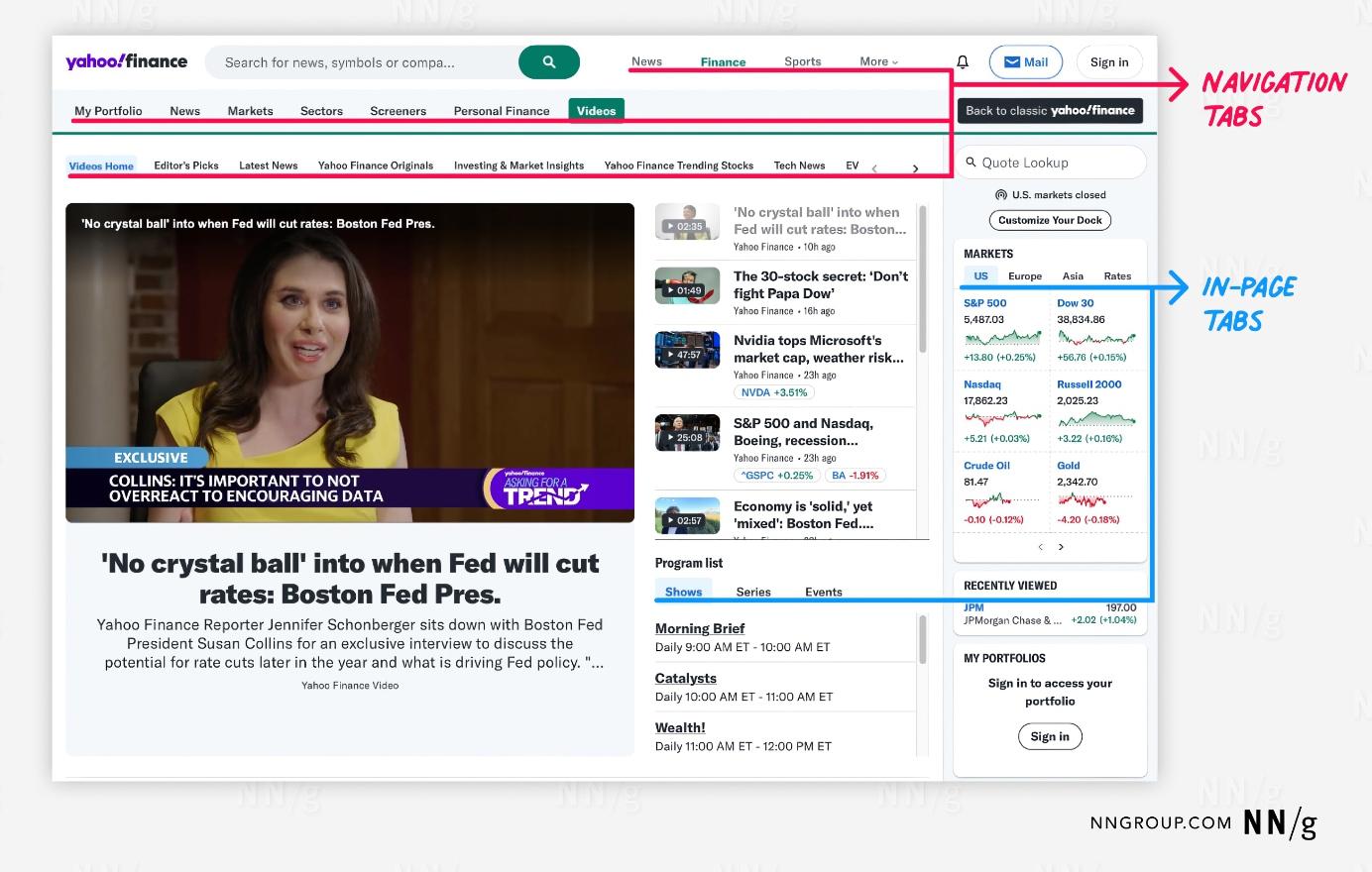
Navigation tabs enable users to navigate to different pages. Because navigation usability improves when the user’s location is clearly marked, designers started using the visual presentation of tabs (in particular, selection indicators) for navigation controls. Over time, this tab styling became a common visual approach to navigation.
Although navigation and in-page tabs look alike, understanding the subtle differences between them is essential to implementing each effectively.
| Navigation Tabs | In-page Tabs | |
|---|---|---|
| Content |
Broad scope Unrelated Different |
Narrow scope Related Similar |
| Location |
Top or sometimes left of the viewport Frequently bottom on mobile |
Varies since they are embedded within the page layout |
| Scrolling Position | Sometimes fixed to the top (or bottom) of the viewport | Rarely fixed |
| User Expectations |
Navigating to a new view Slight loading delay |
Remaining in the current view Instantaneous loading |
| Default Selected Tab | Usually one tab selected by default, but if the current page is not organized under any tab and was accessed elsewhere (like through a footer), then no tab may be selected | Always one tab selected by default |
Don’t Mix and Match Tab Types
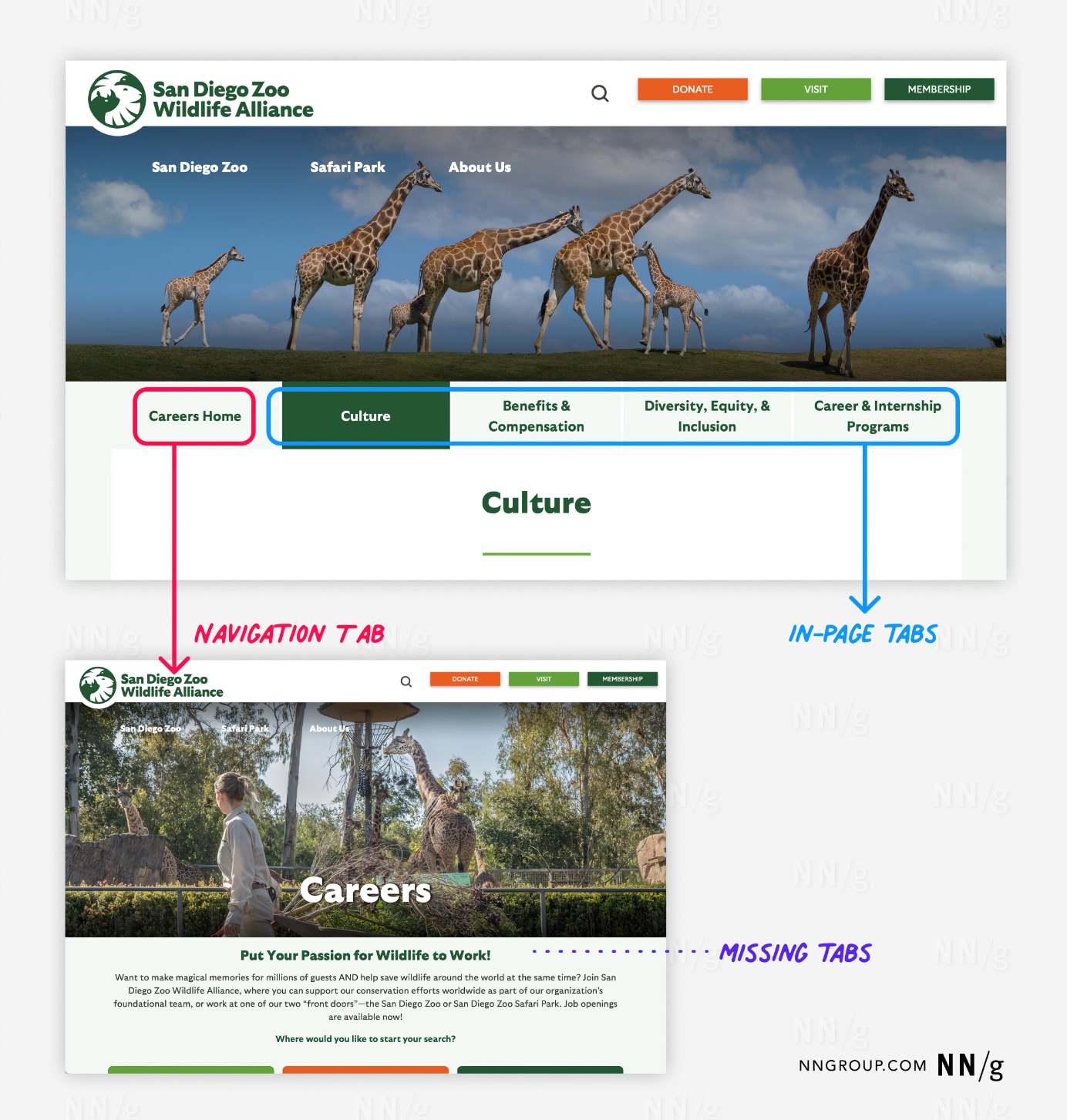
Mixing in-page and navigation tabs within one tab control will disorient users. In-page tabs should have similar content and keep users where they are. Navigation tabs should have dissimilar content and navigate users away from the current page.
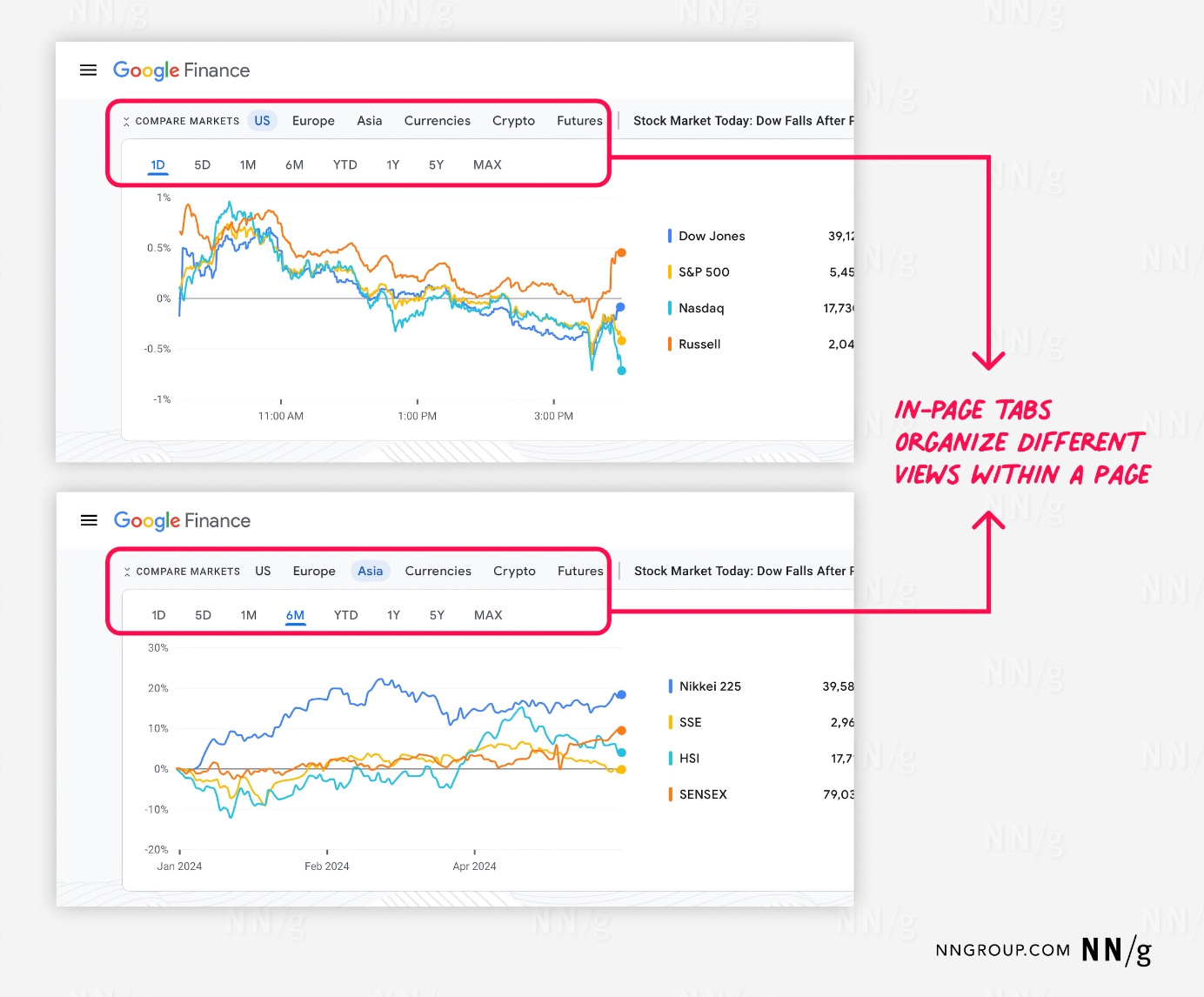
In-page tabs are supposed to keep users on the same page while alternating between related views. The intent is to reduce users' cognitive load by chunking content and progressively disclosing it upon selection. Strictly speaking, each in-page tab should have the same layout but with different data.
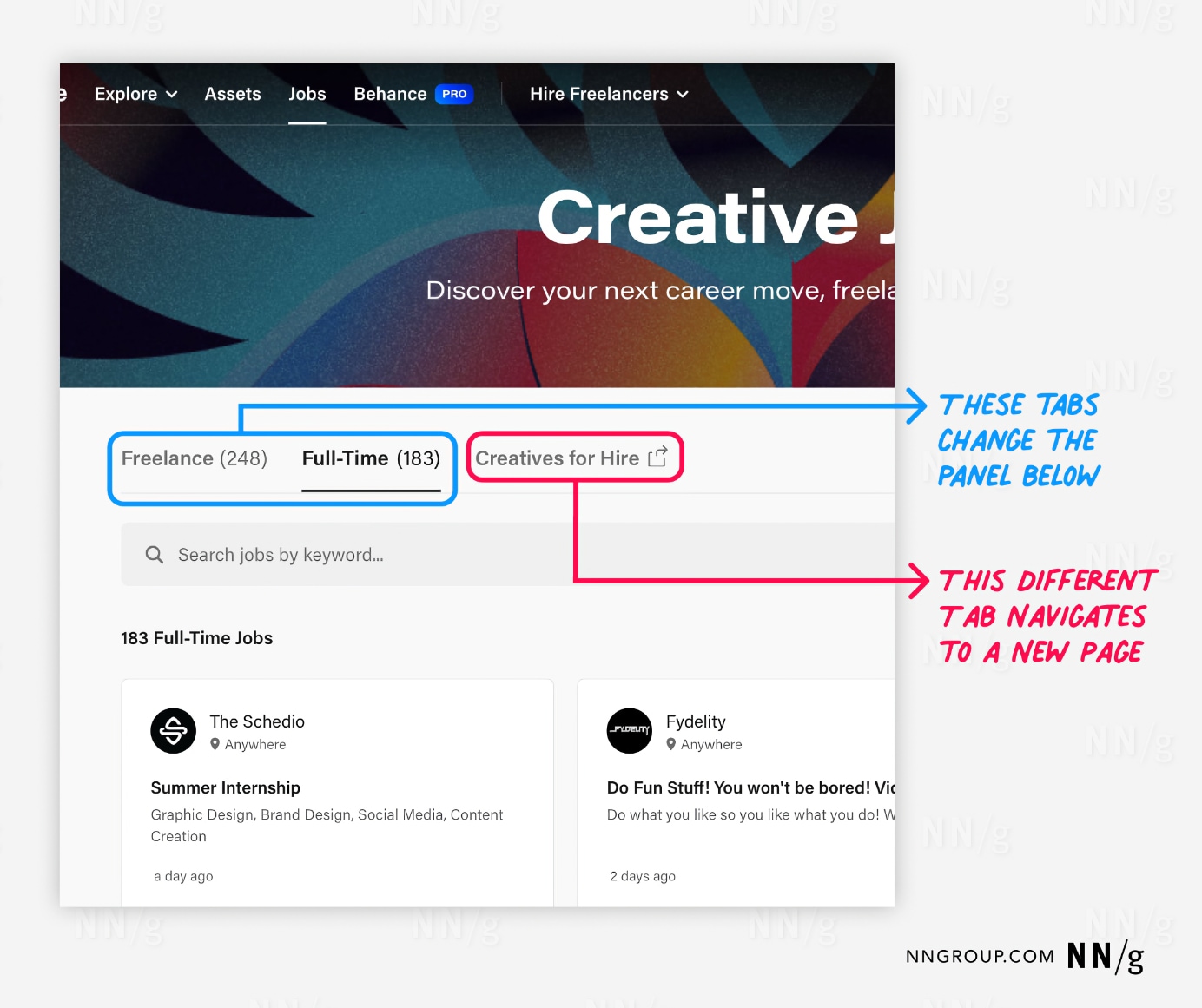
Tabs Should All Look and Work the Same
In-page tabs and navigation tabs should be internally consistent (consistency is a usability heuristic; it builds the user’s feeling of mastery over the interface). For a given tab control, clicking on any of the tabs should change its panel, and they should use the same unselected and selected styling. Use a design system to promote this behavioral and visual consistency with your tab controls.
When using in-page tabs and navigation tabs in the same experience, visually differentiate between these tab types to convey to users that they behave differently.
Tab Visual Design: Best Practices
Indicate the Selected Tab
Prominently highlight the selected tab. There are a variety of selection indicators to convey this status:
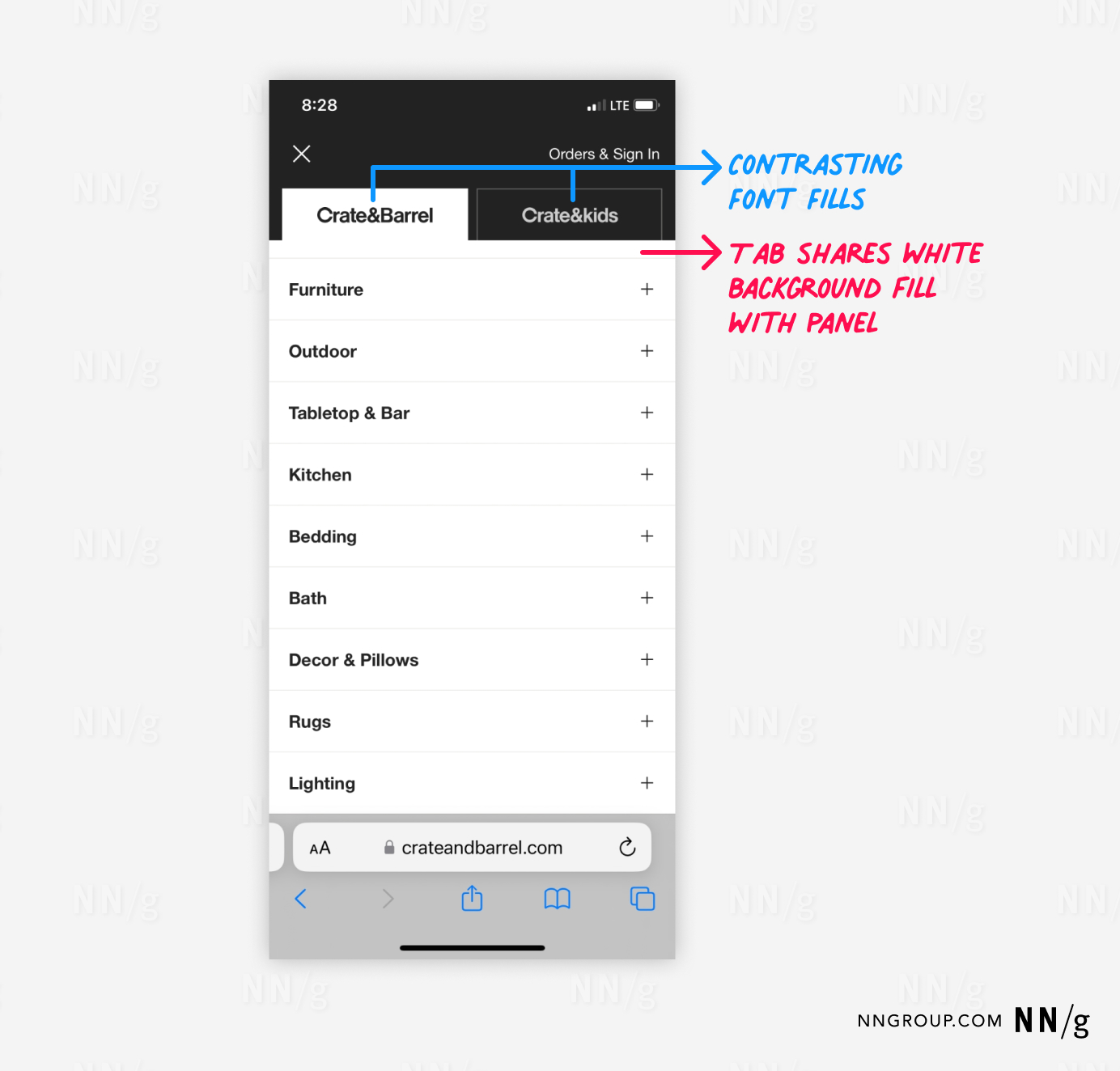
- Common region. This classic method for indicating the selected tab involves using the same background fills for the selected tab and the displayed panel. This tab fill should contrast with the background fill used for the other, unselected tabs. Today, designers and developers rarely use this technique as it introduces complexity in coordinating background fills across controls and page layouts.
- Lines. Include a horizontal line to underline the selected tab. Lines have become a popular choice because their layout is flexible. Do not use thin, single-pixel strokes or poor-contrast colors.
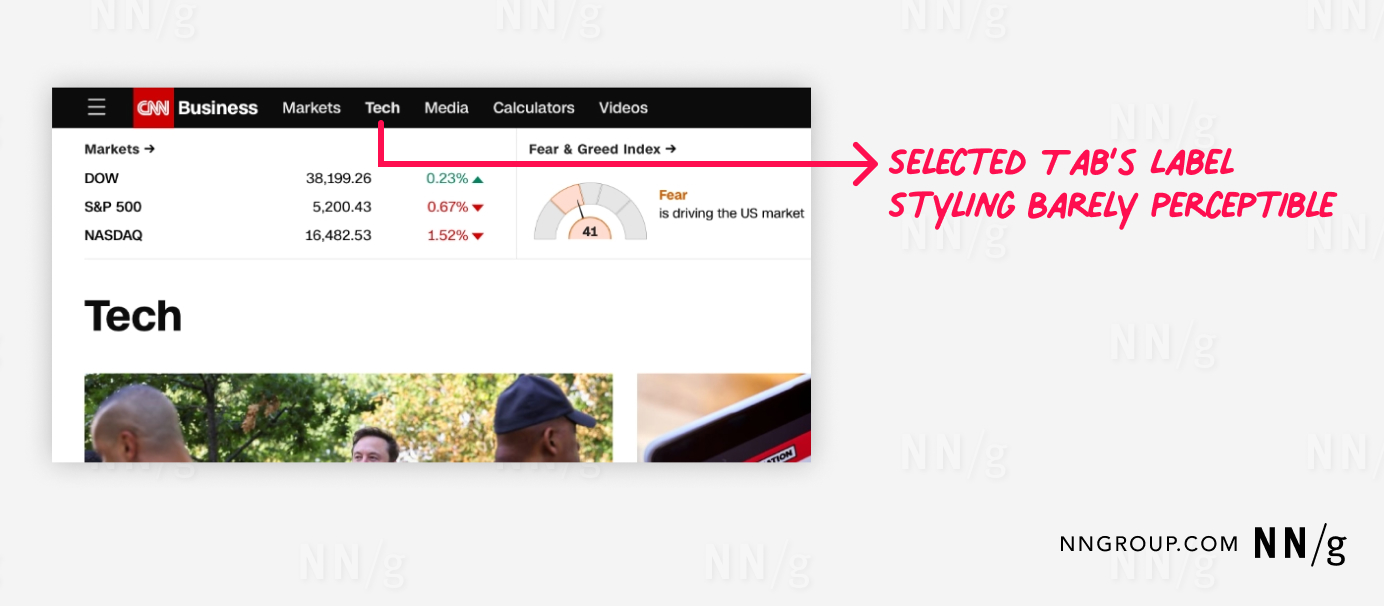
- Font styling. Change the text label of the selected tab to be bolded or to a different, darker color.
- Size. Resize the selected tab so it appears larger than the other tabs.
- Icon. Give the selected tab a distinct icon indicator not found on unselected tabs.
Use at least two selection indicators to enhance the visual salience of the selected tab. Multiple indicators are critical to distinguish the selected tab when there are only two tabs, as there are fewer unselected tabs to compare against.
Make Unselected Tabs Clearly Visible and Readable
Unselected tabs should be visible to remind users of the additional options. Unselected tabs that are too faded into the background may not be noticeable, so users may never discover their content.

Connect the Selected Tab to Its Panel
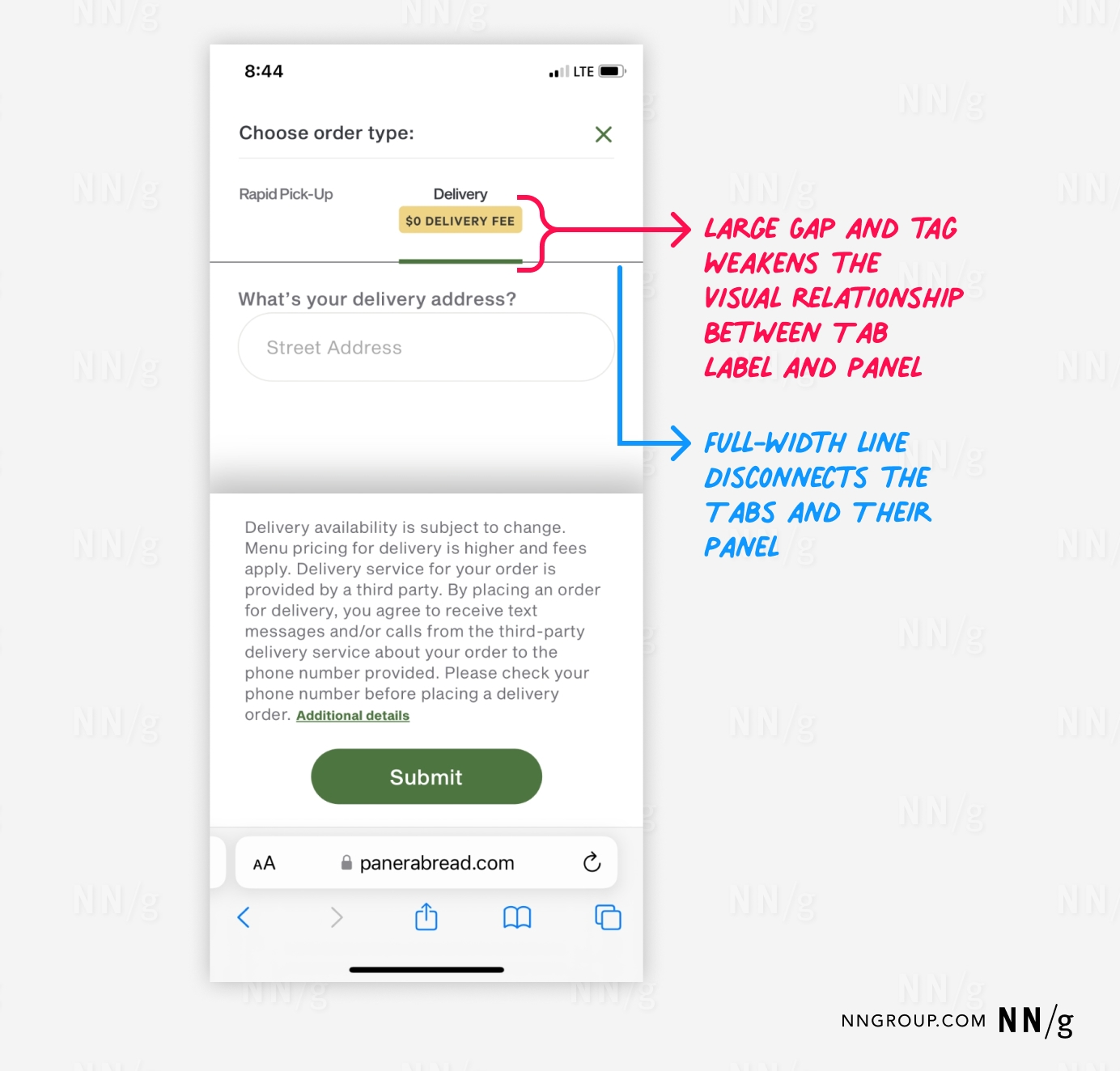
Using a common region as a selection indicator is a visually powerful way to signal that the tab and its content are part of the same group. However, as mentioned above, this method is less used today.
Another way to convey the connection between the tab label and the tab panel is to use proximity. This approach is useful when the selected tab is highlighted using a different fill from its panel.
Use Only One Row of Tabs
Websites and simple apps should avoid stacking tab lists within one tab control. Stacking arrangements increases the risk that a selection indicator (such as a line) is ambiguously positioned between several tab labels.
Stacking is also ineffective for tab styling that relies on a common region, as it requires repositioning the selected tab to be adjacent to its panel. This destroys spatial memory and makes it impossible for users to remember which tabs they have already visited.

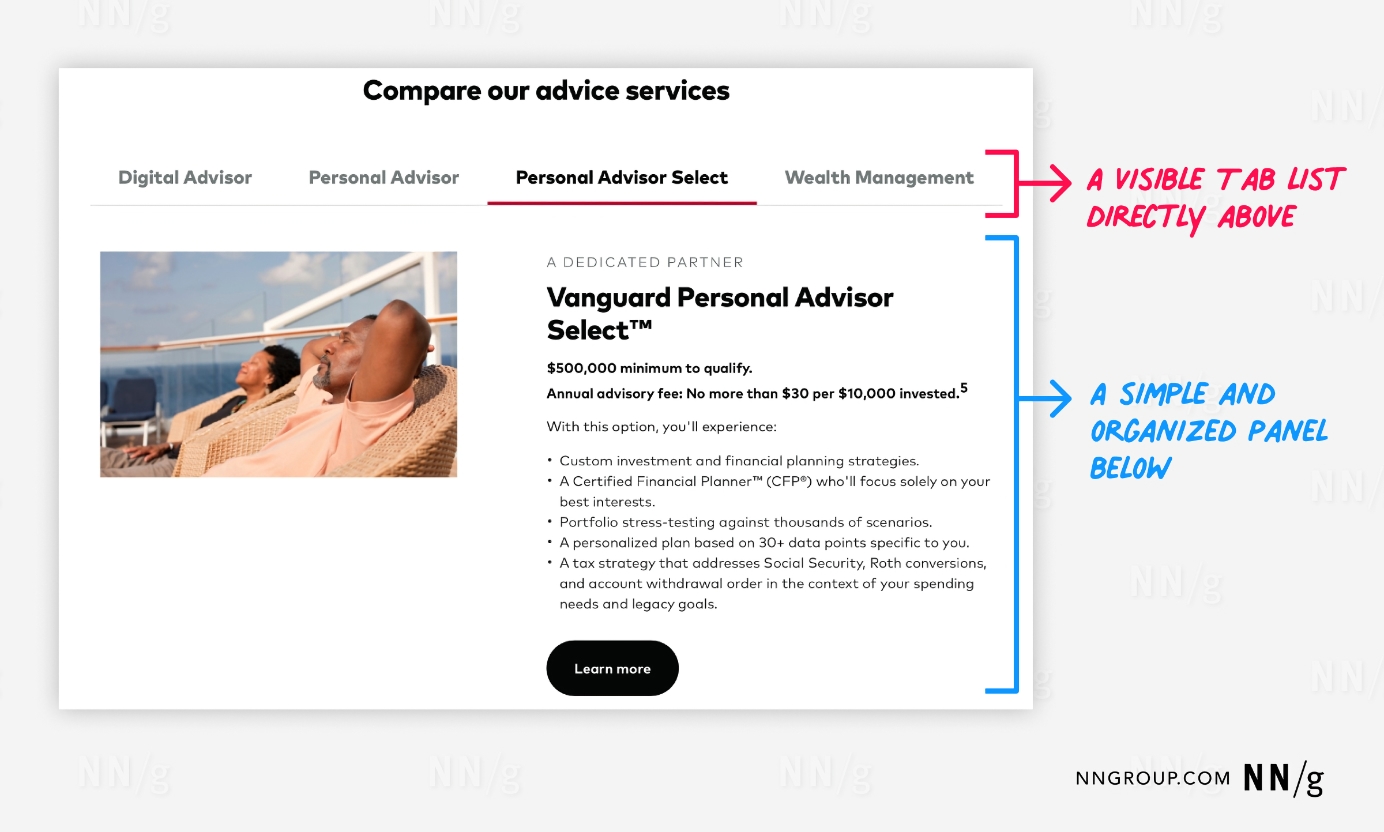
Position the Tab List Above the Panel
Vertical and bottom list arrangements will cause users to overlook the tabs. The visual design for in-page tabs should make the panel evident.
Tab Content: Best Practices
Arrange Tabs for Efficient Usage
Arrange tab content so high-use content is first in the list and selected by default. This maximizes visibility of frequently accessed content and lowers its interaction cost.

Logically Group Tab-Panel Content
How the content is perceived and used by users should inform how it is grouped. Card sorting is one option for researching this mini-IA problem. If you don’t find distinct groupings, tabs are likely the wrong interface control for managing your content. In such a case a single-page layout with subheadings would be more appropriate.
Use Descriptive Tab Labels
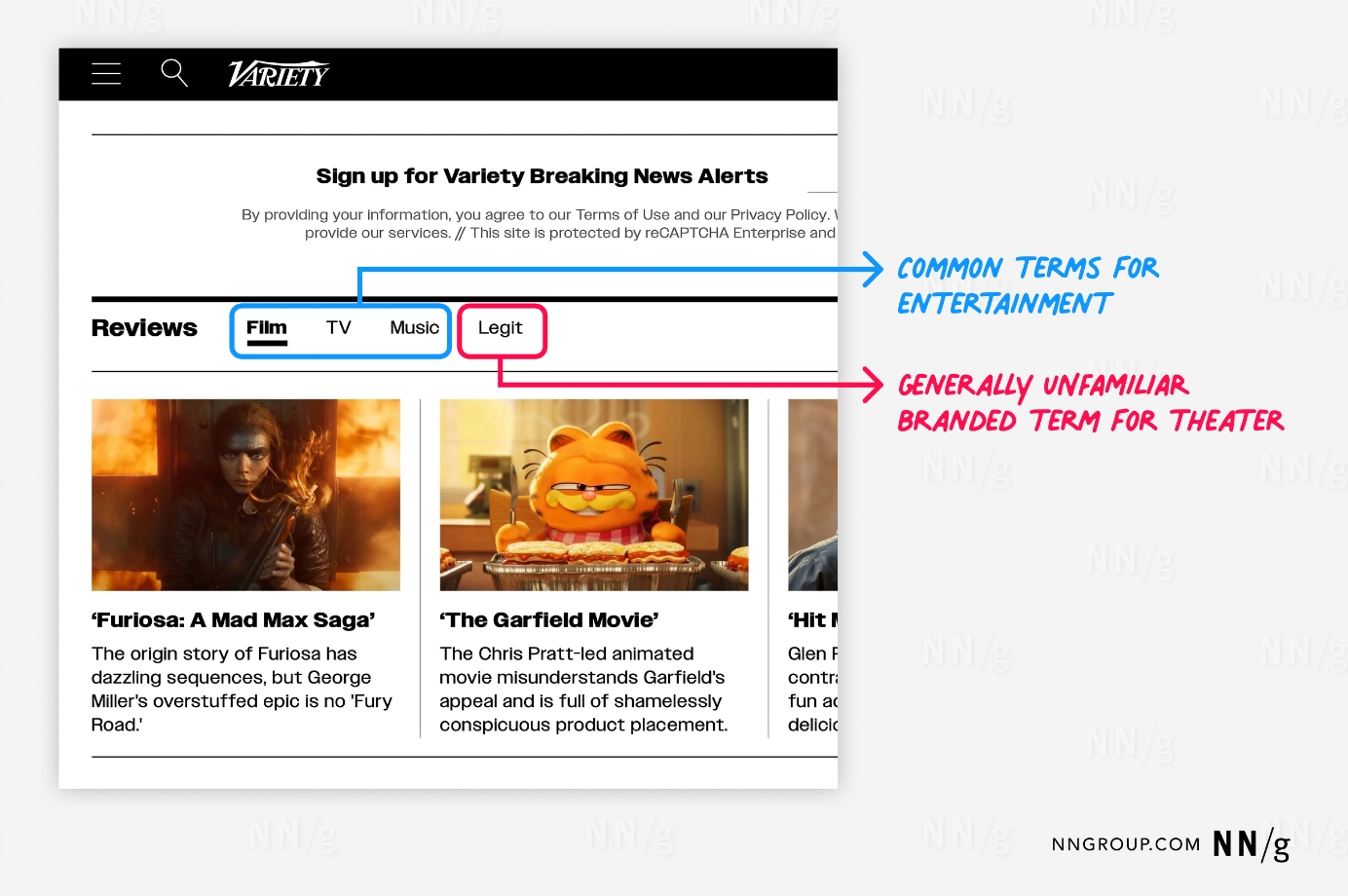
Users should be able to predict what they’ll find when selecting a tab. Since unselected tabs conceal their content, labels with strong information scent are crucial for users to engage with them. Use plain language rather than made-up marketing terms.
Write Short Tab Labels
Tab labels should usually be 1-2 words. Short labels are more scannable; if you need longer labels, it’s a sign that the choices are too complicated for tabs.
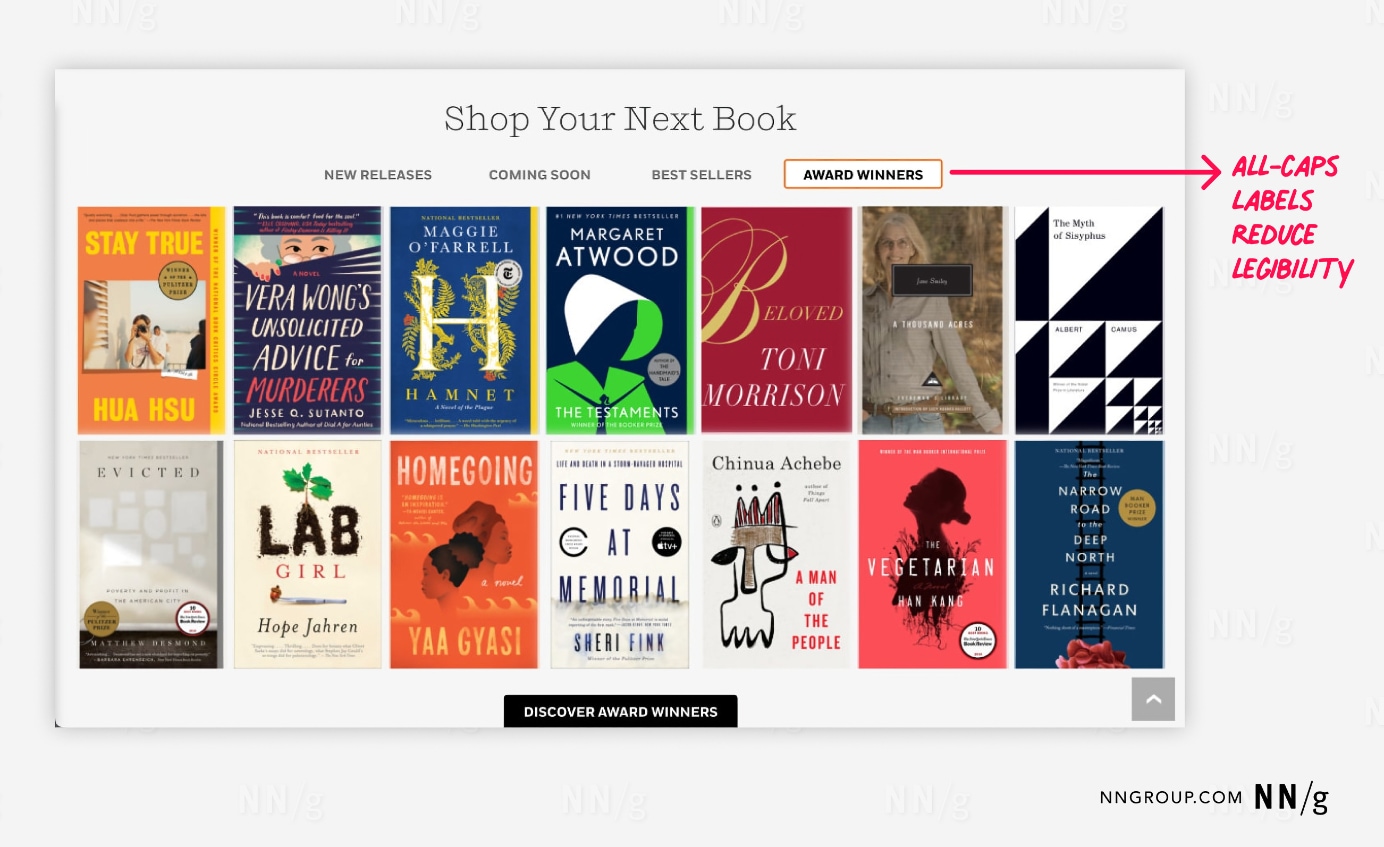
Do Not Use ALL CAPS for Tab Labels
All caps negatively impacts legibility. Although typography research suggests that all-caps text may offer some glanceability improvements at small font sizes, this is more of a mitigation for smallness than a wise visual-design tactic to use broadly.
Because most text we interact with in daily life is mixed case, people are unaccustomed to scanning or reading all-caps text (and ephemeral design trends aren’t going to change this). Better to pick one capitalization style (sentence- or title-case) and stick to it.
Make Tab Features Findable
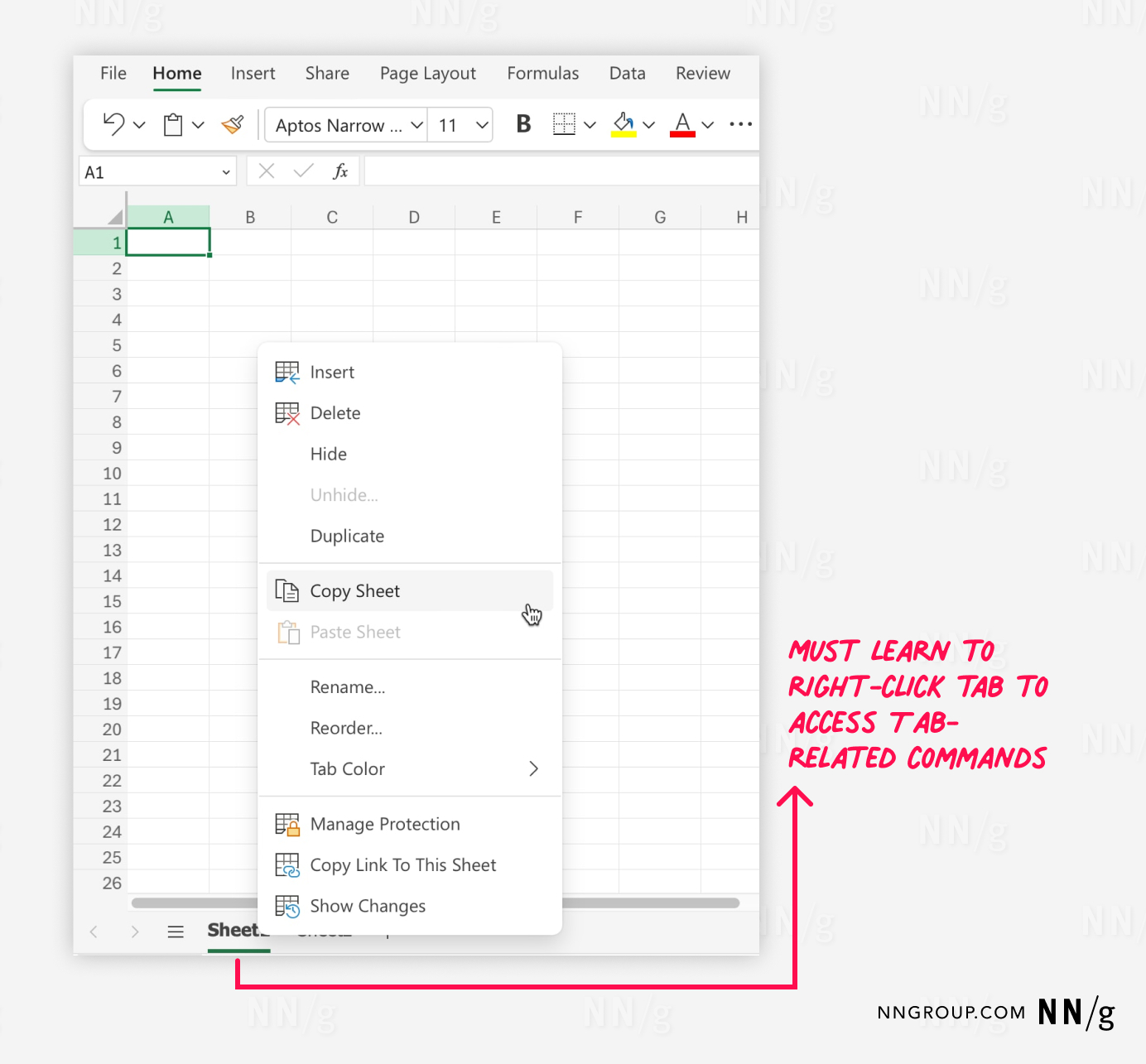
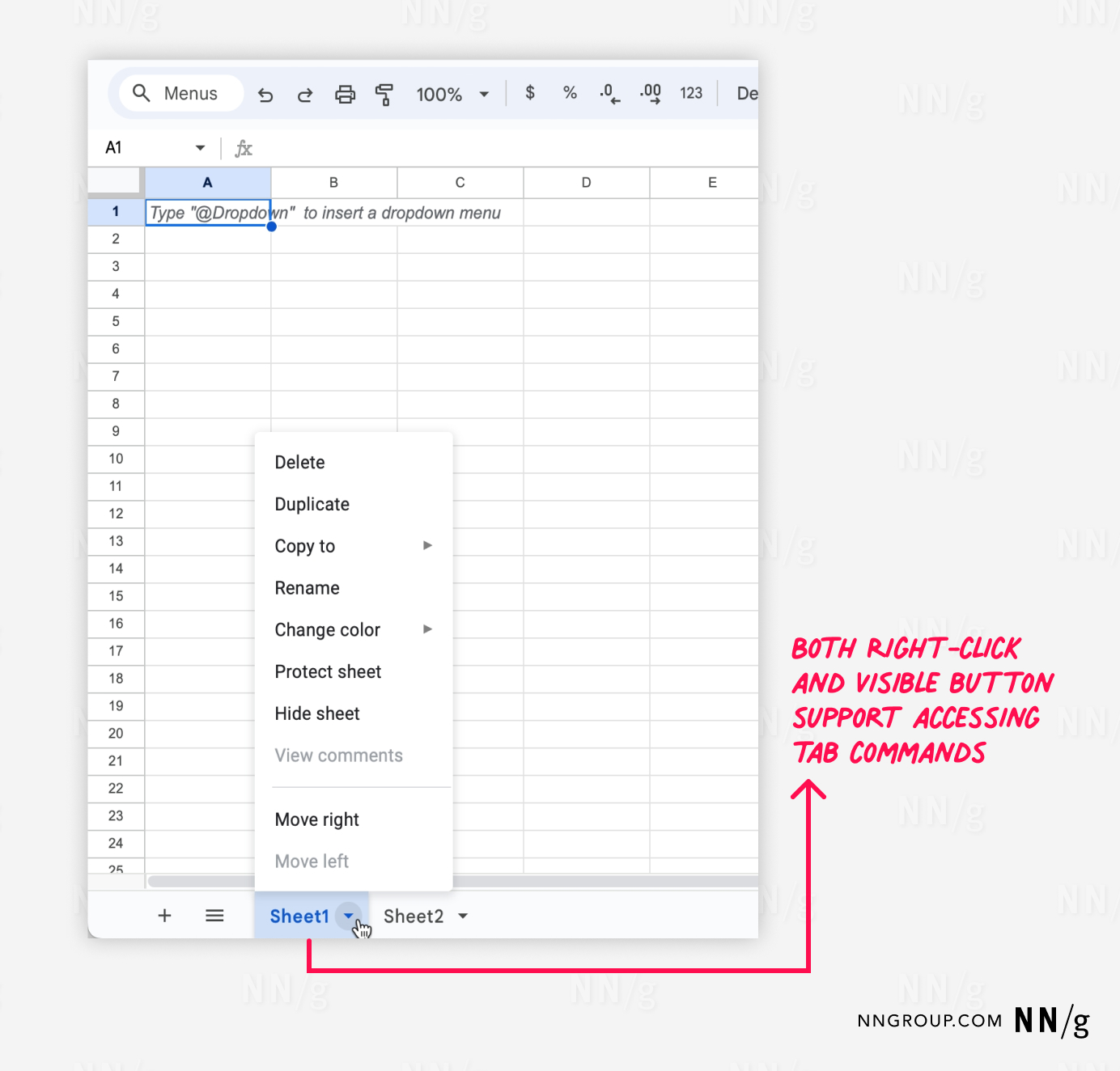
Complex apps where users must manage their information space may need tab-management features (e.g., adding, copying, or deleting tabs). Indicate the presence of these features by embedding controls within the tab (but beware of questionable icons). Monitor these features during usability testing, as they will not be familiar or findable to many users.
Diagnosing Design Problems with Tabs
Tab-design problems are a common finding if you are using analytics for a UX-health check. If you’re tracking within-page actions, you may find users rarely use tabs on certain pages.
Check if you’re violating any of this article’s best practices. If yes, redesign your tabs and do a quick A/B test to check whether your redesign is better.
Remember to check these accessibility considerations as well:
- Keyboard navigation: Ensure that tabs can be navigated and selected using the keyboard. Use Enter or Space to select a tab.
- Focus: Tabs should have high-contrast focus highlighting.
- ARIA roles: Check with your developers whether appropriate ARIA (Accessible Rich Internet Applications) roles and properties are used to communicate tab structure to assistive technologies.
Conclusion
If you follow this article’s best practices, users will know how to use your tabs without further exploration or error-prone guessing. Then, they can devote more time and energy to understanding the content and features available under these tabs. Tabs seem boring, but when done right, they exemplify good UX design: users don’t consciously think about the tabs themselves — they just work.


