Course Curriculum

5 Sections
00

Why Your Design System Isn't AI Ready

3 Lessons 24 min
  • AI Is Your New User 2 min
  • What We Think a Design System Is and Where It Breaks 1 min
  • What the AI Is Missing 2 min

Practice Activities

  • Find the Design System Drift (Instructions) 17 min
  • Find the Design System Drift (Walkthrough) 2 min

Resources Provided

  • 0.1_CheatSheet_AI-Ready-Design-Systems (PDF)
01

Classify: Context by Intent

4 Lessons 26 min
  • More Volume is Not More Quality 1 min
  • The Invisible Layers 3 min
  • The Four Intents of Design-System Context 2 min
  • The Method to Classify by Intent 2 min

Practice Activities

  • Classify Your Layers by Intent (Instructions) 16 min
  • Classify Your Layers by Intent (Walkthrough) 2 min
02

Select and Structure: The Right Mechanism and Format

3 Lessons 33 min
  • The Four Mechanisms and When Each Loads 4 min
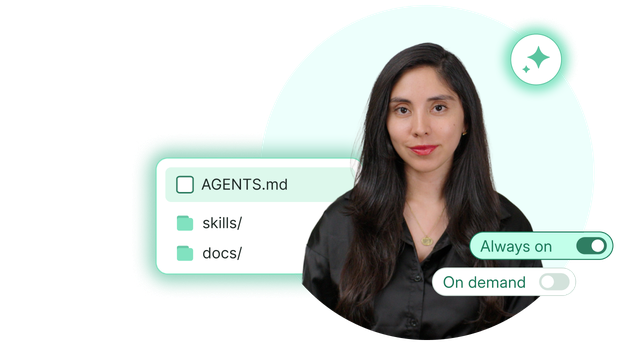
  • Matching Intent to When It Loads: Always On or On Demand 6 min
  • Write It So a Machine Can Read It 4 min

Practice Activities

  • Map Each Layer to a Mechanism (Instructions) 17 min
  • Map Each Layer to a Mechanism (Walkthrough) 2 min
03

Serve: The Prototype Environment

3 Lessons 31 min
  • The Manual Is Not Enough: The Wired-Up Starter 3 min
  • System vs. Starter: Author in the System, Serve to Teams 6 min
  • The Orchestration Layer and the Taxonomy: A Lean Core, Layers on Demand 3 min

Practice Activities

  • Wire the Design System to a Starter (Instructions) 17 min
  • Wire the Design System to a Starter (Walkthrough) 2 min

Resources Provided

  • 3.2_Directory_UnmessMe (ZIP)
04

See the Transformation

4 Lessons 28 min
  • Progressive Context Disclosure in Action 2 min
  • Best Practices That Make the System Last 4 min
  • What's Next: Toward a Self-Sustaining System 3 min
  • Conclusion 1 min

Practice Activities

  • Run Your System Through AI (Instructions) 17 min
  • Run Your System Through AI (Walkthrough) 1 min

Learning Outcomes

  • Audit AI-generated prototypes for design system drift
  • Classify design system knowledge by intent: constraints, guidelines, framing, and workflows
  • Match each layer of context to the mechanism that delivers it: rules, docs, skills, or MCP
  • Write design system context in formats an AI can reliably read
  • Implement best practices that will improve adherence of AI output to your organizational design system

Course Preview

Tools Used in This Course

To complete activities in this course, you will need access to a standard PDF reader.

It’s recommended that you install an AI coding tool that supports rules, skills, and MCP. Examples include Cursor, Claude Code, or Node.js. Lessons provide sample outputs for learners without access to these tools.

Turn Problems Into Solutions

Stop AI prototypes from drifting off your design system

  • Spot where AI output breaks from your tokens, components, and voice
  • Trace each drift back to missing context the AI needed
  • Write down the taste, quality bar, and business context that only lived in your team's heads

Give AI the right context at the right moment

  • Sort design system knowledge into constraints, guidelines, framing, and workflows
  • Decide what the AI reads on every request and what it pulls in only when a task needs it
  • Deliver each layer through a rule, a doc, a skill, or an MCP

Hand product teams a prototyping starter they can trust

  • Serve teams a functioning prototype environment instead of a pile of docs
  • Write a short agent brief that points the AI to each layer of context
  • Keep the context updated and check new output for drift

Frequently Asked Questions

How long will I have access to this course?
Once purchased, your access will never expire. This ensures you can learn at your own pace and return to review content as often as you'd like, whenever you need.
Will I get personalized instructor feedback on course activities?
No, personalized feedback is not provided for activities completed during the course. Most courses provide answer keys to activities that help learners reflect on their progress and understanding of course materials and examples.
What content can I download?
You can download a variety of resources provided with each course, including templates, how-to guides, cheat sheets, posters, reading lists, and more. Video lessons provided in all courses will not be available for download.
Can I access this course offline or on a mobile device?
Offline access isn't available yet, although we plan to add it. Most courses offer downloadable resources for offline reference.

For the best experience, mobile devices are not recommended.
Is this course eligible for the NNGroup UX Certification Program?
Unfortunately, self-paced courses do not count toward UX Certification. However, learners who complete the final exam will receive a “Recognition of Completion” to demonstrate their achievement.

See our Live Online courses for options that count toward UX Certification.
What can I share with my employer to show I’ve completed the training?
Upon completing a course’s final assessment, you will receive a “Recognition of Completion” showcasing your dedication to learning the topic. This document can be shared with your employer or professional network to demonstrate your new skills and commitment to professional development.