Course Curriculum

7 Sections
00

Course Overview

3 Lessons 15 min
  • Too Many Tools, Too Little Time 5 min
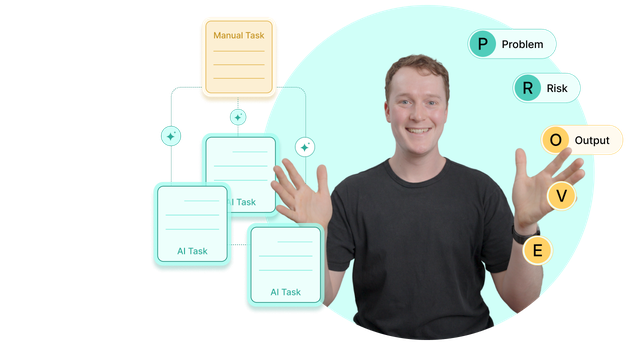
  • The PROVE Framework: A Systematic Approach for Evaluating AI Tools 7 min
  • An Interactive Web Tool and an AI Prompt for Applying this Framework to Yourself 3 min

Resources Provided

  • 0.1_CheatSheet_Choosing-AI-Tools-for-Your-Work (PDF)
  • 0.3_Tool_PROVE-Walkthrough.html (ZIP)
  • 0.3_Tool_PROVE-Framework-Companion.md (ZIP)
01

P - Problem Alignment

4 Lessons 50 min
  • Start With the Work, Not the Tool 6 min
  • Finding the "Sweet Spot" for AI Automation 7 min
  • Stop Automating the Wrong Tasks 7 min
  • Match a Tool to Your Task in 5 Minutes 11 min

Practice Activities

  • Practice 19 min
02

R - Risk Assessment

6 Lessons 75 min
  • Why Risk Assessment Matters for Product Developers 6 min
  • The Two Tool-Focused Privacy Questions You Need to Answer 9 min
  • The Four Organization-Focused Privacy Questions You Need to Answer 7 min
  • Finding What Matters in a Privacy Policy 8 min
  • How to Interpret the Privacy Policy 10 min
  • Working Around Proprietary Data Constraints 15 min

Practice Activities

  • Risk Assessment in 6 Simple Steps 20 min
03

O - Output Quality

4 Lessons 45 min
  • AI Doesn't Exist in a Vacuum 7 min
  • Defining Your Gold Standard 5 min
  • Running the Comparison (and Stress-Testing the Edges) 6 min
  • How to Put a Number on Quality 8 min

Practice Activities

  • Test the Output Quality of Your Tool 19 min
04

V - Velocity

4 Lessons 40 min
  • Your Leadership Probably Thinks “Speed = Value” 5 min
  • The 3 Categories of AI-Usage Time 5 min
  • Some Things Stay Slow; Others Get Faster with Time 7 min
  • Scoring Your Velocity 5 min

Practice Activities

  • Score Your Velocity 18 min
05

E - Experience

4 Lessons 36 min
  • What Does "Experience" Actually Mean? 4 min
  • The Invisible Sludge of Adopting New Tools 5 min
  • The Difference Between "Hard to Learn" and "Hard to Use" 4 min
  • How to Score the “Experience” 4 min

Practice Activities

  • Score Your Experience 19 min
06

Final Decision & Recommendation

3 Lessons 29 min
  • Making Your Decision 4 min
  • Communicating Your Recommendation 4 min
  • Conclusion 2 min

Practice Activities

  • Make Your PROVE Recommendation 19 min

Learning Outcomes

  • Identify opportunities for AI to meaningfully accelerate your current workflow
  • Rigorously evaluate the quality of AI outputs against real, human-created work
  • Quantitatively estimate the long-term time savings (or losses) the AI tool would offer
  • Ensure privacy and security compliance before spending time testing and integrating an AI tool into your work
  • Translate a structured evaluation into a defensible adopt-or-reject recommendation

Course Preview

Tools Used in This Course

This course has multiple exploratory activities. For the most learning value, we recommend choosing an AI tool you’d like to evaluate.

All resources can be accessed through a standard PDF reader.

Turn Problems Into Solutions

Defend your position on an AI tool with clear, definite reasoning rather than vibes

  • Articulate exactly why a tool fits (or doesn't) your specific workflow
  • Translate a structured evaluation into a clear adopt-or-reject recommendation you can share with stakeholders, teammates, or clients
  • Protect your decisions from fleeting AI-trends and push back against hype

Navigate AI-tool overwhelm without testing every one you hear about

  • Work from a foundation of tasks and problems, instead of an infinite list of tools
  • Quickly triage tool recommendations against the tasks you decide are worth automating
  • Use two, 5-minute yes/no checkpoints to decide whether a tool is worth evaluating

Ensure real speed and quality gains before fully investing in a tool

  • Quantitatively estimate the time savings (or losses) before integrating a tool into your work.
  • Compare AI outputs against real, human-created work to verify quality holds up under scrutiny.
  • Clearly differentiate between the tasks where AI will genuinely accelerate you, and where it'll slow you down.

Frequently Asked Questions

How long will I have access to this course?
Once purchased, your access will never expire. This ensures you can learn at your own pace and return to review content as often as you'd like, whenever you need.
Will I get personalized instructor feedback on course activities?
No, personalized feedback is not provided for activities completed during the course. Most courses provide answer keys to activities that help learners reflect on their progress and understanding of course materials and examples.
What content can I download?
You can download a variety of resources provided with each course, including templates, how-to guides, cheat sheets, posters, reading lists, and more. Video lessons provided in all courses will not be available for download.
Can I access this course offline or on a mobile device?
Offline access isn't available yet, although we plan to add it. Most courses offer downloadable resources for offline reference.

For the best experience, mobile devices are not recommended.
Is this course eligible for the NNGroup UX Certification Program?
Unfortunately, self-paced courses do not count toward UX Certification. However, learners who complete the final exam will receive a “Recognition of Completion” to demonstrate their achievement.

See our Live Online courses for options that count toward UX Certification.
What can I share with my employer to show I’ve completed the training?
Upon completing a course’s final assessment, you will receive a “Recognition of Completion” showcasing your dedication to learning the topic. This document can be shared with your employer or professional network to demonstrate your new skills and commitment to professional development.