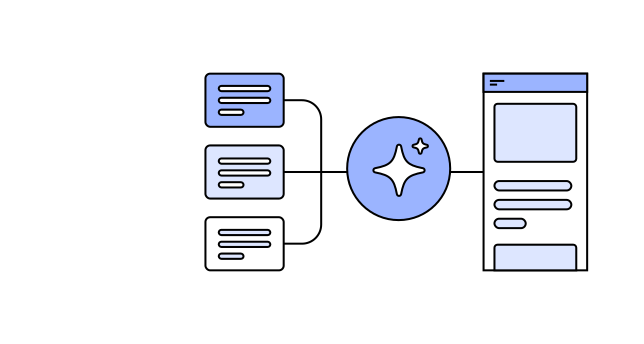
AI can generate interfaces, flows, and copy in seconds, but the quality of what it produces depends almost entirely on the context you give it. Traditionally, UX teams store context in deliverables such as journey maps, personas, and style guides, which are valuable for human audiences but not always effective for AI. Learn how AI-facing deliverables differ, how different types of context affect the quality of AI-generated interfaces, and how to structure UX knowledge for AI agents. 

Once you have AI-facing deliverables, share them across the organization so people outside design can create interfaces grounded in user needs and aligned with your organization’s design standards.

In this course, you’ll learn how to assemble materials for AI-driven design work and integrate them into workflows across your organization.


Who Should Attend

This course is for people who shape the UX knowledge, standards, and design decisions that guide AI-generated product work:

  • Builders, developers, and product professionals who need AI-generated interfaces to reflect user needs
  • Design-system and design-operations professionals creating reusable documentation for AI-assisted product work
  • UX designers, researchers, content designers, and design leaders who need to turn research, strategy, and design principles into materials AI can use 
  • Anyone who wants usability standards to hold up in AI-generated interfaces

What You’ll Learn

Understand how the path from UX research to implementation changes when teams use AI to build products

  • Recognize that people and AI need different information to design well 
  • Understand how AI models use context to make design decisions
  • Differentiate between UX context design, context engineering, and prompt engineering, and see how each fits into building products with AI

Learn how the context format influences the quality of the AI-generated interfaces, from raw research data to structured .md files

  • Understand the risks of feeding raw, uninterpreted research data into AI
  • Compare the AI outputs generated from raw data with outputs generated from synthesized, interpreted deliverables
  • Apply data-privacy and quality guardrails to the research you use as context

Identify and structure the context AI needs to generate usable designs

  • Identify which UX-related information AI needs, and how it maps to traditional artifacts like personas, journey maps, and research reports
  • Structure and format contextual information so AI can use it reliably
  • Run context-comparison experiments to test what improves designs generated by AI
  • Build a reusable context set you can carry across teams, projects, and tools

Adapt your UX deliverables for human or AI audiences

  • Decide which traditional UX deliverables to keep, transform, or skip when AI is part of the workflow
  • Understand how human-facing deliverables and AI-facing deliverables work alongside each other
  • Transform existing artifacts into AI-ready formats

Scale and govern AI-facing deliverables across your organization

  • Adapt your organization’s documentation practices for AI-assisted product design work
  • Communicate with engineers to make AI-facing deliverables easy to find and use
  • Establish who owns and maintains the AI-facing context once other teams start relying on it

Recommended:


Note: This course is not about conducting user research (see Accelerating Research with AI), producing traditional deliverables with AI (see AI for Design Workflows), or designing AI features and products (see Designing AI Experiences).


Taught by an Industry Expert

Earn UX Certification

Take 5 live courses, pass 5 online exams

UX Certification is an exam-based credential that reinforces learning and boosts credibility.

UX Certification Benefits

Why Live Online Courses

Frequently Asked Questions

How will I get the link to the Zoom meeting for the course?

60 minutes before your course begins, your link will be available when you log into your NN/G profile.

Can I watch a recording of the course?

Live Online courses are live events hosted on Zoom that extend throughout the day and include many periods of interactive exercises. The learning experience cannot be replicated by simply watching recordings after the event. We will not be making course recordings, and making your own recordings is not permitted.

Will I be able to network and get to know other participants?

You'll join a Slack community for both course-related discussion and networking with fellow participants. You'll also be able to use the Slack workspace before, during, and after the event to maintain your connections. You'll be invited to join the Slack community the week before the event starts.

What equipment will I need to participate in NN/G Live Online courses?

You'll be streaming video and audio to your computer, and also speaking with other participants. Make sure you have:

  • A laptop or desktop (using a tablet is not recommended)
  • A stable high-speed internet connection
  • Speakers or headphones
  • A microphone
  • A webcam
Do I really need a microphone and webcam?

While it's possible to attend our Live Online courses without your own webcam or microphone, you will not be able to fully participate in learning activities. Many of our courses use hands-on practice as the primary way of learning design and research techniques. You'll learn more during these activities if you can fully participate, and your collaboration partners can see and hear you. We also recommend using headphones.

Do I have to download any software?

All courses use Zoom and Hightail, a file-sharing service. Some courses require the use of Google Drive apps or Miro. All tools are free to use and do not require you to create an account, but you should ensure your device permissions allow you to access these tools.

  • Zoom is a video conferencing service. Our meetings follow security best practices, including passwords and waiting rooms. We recommend installing the Zoom app, which is free. If you are not able to install the Zoom software, you can also join through Chrome web browser. Test your access to Zoom.
  • Hightail will be used to share downloadable course materials (such as PDF copies of presentation slides). Test your access to Hightail. (If your network blocks you from access Hightail, during the event our conference team will be able to assist you with alternative ways to receive your course materials.
  • Google Drive apps are used for collaborative learning activities. If you are not able to use Google Docs or Sheets, you will be able to download copies of the activity materials, but may not be able to fully participate in group work. Test your access to Google Docs.
  • Miro is an online whiteboarding tool and is used for collaborative learning activities in some courses. You can download the Miro app or open a Miro link in your browser.
Will my internet connection be fast enough?

You will need a stable internet connection with a minimum of 3 Mbps (up and down) in order o participate in 
NN/g virtual courses. Ideally, a faster connection speed of 25 Mbps download and 5Mbps upload is recommended to ensure HD video and audio quality. If you are using a WIFI network, disconnect all other devices from that network to improve the streaming quality. Check your internet connection speed.

Can I join from my phone or tablet?

We do not recommend attending our classes from a small-screen device. Although you will be able to connect to the meeting, it will be difficult to see the detailed examples shared during class. It will also be extremely difficult to participate in collaborative exercises which require typing and interactive documents.