Most tools used for AI image generation have prompt-based user input: Users write a text prompt, and the AI model responds by creating images that match the prompt.
An interface that accepts only text input can be challenging for users for 2 reasons:
- Cognitive effort: Creating the right prompt can be overwhelming, especially for inexperienced users. Such users may write prompts that they feel represent their intent but receive images that miss the mark entirely.
- Typing effort: For complex tasks that require long, detailed descriptions, the typing effort can be quite substantial.
This article reports observations on the challenges that Midjourney users have with creating prompts and presents a design solution that addresses them.
Investigation
The findings in this article are based on data from Midjourney, one of the most popular AI-based image-generation tools. Because Midjourney offers services through a Discord server, any member can see other users’ prompts and the images created by the AI in response to them. Thus, Midjourney represents a unique research opportunity.
To understand the challenges that users face in interacting with AI-based image generators, I analyzed over 100 prompts and the resultant images and traced the iterations users went through to generate their final images. This data captures real-world usage and has high ecological validity.

I also looked at eight prompt-writing guides for AI image-generation tools compiled by expert users. These helped me understand the gap between how beginners and experts approached writing prompts.
The Articulation Barrier in Image Generation
Articulating your needs in writing is challenging. This articulation barrier is even higher for image generators than for text generators like ChatGPT. Image-generator prompts are far more complex and must capture not only a detailed description of the subject of the image, but also abstract concepts related to the desired visual aesthetics. Based on prompts written by users on Midjourney as well as prompt-writing guides, the key to generating good images is prompt specificity. Specificity applies to:
- Description of the topic: what’s in the image
- Visual properties: how the image should be executed
Detailed Description of the Image
Prompt-writing guides encourage prompters to use many adjectives and rich scene descriptions to create adequate images. For example, the prompt a pretty vase is too broad; a photograph of an antique vase with floral patterns on top of a wooden table is a lot more likely to produce the intended result.
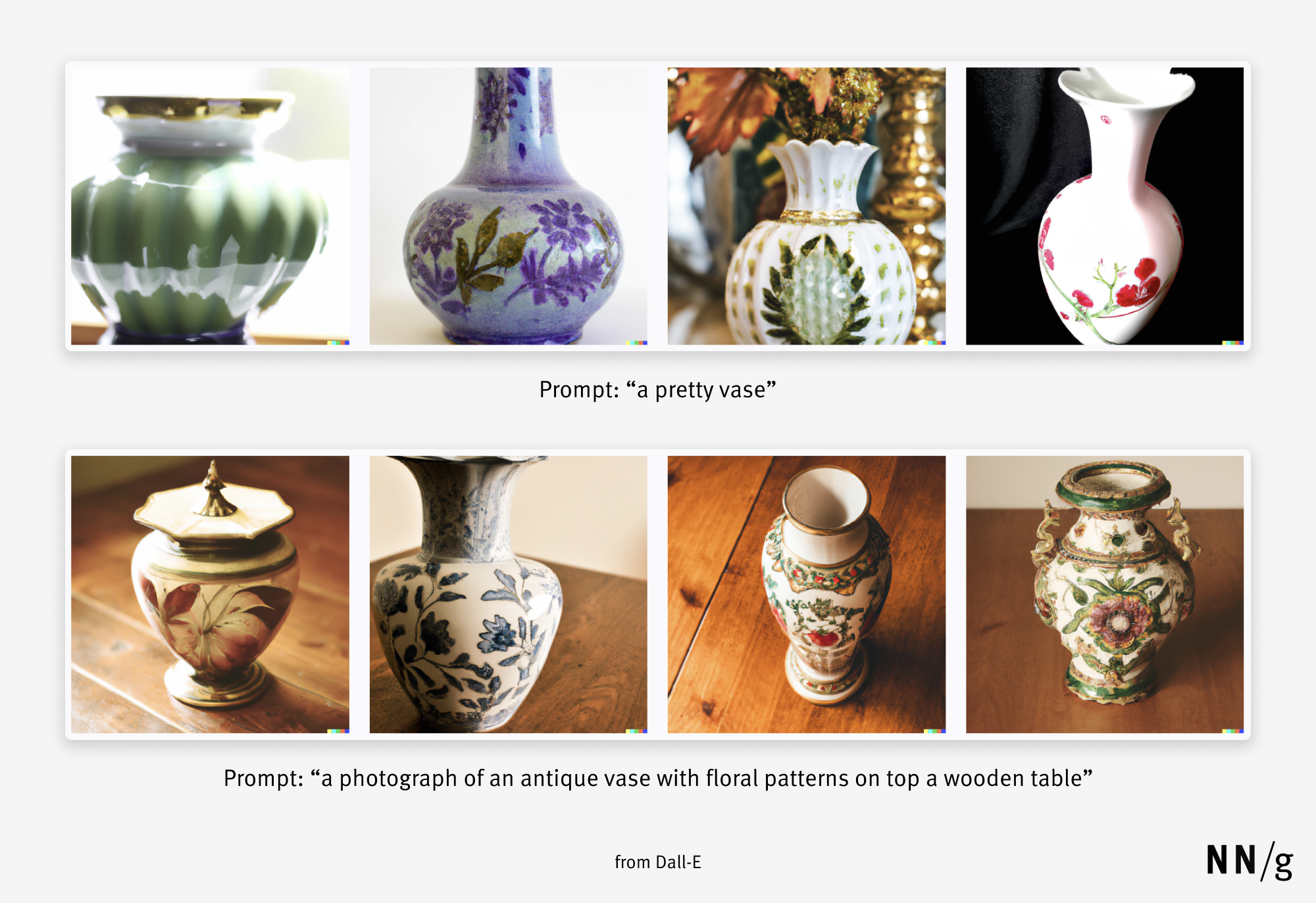
Creating a prompt that is descriptive enough is cognitively taxing. Good prompts specify all the image elements relevant to the final goal. Users may not even know or be able to recall the right words for many of these elements. This effort compounds quickly when the articulation process has to be repeated many times. Rarely did I observe a user in Midjourney stop after generating one image. Most users attempted to generate an image multiple times by iterating on the prompt. They changed, added or removed words, or rephrased the entire prompt. They repeated the process until they reached images they were happy with (or gave up).
Visual Properties of the Image
Adding to this complexity is the fact that users may desire certain stylistic properties for their images. To that effect, style attributes are often chained at the end of a Midjourney prompt to produce a detailed or vividly colored result. For example, the prompt “futuristic city” will generate a very different image than “futuristic city, cyberpunk”.
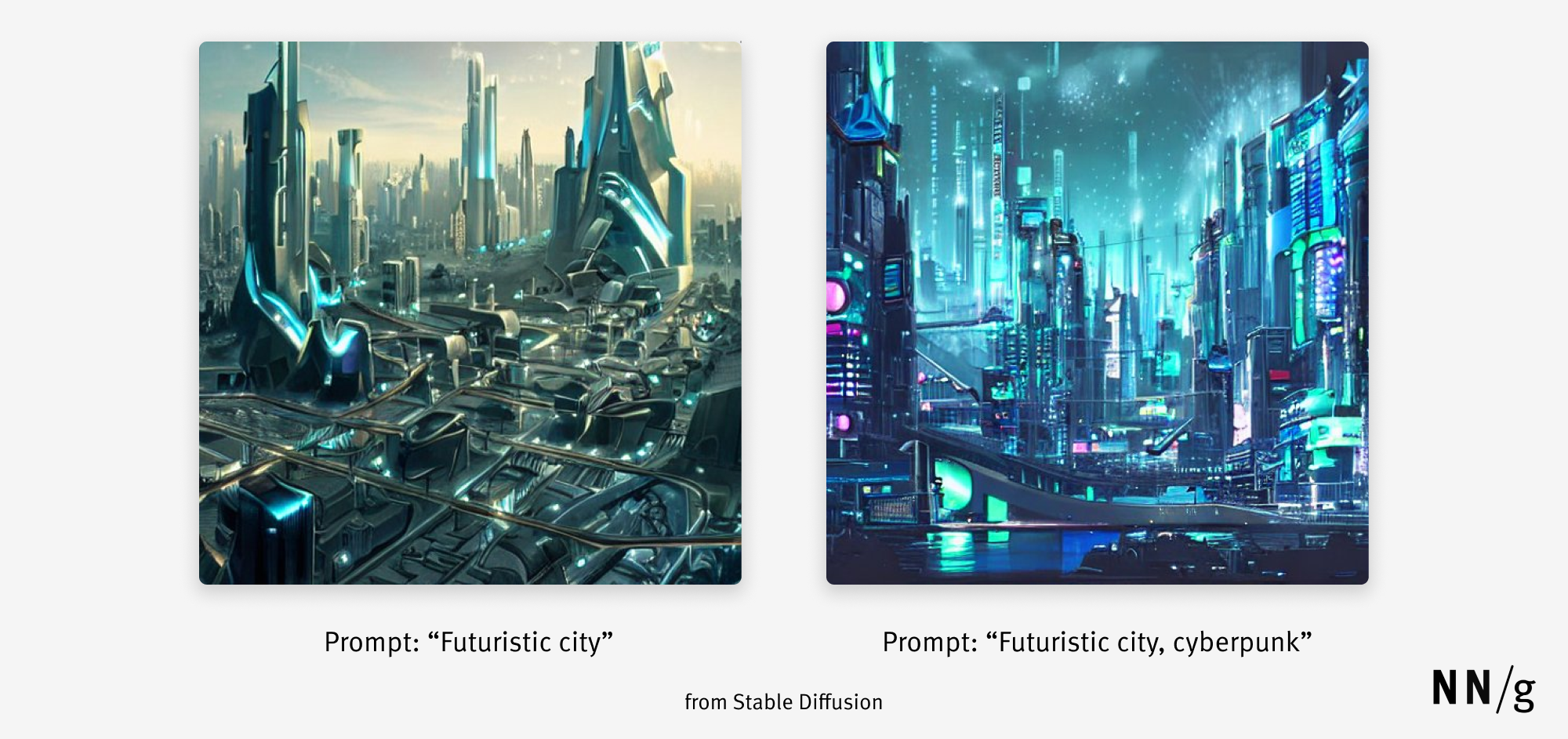
Among the data I analyzed, many prompts included style terms like synth-wave, steampunk, octane render, dystopian, unreal engine, psychedelic, art nouveau, and so on. These terms are rooted in specific cultural and creative trends known only to a few. Thus, users who are unfamiliar with these trends lack the associated vocabulary and will have a hard time recreating that aesthetic.
Another common technique for specifying style attributes was including the name of a visual artist (e.g., Hokusai, Diego Rivera, Monet, and Miyazaki) in the prompt. This technique helps recreate specific visual properties much more quickly than trying to define the brushwork, style, or color palette of generated artwork. Swirling brushstrokes with bright, solid colors, and abstract, post-impressionist imagery is much harder for a user to articulate than Van Gogh’s style (assuming the user knows who Van Gogh is). While this technique somewhat reduces the articulation barrier, it requires comprehensive knowledge of different artists and what their styles look like.
Users’ prompts often chained together several style terms and artist names to create images with the exact visual properties they were looking for (see the image and prompt below).
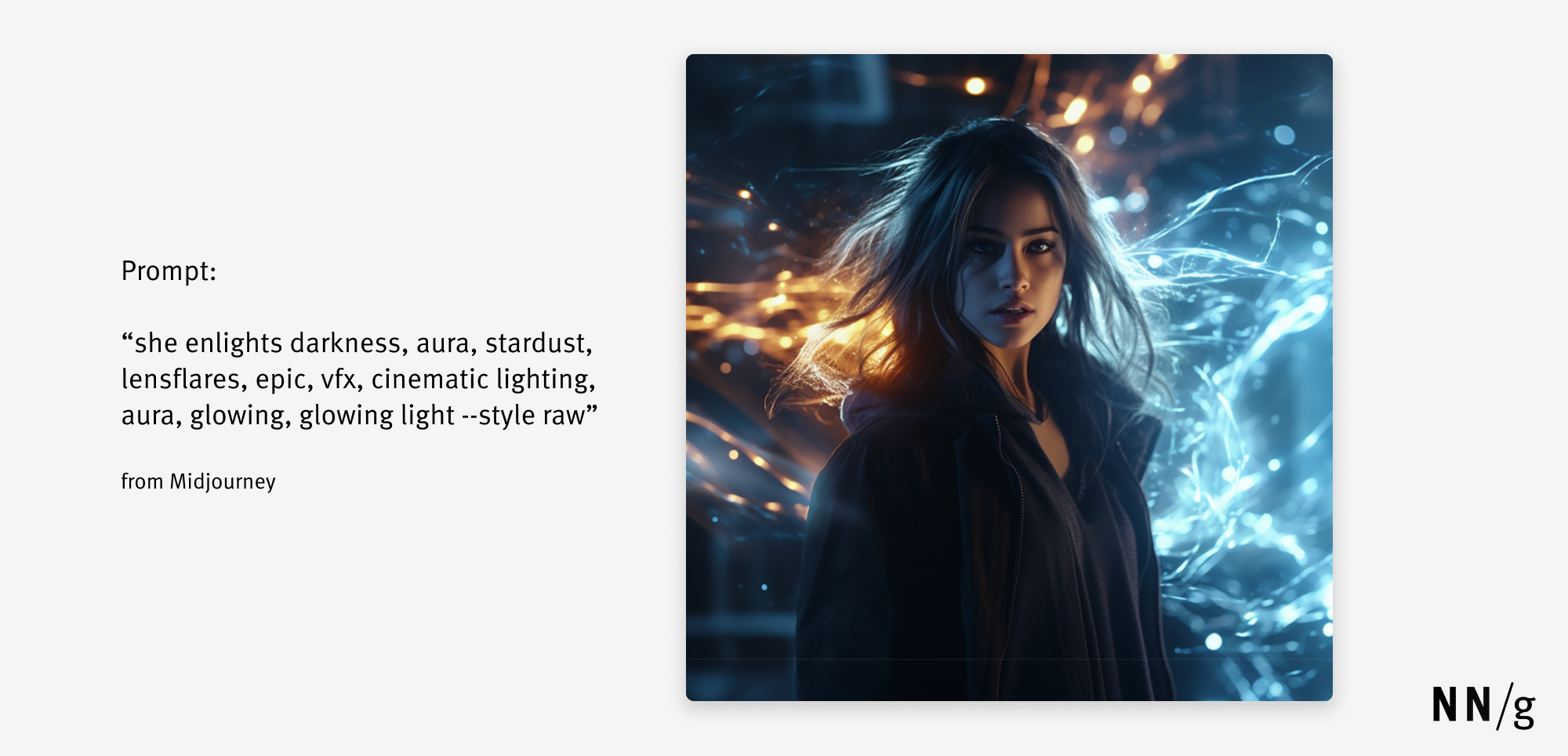
However, this technique demands a level of cultural exposure that not everyone possesses. Many users may be able to visualize images in their minds but lack the vocabulary to write the required prompt.
This articulation barrier is also encountered in search: there, too, users may not know the correct term describing something they’re looking for. However, in that situation, they can engage in keyword foraging. With AI-prompt generation, foraging is not posssible (yet): there’s no way to find the right keywords just by using the image-generation tool.
Solution Exploration: Hybrid Interfaces
The articulation barrier is a usability challenge for AI image-generation tools. Given that specific prompts with detailed descriptions and style specifications will likely result in superior outputs, how might we help users produce such prompts? In other words:
- How might we make it easier for users to be more descriptive in their prompts?
- How might we enable users to generate images with different visual properties without requiring them to know advanced vocabulary, complex terms, and cultural references?
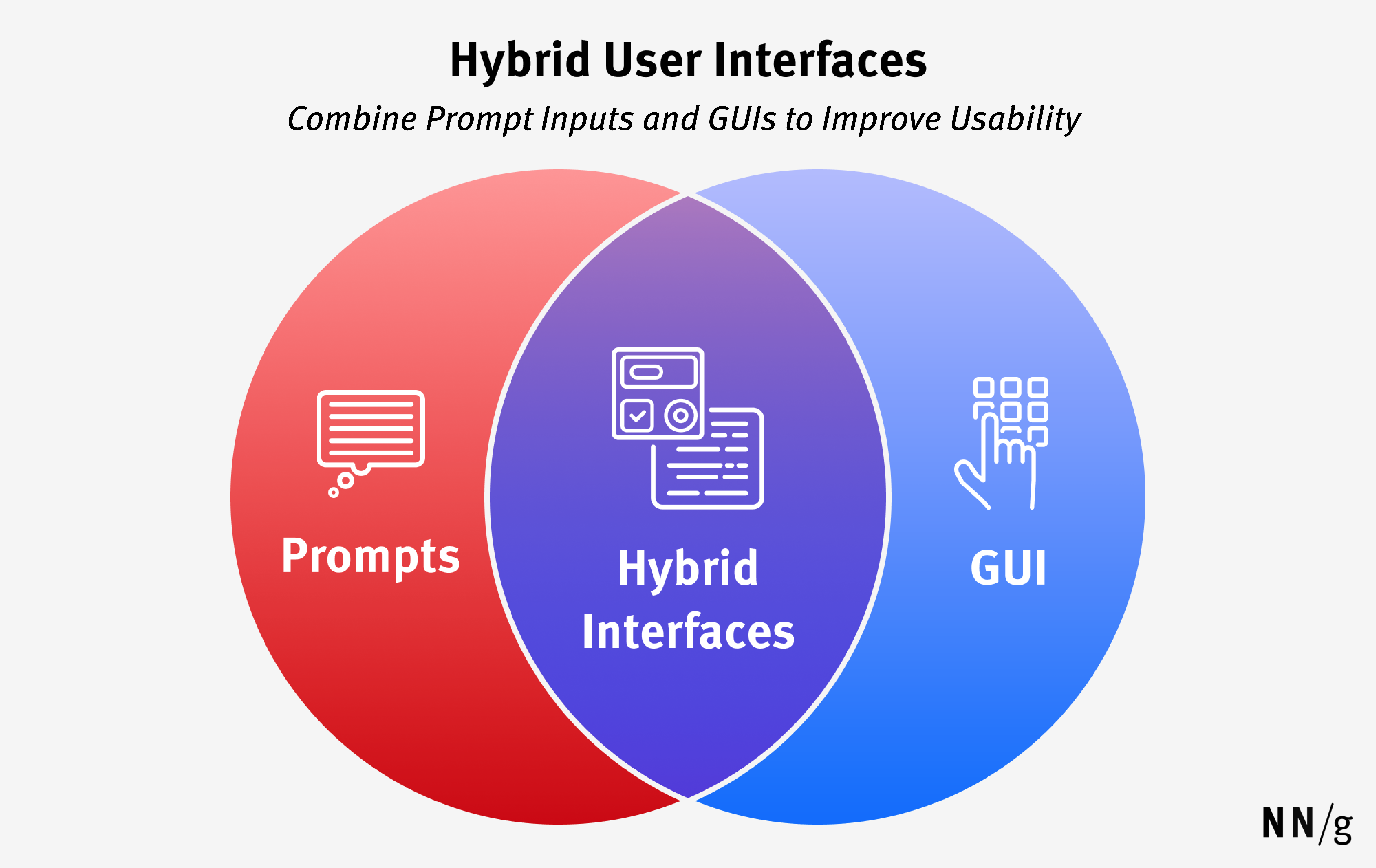
A solution to the articulation problem combines the best of two different interaction styles: text-based interaction and GUI-based interaction.
Text input gives the user flexibility to create the images that they envision. Retaining this flexibility is essential to preserving the value of generative AI. On the other hand, a GUI could lessen the users’ memory load by favoring recognition over recall. It could allow users to select options without having to recall fancy terminology.
Prompt Suggestions
A good interface must help users write descriptive prompts and use adjectives to specify visual details.
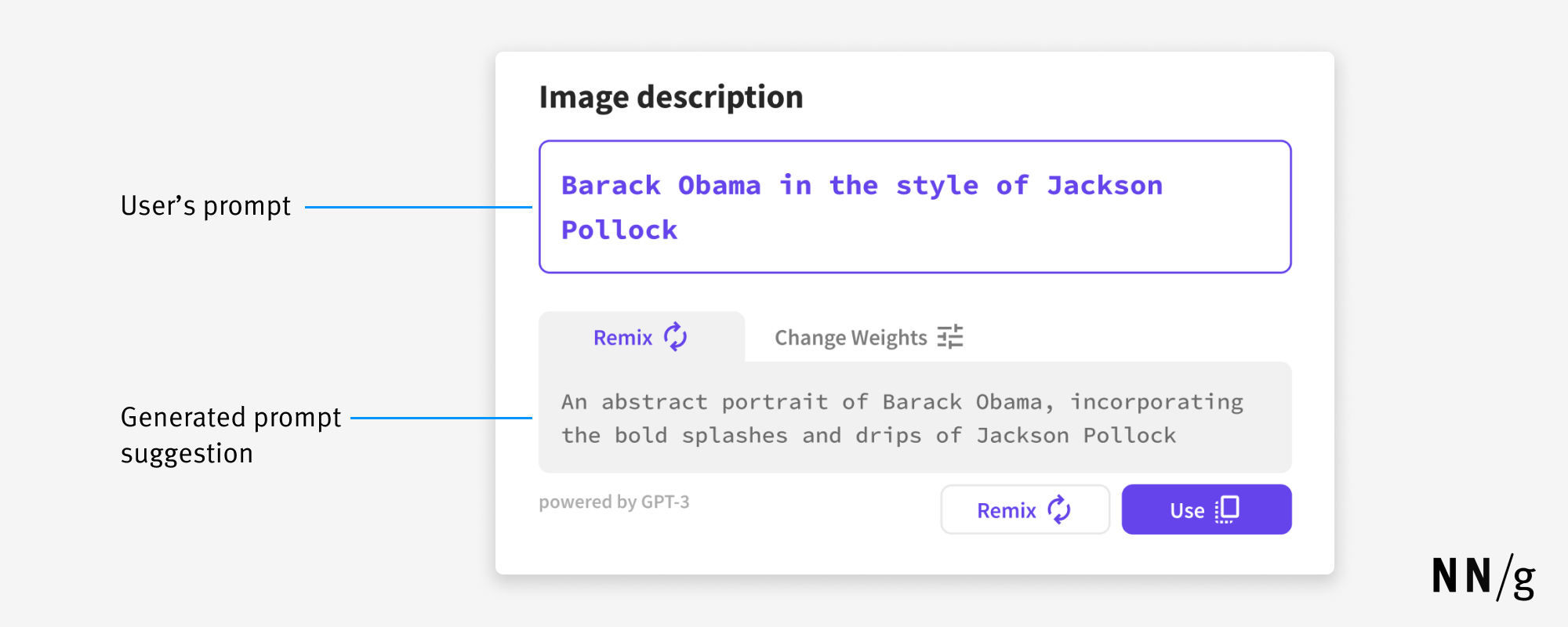
Writing and rewriting good descriptive prompts require users to come up with words that vividly describe the image. Writing assistants, common now in email composers, suggest words and phrases based on what a user has already typed. Suggestions like these could be very helpful at an early stage of prompt writing, when users are thinking about how to phrase their input.
I designed an AI tool that suggests details that can be added to a prompt to enrich it. This tool preserves the flexibility of writing but makes adding descriptors easier by surfacing alternative words, phrases, or sentence structures that could improve the prompt.
Midjourney users often include multiple synonymous descriptors in the prompt to increase the chance they will get the desired result. This kind of redundancy is easily achieved with prompt suggestions.
Presenting Visual Properties as Options to Select from
Since cultural and aesthetic references used in prompts are outside many users’ knowledge, I also explored the idea of allowing users to select from different visual properties for their image, by showing thumbnail images with the visual effect that each term would have on the generated image. Users could choose and apply that effect without needing to know the name of the term and make their decision based on the visual clue provided in the thumbnail.
For instance, to create an aesthetic based on paint splashes and bright colors, users could pick the Jackson Pollock thumbnail, rather than needing to know about Jackson Pollock’s style and use it as a verbal reference.
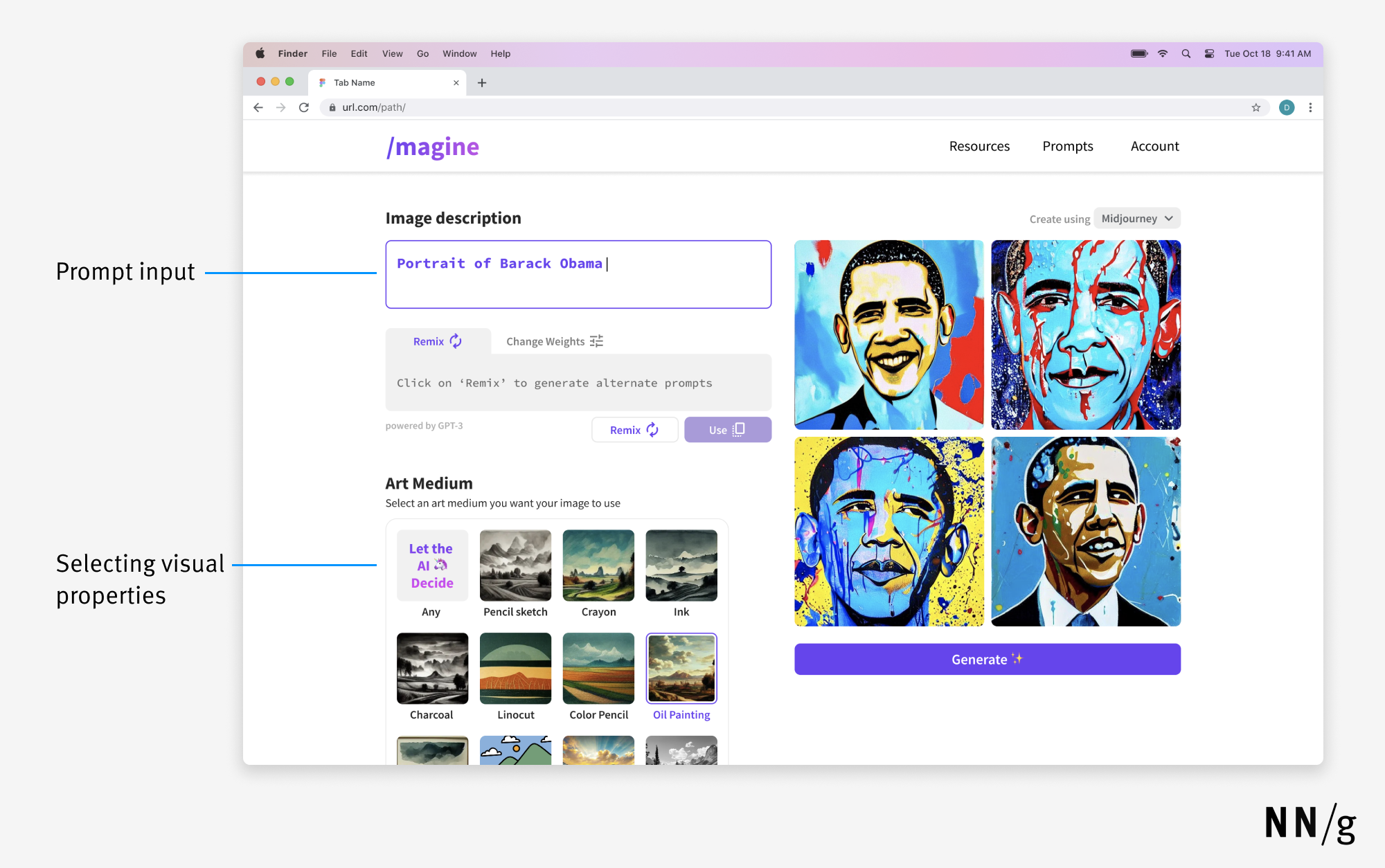
This concept does not do away with prompts but instead helps users improve their prompts more easily. Users can write prompts to the best of their knowledge and add different visual properties to them by selecting from the given options. Over time, as users see and select more and more options, they will learn the names and aesthetics they were previously unaware of and expand their vocabulary. Thus, this tool improves the discoverability of visual properties by surfacing them as options.
Conclusion
Hybrid interfaces can address important usability issues in AI image-generation tools, but their utility does not stop there. Problems of discoverability and recall are shared by the many other generative-AI tools with prompt-based interfaces, including text generators like ChatGPT and code generators like Github Copilot. These powerful tools can do a lot for us, but not all users know the full extent of these possibilities.
Gaps in knowledge and awareness can be filled by surfacing possible commands and actions such that users may discover new ways of using the tool. By improving their vocabulary over time, they can gradually become more proficient. Forcing people to recall everything can also be avoided by showing them options to select from in the form of GUI elements that sit alongside text prompts as input. Further exploration and evaluation will show more conclusive results on the improved usability of hybrid interfaces, but they are a step in the right direction for many generative AI tools, given the issues present in their purely prompt-based counterparts.