Calculators and quizzes accept unique information from users and generate personalized outputs based on their circumstances.
Calculators and Quizzes Defined
Calculators are generally self-contained tools that allow users to manipulate inputs to explore resulting outputs. These tools are often embedded on one webpage and accept a limited number of inputs (2–7).
Quizzes generally accept more than just a few user inputs (5+) in a drawn-out format and generate personalized results. They often take the form of a wizard.

Both calculators and quizzes help inexperienced users make complex decisions. Because both types of tools serve the same general purposes, yet vary in their interface presentations, this article will refer to both as calculators. Our research shows that calculator outputs are not blindly accepted as truth: they are only part of users’ decision-making processes.
Users Have Low Commitment to Initial Outputs
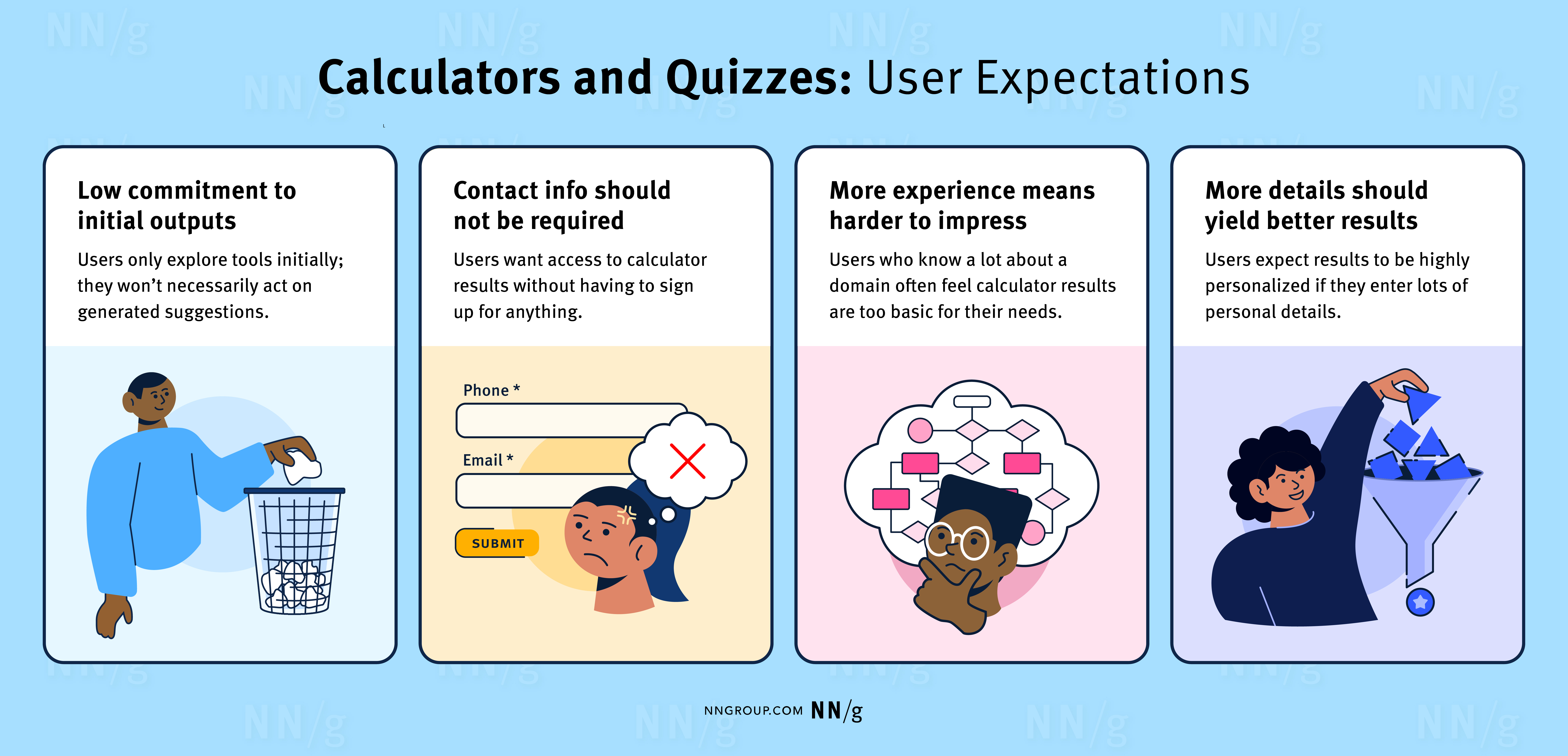
Users see calculator tools as a way to gather information and build a mental model about a problem space. When users discover a calculator tool that seems useful, they initially enter roughly estimated information. They try to determine the value of the tool by testing it out before spending the effort to make sure all information is precise. Users know initial outputs are somewhat inaccurate and thus have a low commitment to the results.
Users Don’t Want to Share Contact Information
Users want to try calculators without having to commit to an organization. They don’t want to share contact information or register for an account when they’re casually assessing their options. They like the interaction to be anonymous because they are often uninformed and unsure in this exploratory phase, and don’t want companies bombarding them with messages just because they sought a little guidance.
People are particularly annoyed when they must submit contact information to get their results at the end of a calculator. They’ve invested time and expect immediate results. While this pattern is commonly used to bring users into the purchasing funnel, people often feel tricked and annoyed.

More-Experienced Users Are Harder to Impress
The more experience a user has in a problem space, the less likely they are to value the outputs of a calculator tool. Users quickly give up on them when outputs don’t align with their prior experience or well-founded expectations.
For example, one research participant entered his insurance information into an insurance checkup tool, which recommended that he get a health-savings account (HSA) and cancel his pet insurance. With skepticism, he commented:
“HSAs — I find annoying. I never understand them. [... And] I don't know about that. [Pet insurance has] definitely helped me quite a number of times.”
More Detail Should Yield Better Results
The more information users feed a tool, the more personalized they expect the outputs will be. This expectation matches users’ mental models for interacting with real-life specialists, such as doctors. The more details you can provide, the more accurate a diagnosis should theoretically be.
Calculator tools can fail in this area in two ways: not gathering enough details or not utilizing the provided details.
- Not gathering enough details: When a tool does not accept all the details users are ready to provide, people assume the tool can’t fully consider their circumstances. This is like a doctor prescribing medication before the patient finishes describing their symptoms.
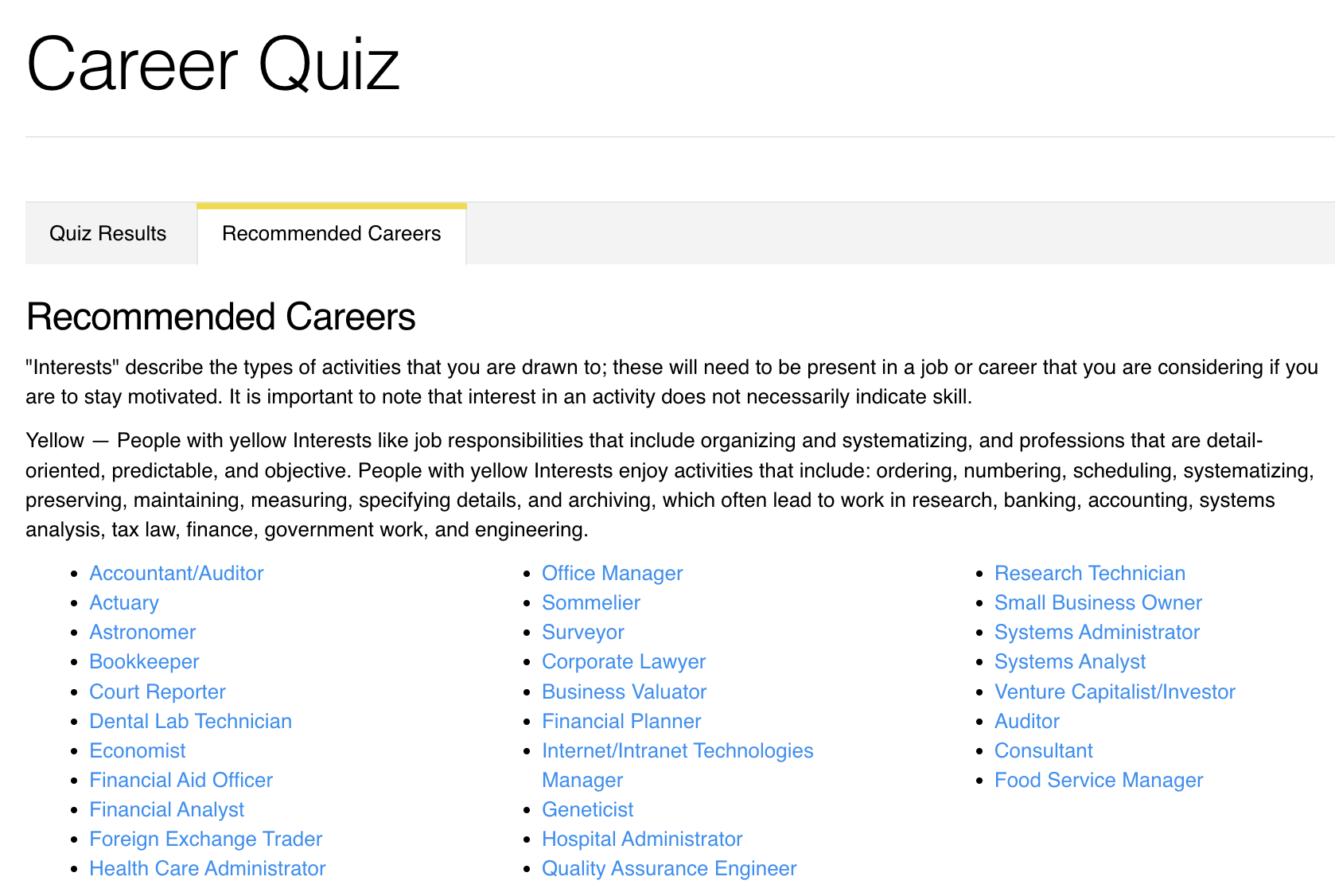
- Not utilizing provided details: Tools that accept many details but only offer general information are considered equally useless because they don’t seem capable of personalization. For example, one participant answered 24 questions about himself in a career-path recommendation quiz, but the outputs were so broad that he wondered whether it had utilized the data he provided.
Conduct research using methods like surveys or interviews to discover what types of information users are ready to provide. Tools should ask for information that most users are ready to share. Work with subject-matter experts to determine how to best utilize these inputs to create legitimately personalized outputs.

People Use Calculator Tools Forward and Backward
Sometimes, users approach a calculator like they would approach a fortune teller: they enter what they know and wait to see what comes out. For example, a user looking for a mortgage might enter their down payment, their current credit score, and the total loan amount they can afford to see their monthly payment. Using the calculator in this “forward” manner seems to be how most such tools are designed to be used.
Sometimes, users approach calculators as if they were tuning a guitar: they decide on the output they want and iteratively change the inputs to get the desired result. For example, the same mortgage-seeker already knows what monthly payment they can afford (output), so they test different down payment amounts (input) until they achieve their desired monthly payment. Calculators should be built to facilitate this “backward” usage.
Users use calculators in both ways to learn about the relationship between the inputs and outputs. They might even enter fake inputs to explore the space — another reason they are not necessarily committed to the outputs they receive.
Conclusion
Users engage with calculators in a casual, exploratory way. They are not necessarily committed to the calculator outputs, nor do they want to commit to the organization to receive them. Allow users to engage with calculators on their own terms to build user trust in your content and offerings.