Smartwatches present a dangerous opportunity for feature creep. It’s much easier to justify building a companion smartwatch app for an existing mobile application than to justify building a new mobile app from scratch. However, for a smartwatch app to get used, it needs to provide value beyond what is convenient and possible on other devices.
The Main Advantages of Smartwatches
Smartwatches allow users to be away from their phones. When deciding if a smartwatch app is valuable in your context, ask yourself: What microinteractions do people already attempt in our mobile application? Could a smartwatch app support these interactions when users are away from their phones?
Smartwatches can collect unique types of data. Activity and biometric data such as movement, heart rate, and body temperature cannot be collected the same way by a smartphone.
Smartwatches provide convenient access to information while on the go. Even though that information is also available on the phone, a watch allows users to quickly check it in situations when using the phone may be inconvenient or inappropriate –- for example, checking a message while driving, exercising, or participating in a meeting.
A smartwatch application that offers a rudimentary ability to complete complex interactions, such as reading, writing, or watching a video, is unlikely to offer much value. Long, complex interactions are difficult on such a small screen, and users prefer to pull out the phone to have more control.
Native Smartwatch Apps Dominate over Third-Party Apps
In a recent diary study, we asked participants who had owned a smartwatch for over 6 months to submit at least 15 unique smartwatch interactions over 5 days. We didn’t tell them which types of interactions to submit, because we wanted to uncover insights about what they use and like (or dislike) the most. From over 200 submitted interactions, over 80% were in applications native to the device, such as messages, activity trackers, and timers.
Although there are many high-quality third-party smartwatch applications available on both WearOS and WatchOS, it’s difficult for these apps to make it into users’ daily usage routines for two reasons:
- Initial usage intentions. Many users purchase a smartwatch to do a few main things, such as getting notifications and tracking activities or biometric data. Native applications are built for these purposes.
- A few dominant apps. We already know that users regularly use only a few apps on their smartphones, so it’s foolish to assume the opposite would be true on a watch.
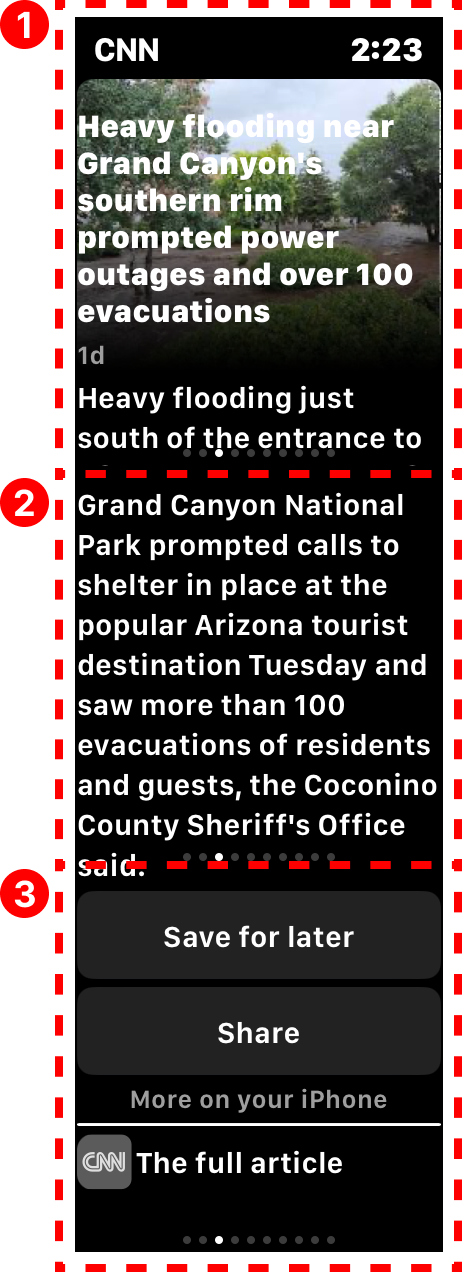
To complicate matters, WatchOS applications are automatically downloaded whenever the user downloads a new phone app to their iPhone (provided that the phone app has a watch counterpart). This means that users will often be unaware of apps on their watch because they took no explicit action to download them. Watch owners can change this setting so that all smartwatch app downloads are manual, but it’s unlikely they will do it due to the power of defaults.
The most common third-party applications we did see were music ones like Spotify or Amazon Music. These apps were useful because they allowed users to take quick actions like pausing or skipping a song on the go or when their phone wasn’t handy.
While users received many notifications on the watch from third-party applications installed on the phone, they did not open and use most third-party applications installed on the watch — across both WearOS and WatchOS devices.
Context (Not Just Functionality) Determines Value
Just like with any technology, there are many things a smartwatch could do, but that does not mean users will find all those potential functionalities valuable. Depending on usage context, the same functionality in two different smartwatch apps might not be equally valuable.
Example: Smartwatch apps for unlocking a door
Consider two smartwatch apps that allow a user to lock and unlock a door: one from a smart-home company and one from a hotel.
The smart-home application supports a common task (locking/unlocking the front door of one’s home) and frees users from the need to have their phone handy. We know that users are frequently separated from their phones while at home, and one of the biggest values of the smartwatch is to allow them to take basic actions when their phones are not nearby.
Users of the hotel application, however, are not likely to stay at the hotel for more than a couple of days. That means that the smartwatch app will not have long-term value for most customers. It’s also likely that users will have their phones or physical key cards handy as they come and go from their hotel room each day — not to mention that they can also unlock the door with the mobile application.
|
|
|
| Smart home. This application allowed a participant who is a realtor to unlock a model home she was showing to potential buyers, without having to fumble with the keys. | Hotel. This application allowed hotel customers to unlock their hotel room door with their watch while standing right next to it. |
|
✅ Long-term usefulness ✅ Contexts where the phone might not be nearby ✅ Unlocks from far away |
⛔ Short-term usefulness ⛔ Contexts where the phone is likely nearby ⛔ Must be near the lock |
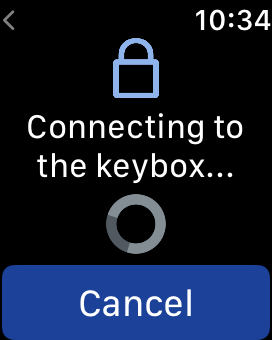

Just because you can think of a function that a smartwatch application could perform, it does not mean users will find it valuable. Do adequate discovery work to determine if and how potential smartwatch applications would be valuable to users.
Prioritize Watch Notifications over Building an Application
Receiving interactions were the most common type of interaction submitted by the participants in the diary study. While people did not seem to use many third-party applications on the watch, many of the notifications they shared did come from third-party applications on the phone.
However, irrelevant notifications were one of the two major annoyances that participants reported during the diary study (the other one being related to usability challenges such as typing on a small screen).
Unless there are specific types of microinteractions that you plan to support with the watch application, put your time and money toward making sure that the notifications users receive from you on their watches are effective, instead of building a standalone app for the watch.

Conclusion
Don’t build a smartwatch app just because you can. Spend the time and resources to do so only if you are confident that it offers unique value. Replicating basic versions of tasks that users already complete on their phones will not always drive value. Find ways to allow users to be away from their phones and still take the actions they want to because the watch is attached to their wrist.