This article replaces our original Usability 101, written by Jakob Nielsen in 2012. The original remains available for historical reference.
What Is Usability
Usability refers to how easily people can successfully complete a task using an interface.
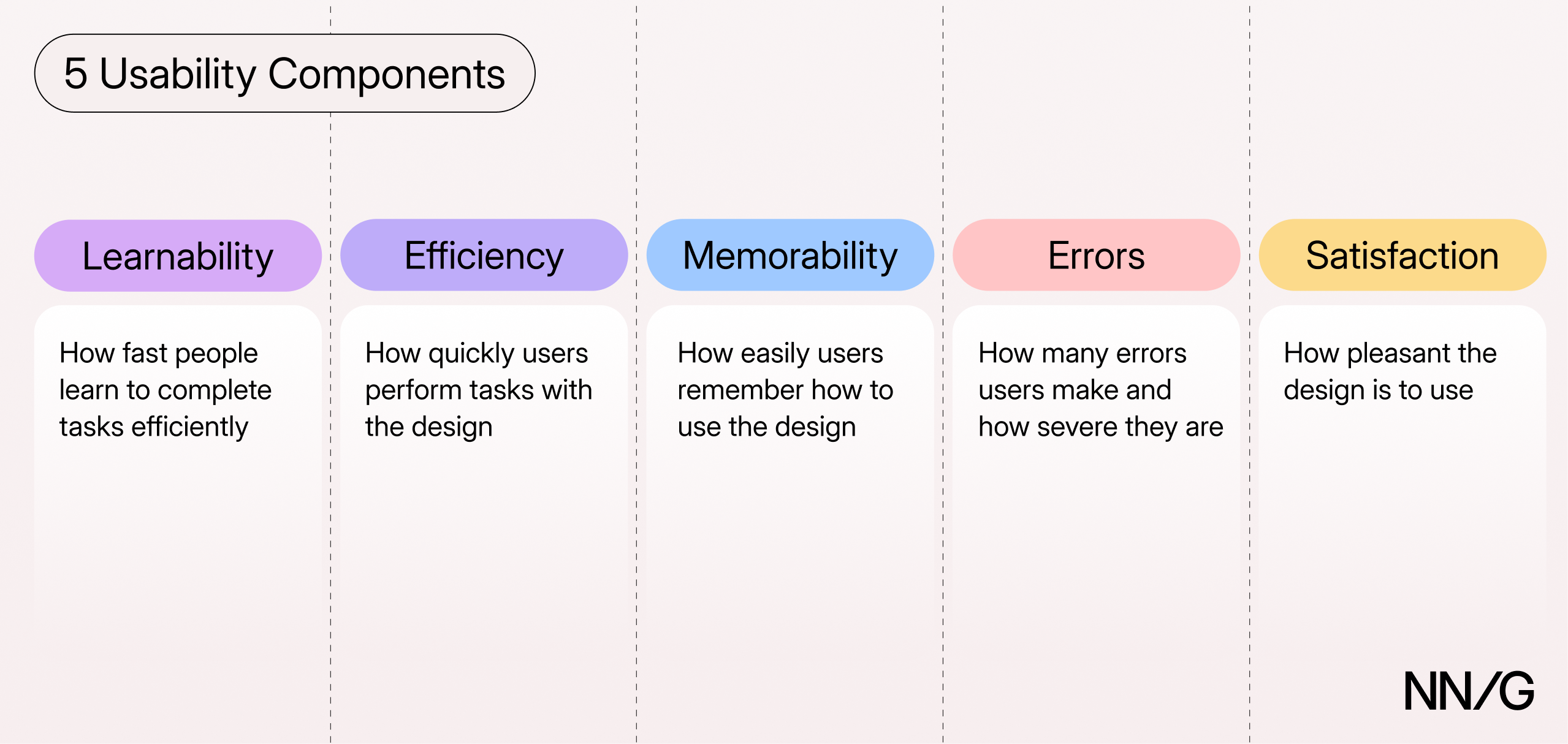
Usability has 5 important components:
- Learnability: how fast people learn to accomplish basic tasks with the design
- Efficiency: how quickly people perform tasks once they have learned the design
- Memorability: how easily people reestablish proficiency when they return to the design after a period of not using it
- Errors: how many errors people make, how severe these errors are, and how easily people recover from them (errors include both slips and mistakes)
- Satisfaction: how pleasant the design is to use
The relative importance of these components depends on the product. For a tax-filing website used only once a year, learnability matters most. For a CAD desktop application that an architect uses for hours a day, efficiency matters most, because the architect will learn the system once and then will use it thousands of times.
Usability Depends on Users, Tasks, and Context
Usability is not a property of the design alone. The same interface may be easy to use for one user doing one task, but hard to use for another user, a different task, or a different context.
For example, a 10-column comparison table may work well on a large monitor but poorly on a mobile phone. Likewise, a website may be perfectly legible to a 20-year-old but hard to read for a 60-year-old.
A usability claim is therefore always relative: usable for whom, for which task, and under what conditions?
Usability, Utility, and Usefulness
Usability is not enough on its own. A design must also provide the functionality that people need.
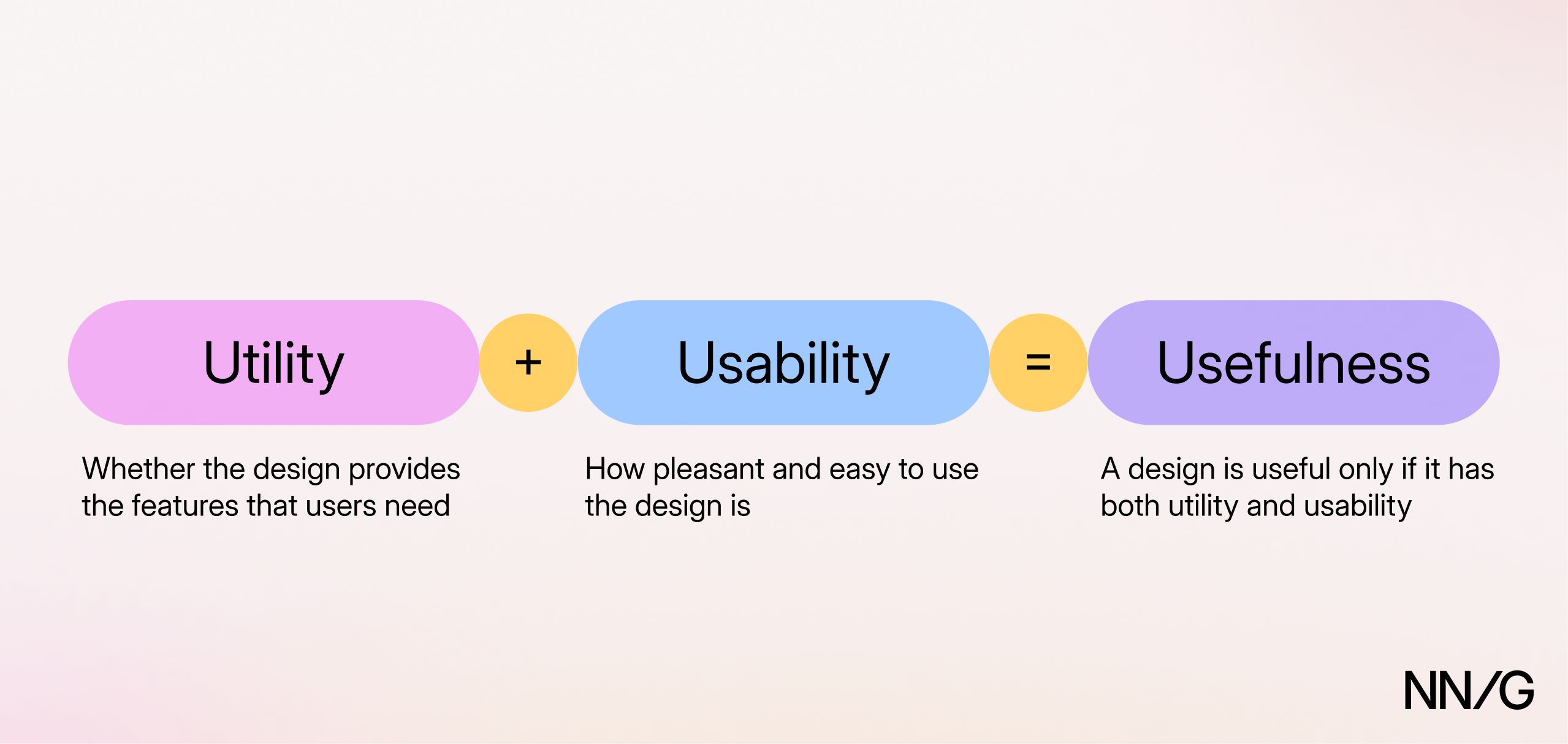
Utility refers to whether an interface provides the features that users need.
If a product is easy to use but does not do what you want it to, it is of no value. And so is a product that can do everything you need but is too hard to use.
To be useful, a product needs to have both utility and usability.
Usability and User Experience (UX)
User experience (UX) is broader than usability. It covers every aspect of a person's interaction with a company, its services, and its products — including, for example, customer support, pricing, and what happens after a purchase. Usability is just one of the qualities of a good user experience. Others include utility, accessibility, and trustworthiness.
Why Usability Matters
When a website or an app is hard to use, people usually leave. If they cannot figure out what the company offers, cannot find a product, or cannot complete a form, they will likely go to a competitor or abandon the task.
When people cannot leave — for example, because they must use a government service or a product mandated by their employer — poor usability still has consequences. Users end up spending more time on tasks, making more errors, and needing more training and support. These costs are usually paid by the organization.
Usability improvements can produce substantial gains. In our 2020 analysis of redesign projects, the UX metrics that each project targeted (such as sales or signups) improved by 75% on average after a usability redesign. The results varied widely across projects, and, while the improvement figure is not a direct ROI estimate, the study showed that improvements to UX can lead to substantial gains.
How to Improve Usability: Usability Testing
The most basic and established method for improving usability is usability (user) testing. It involves recruiting representative users, asking them to perform representative tasks with the design, and then observing what they do.
For qualitative usability testing, where the goal is to find and fix problems, testing with 5 users is often sufficient to identify many of the more important usability issues in a design. Traditionally, we have recommended that teams use iterative design, which means testing a design with a small number of users, identifying and fixing usability problems, and then testing the revised design again. Start testing early with a simple prototype, before the design is implemented, and continue testing as the design evolves. The next test often reveals new usability issues.
Usability testing is not the only usability-evaluation method. Expert reviews and analytics are other common methods. Our article on when to use which UX research methods describes a broad set of user-research methods and how to choose among them.
As AI accelerates product design and implementation, usability evaluation needs to become faster. AI may enable teams to automatically identify usability problems, evaluate designs before implementation, or collect and analyze user data from live products to inform subsequent redesigns. These approaches could change the traditional process of usability evaluation through iterative design, but the same underlying principles still apply: evidence of how people interact with the design should be used to identify usability problems and improve the design.
Measuring Usability
Qualitative usability testing helps identify usability problems in an interface and understand their causes. Quantitative usability testing allows us to measure the usability of a design by collecting metrics such as:
- Success rate: the percentage of users who complete a task
- Time on task: how long users take to complete it
- Errors: how many errors users make on the way
- Satisfaction: ratings collected after each task or at the end of a session, often with standard questionnaires such as the Single Ease Question (SEQ) or the System Usability Scale (SUS)
There is no one-to-one mapping between these metrics and the five usability components. For example, time on task can be used to assess efficiency, learnability, or memorability depending on when and how it is measured.
While the exact sample size needed for a quantitative study depends on the specifics of the study, we recommend approximately 40 participants to obtain reasonably precise estimates for usability metrics.
Where and How to Test
Usability testing does not require a usability lab. Most usability studies today are remote: either moderated, with a facilitator observing via video call, or unmoderated, with participants completing tasks on their own through a testing platform that records their screen and voice. Remote testing makes it easier to recruit participants from different locations and to run studies quickly.
In-person testing is still useful when the physical context or the gestures that people make while interacting with the product matter — for example, for kiosks, physical products, or mobile apps. For an in-person session, a quiet room with a door that closes is enough.
Anyone can run a usability test, provided that they have learned the basics of facilitation and task writing; a poorly run test (with leading questions or a facilitator who helps participants) can produce misleading results.
Usability and AI
In the AI era, the principles of usability remain as important as ever. However, AI introduces new methods for evaluating usability and also new challenges for the traditional evaluation methods. First, AI can assist with usability evaluations by helping prepare studies or analyze data. More experimental approaches include replacing human participants with synthetic users or digital twins, using AI-based interviewers, and using AI to locate usability problems in an interface. The reliability of these methods is still a very open research question. In particular, synthetic users and digital twins should not be treated as reliable substitutes for real users.
Second, generative AI introduces new challenges for evaluating usability. Generative AI systems can produce different outputs for the same request, and those outputs can differ in how usable they are. For example, two responses to the same request can be equally accurate, but one might be coherent and nicely formatted, while another might be poorly explained and hard to scan. Thus, even for the same user and the same task, usability could vary from one interaction to another. As generative UIs (i.e., interfaces that are dynamically generated by the AI system in response to the user’s input) become more common, this variability may extend to layouts and controls. Usability-evaluation methods need to adapt to account for this variability.
Third, AI agents introduce new usability challenges for people who interact with them. For example, designers will need to study how people delegate tasks to agents, how they understand what agents are doing, and how they intervene or regain control.
Finally, usability should be distinguished from an AI agent’s ability to interact with a system. An agent could work with a system (through an API or other means) even when humans find it unusable. For example, an agent may find a customer-service phone number by reading a website’s HTML, even if the number appears in a low-contrast font that a human user can barely see. Conversely, a website that works well for people may be hard for agents to use.
Conclusion
Usability describes how easily people can complete a task using an interface. It depends on users, tasks, and context of use. Usability matters for internal tools and AI products as much as for traditional websites and apps.
The core method for studying usability has been usability testing: recruit representative users, give them realistic tasks, and observe what they do. Traditionally, teams have improved usability through iterative design: testing an early prototype, identifying major issues, fixing them, then testing again. AI is creating opportunities to change this process, but the goal should still be to understand whether people can complete their tasks easily and effectively with the design.