Usability testing (sometimes called user testing) is a popular UX-research method.
Usability testing is a research method in which researchers observe people attempting a realistic task with one or more user interfaces, to identify usability problems and opportunities for improvement.
Why Run a Usability Test?
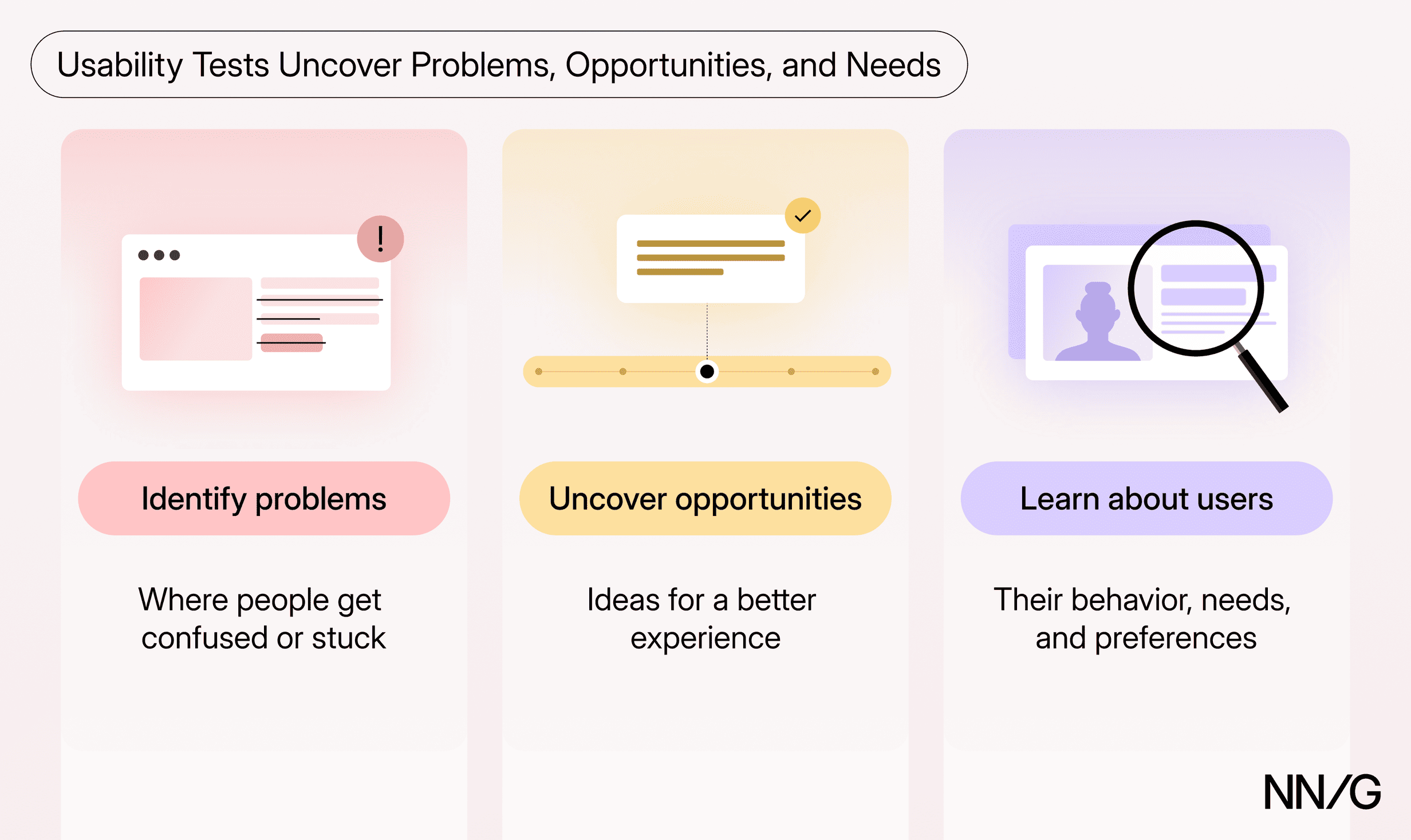
The goals of usability testing vary by study, but they usually include:
- Identifying problems in the design of the product or service
- Uncovering opportunities to improve
- Learning about the target user’s behavior and preferences
Why do we need to do usability testing? Won’t a good professional UX designer know how to design a great user interface? Even the best UX designers (or the best AI-based design tool) can’t design a perfect user experience without iterative design driven by observations of real users interacting with the design.
That’s because a design pattern that works in one interface can confuse people in another, depending on what surrounds it and what users are trying to do. Users also bring mental models shaped by the other products they’ve used, and a design that doesn’t match those expectations can trip them up. With so many factors at play, no designer (or AI) can reliably predict how people will interact with a design without observing them.
Elements of Usability Testing
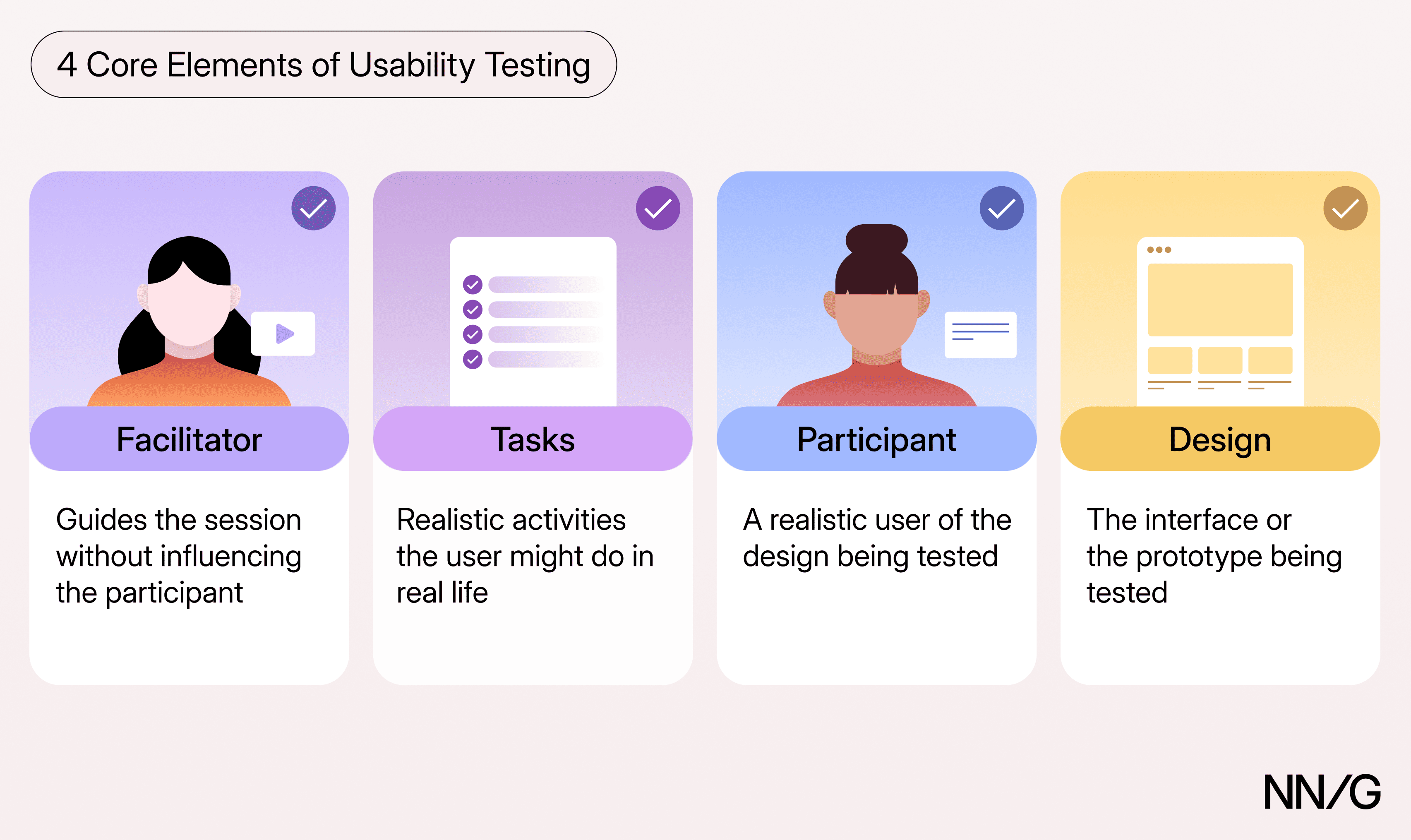
There are many different types of usability testing, but the core elements in most usability tests are the facilitator, the tasks, a design, and the participant.
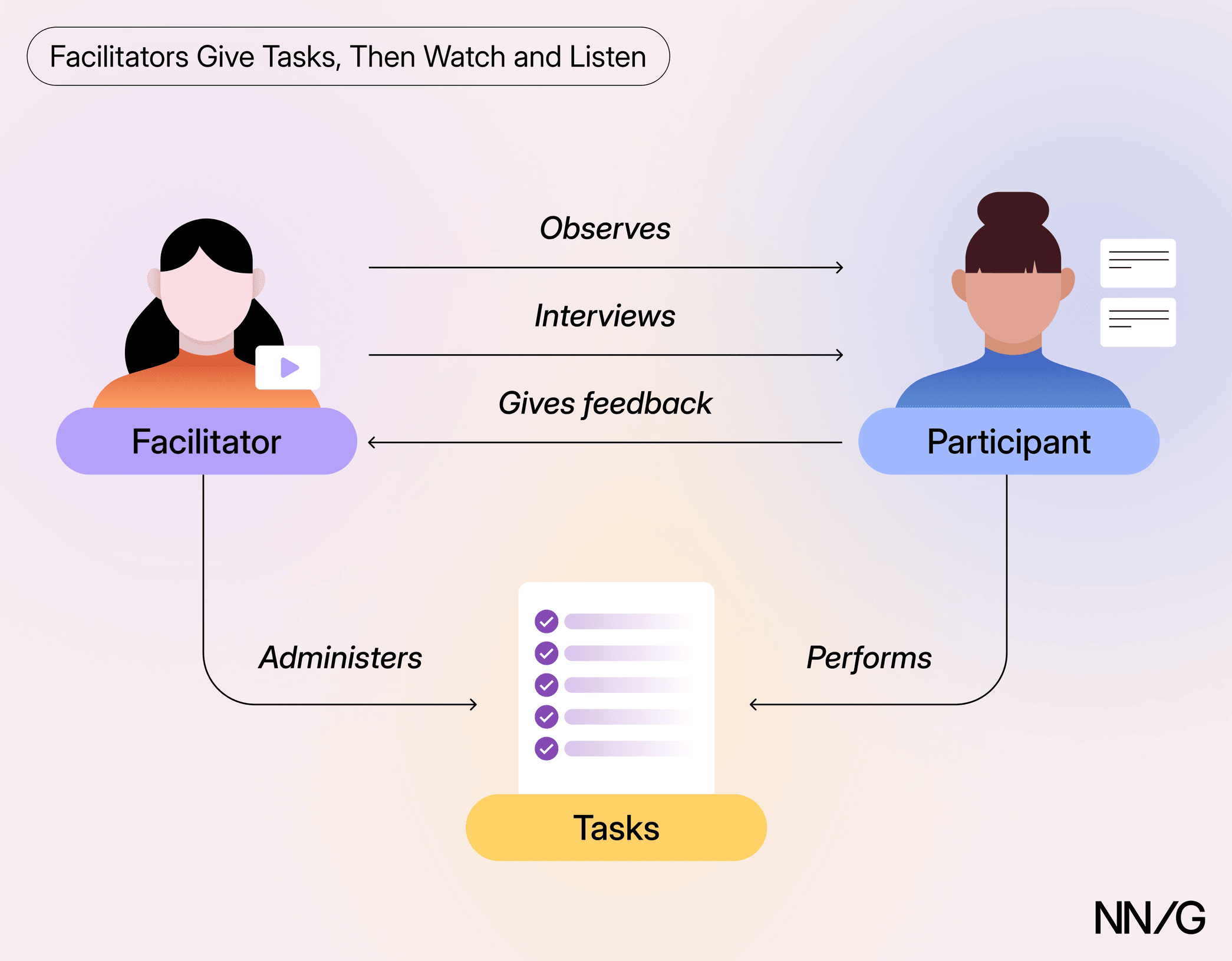
The facilitator administers tasks to the participant. As the participant performs these tasks, the facilitator observes the participant’s behavior and listens for feedback. The facilitator may also ask followup questions to elicit detail from the participant.
Facilitator
The facilitator guides the participant through the test process. They give instructions, answer the participant’s questions, and ask followup questions.
The facilitator works to ensure that the test results in high-quality, valid data, without accidentally influencing the participant’s behavior. Achieving this balance is difficult and requires training.
(In one form of remote usability testing, called remote unmoderated testing, an application may perform some of the facilitator’s roles.)
Tasks
The tasks in a usability test are realistic activities that the participant might perform in real life. They can be very specific or very open-ended, depending on the research questions and the type of usability testing.
Examples of tasks from real usability studies:
Your printer is showing “Error 5200”. Figure out how to clear it.
You're considering opening a new credit card with Wells Fargo. Please visit wellsfargo.com and decide which credit card you might want to open, if any.
You’ve been told you need to speak to Tyler Smith from the Project Management department. Use the intranet to find out where they are located. Tell the researcher your answer.
Task wording is very important in usability testing. Small errors in the phrasing of a task can cause the participant to misunderstand what they’re asked to do or can influence how participants perform the task (a psychological phenomenon called priming).
Task instructions can be delivered to the participant verbally (the facilitator might read them) or can be handed to a participant written down (for example on a piece of paper, or through a chat interface in remote studies). We often ask participants to read the task instructions out loud. This helps ensure that the participant reads the instructions completely, and helps the facilitator and observers with their notetaking, because they always know which task the user is performing.
Participant
The participant should be a realistic user of the product or service being studied: either a current user or someone with similar needs or background.
Whenever possible, include participants with disabilities, such as people who use screen readers or other assistive technologies. They’ll reveal problems that other participants won’t encounter. (See How to Conduct Usability Studies for Accessibility for practical guidance.)
Participants are often asked to think out loud during usability testing (called the “think-aloud method”). The facilitator might ask the participants to narrate their actions and thoughts as they perform tasks. The goal of this approach is to understand participants’ behaviors, goals, thoughts, and motivations.

Types of Usability Testing
Qualitative vs. Quantitative
Usability testing can be either qualitative or quantitative.
Qualitative usability testing focuses on collecting insights, findings, and anecdotes about how people use the product or service. Qualitative usability testing is best for discovering problems in the user experience. This form of usability testing is more common than quantitative usability testing.
Quantitative usability testing focuses on collecting metrics that describe the user experience. Two of the metrics most commonly collected in quantitative usability testing are task success and time on task. Quantitative usability testing is often used for measuring usability, comparing designs, and tracking usability improvements over time.
The number of participants needed for a usability test varies depending on the type of study. For a typical qualitative usability study of a single user group, we recommend using five participants to uncover most of the common problems in the product.
Remote vs. In-Person Testing
Remote usability tests are popular because they often require less time and money than in-person studies. There are two types of remote usability testing: moderated and unmoderated (see our Remote Usability Testing: Study Guide).
Remote moderated usability tests work very similarly to in-person studies. The facilitator interacts with the participant and asks them to perform tasks. However, the facilitator and participant are in different physical locations. Usually, moderated tests are performed using video-conferencing software.
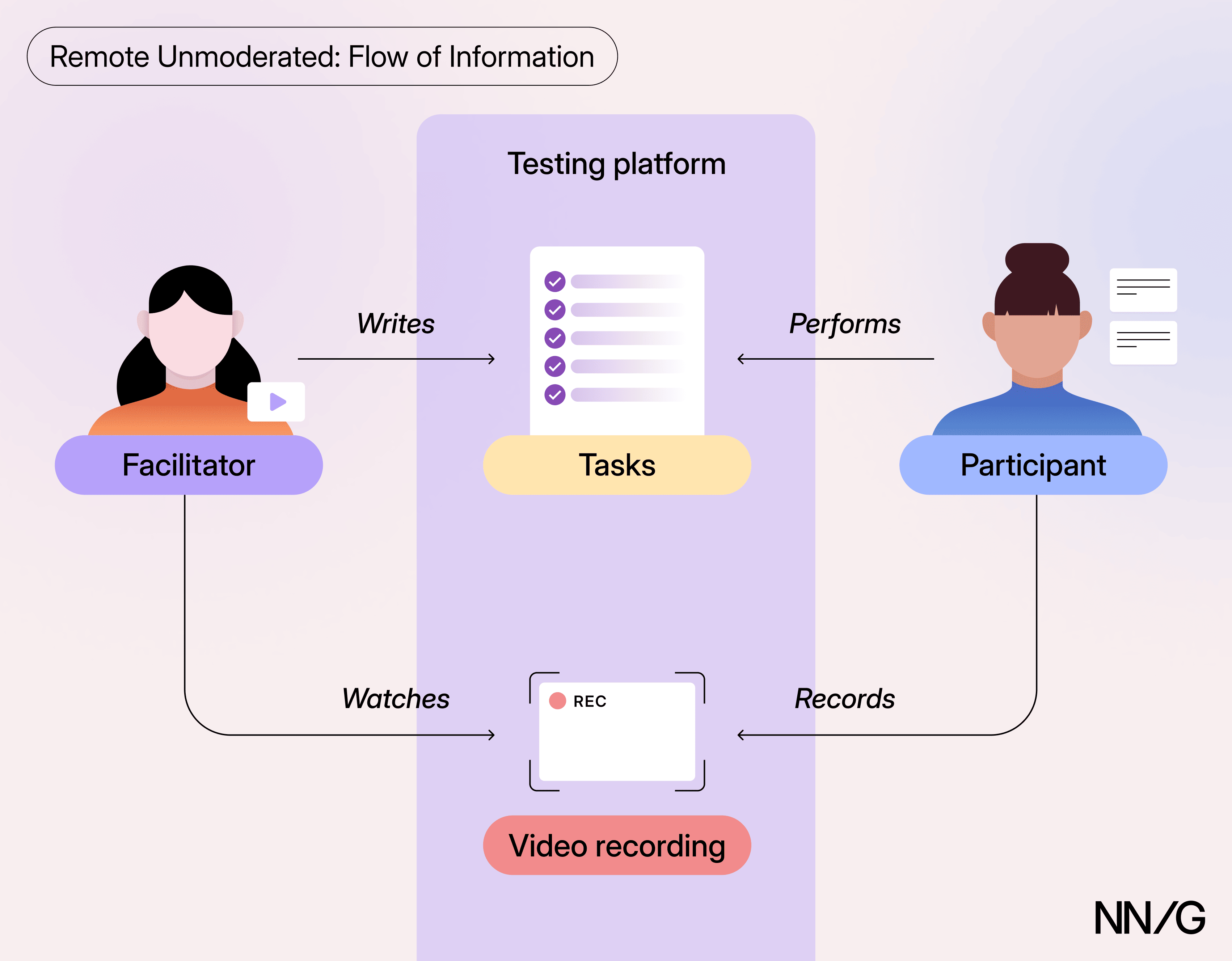
Remote unmoderated usability tests do not have the same facilitator–participant interaction as in-person or moderated tests. The person running the study uses a dedicated online remote-testing tool to set up written tasks for the participant. Then, the participant completes those tasks alone, on their own time. The testing tool delivers the task instructions and any followup questions. After the participant completes the test, the researcher receives a recording of the session, along with metrics like task success.
Usability Testing and AI
AI can save time on some parts of a usability study. AI transcription turns session recordings into searchable transcripts, with timestamps that link each line to that moment in the video. This makes it faster to find key moments and assemble highlight reels: short clips that show stakeholders what participants experienced.
AI can help with speeding up analysis and reporting by helping you identify issues, find quotes, and clip recordings. But they can make mistakes in data analysis, so researchers need to verify AI-generated interpretation against the original data. Finally, some newer research tools offer AI moderators. They work like remote unmoderated testing: you prepare the test in advance, and an AI moderator runs it for you. It can guide participants through the interaction and ask followup questions, but current tools have limitations. Some cannot fully observe participants’ interactions with the interface and they may struggle to ask appropriate questions. For now, they are best suited for relatively simple studies. (Learn more about using AI in usability testing in our Accelerating Research with AI live online course.)
Cost of Usability Testing
Simple, “discount” usability studies can be inexpensive, though you usually must provide an incentive to participants. Sessions can take place remotely over a video call or in a conference room, and the simplest study can take as little as 3 days of your time (assuming that you have already learned how to do it, and you have access to participants):
- Day 1: Plan the study
- Day 2: Test with 5 users
- Day 3: Analyze the findings and convert them into redesign recommendations for the next iteration
AI tools can save some of that time (for example, by drafting tasks or transcribing sessions), but someone on the team still needs to watch the sessions and analyze what participants did.
Additionally, as AI tools make it possible to build and change interfaces more quickly, teams may need to conduct usability testing more frequently to ensure that design decisions remain grounded in real user behavior.
Usability studies can become more expensive (i.e., can cost thousands of dollars) if you choose to recruit larger sample sizes or use more advanced methods. Things that add cost include:
- Competitive testing of multiple designs
- International testing in multiple countries
- Testing with multiple user groups (or personas)
- Quantitative studies (where you need a larger sample size)
- Use of fancy equipment like eyetrackers
- A dedicated usability lab to allow others to observe in person (remote sessions let others observe from anywhere)
The return on investment (ROI) for advanced studies can still be high, though usually not as high as that for simple studies.
NN/G Resources for Usability Testing
- Qualitative Usability Testing (Study Guide)
- Remote Usability Testing (Study Guide)
- Using AI for UX Work (Study Guide)
- How to Conduct Usability Studies (Report)
For hands-on training and help honing your facilitation skills, check out our Usability Testing live online course.