Course Curriculum

7 Sections
00

Course Overview

1 Lesson 5 min
  • Course Overview & Downloads 5 min

Resources Provided

  • 0.1_CheatSheet_Empathy-Mapping (PDF)
01

When to Create Empathy Maps and How to Get People on Board

5 Lessons 61 min
  • Why Use an Empathy Map? 7 min
  • Empathy Maps vs. Other Mapping Methods 10 min
  • When Not to Use an Empathy Map 5 min
  • How Empathy Mapping Supports Design and Research 5 min
  • Selling Empathy Mapping to Stakeholders 8 min

Practice Activities

  • Red Flags and Green Lights (Instructions) 20 min
  • Red Flags and Green Lights (Walkthrough) 6 min
02

Creating Better Empathy Maps

4 Lessons 48 min
  • Anatomy of an Effective Empathy Map 10 min
  • Common Pitfalls and How to Avoid Them 8 min
  • The Poison of Stereotypes and Assumptions 5 min
  • Evaluating Empathy Maps 3 min

Practice Activities

  • Perform the Traffic Light Test 22 min
03

Building Empathy Maps with Research

3 Lessons 44 min
  • The Data You Need to Build an Empathy Map 6 min
  • Prepping Your Data: From Raw Research to Sticky Notes 8 min
  • Placing Data in the Four Quadrants 8 min

Practice Activities

  • Sort Stickies into Quadrants (Instructions) 18 min
  • Sort Stickies into Quadrants (Walkthrough) 4 min
04

Running a Successful Empathy Mapping Workshop

4 Lessons 42 min
  • Allocating Time and Who to Invite 6 min
  • Materials to Prepare 3 min
  • Watch Me Plan a Real Empathy Mapping Workshop 6 min
  • Facilitation Techniques and Managing Group Dynamics 5 min

Practice Activities

  • Match the Agenda to the Group 22 min

Resources Provided

  • 4.2_Poster_Empathy_Mapping (PDF)
  • 4.2_UserData_Participant-Data-Packet-P4 (PDF)
05

What to Do After You Complete the Empathy Map

5 Lessons 58 min
  • Prioritizing Themes and Taking Action 6 min
  • Telling the User Story with Empathy Maps 8 min
  • Using Empathy Maps Beyond the Workshop 8 min
  • Updating Empathy Maps Over Time 6 min
  • Example: Comparing a New and Old Empathy Map 4 min

Practice Activities

  • Tell the User’s Story (Instructions) 19 min
  • Tell the User’s Story (Walkthrough) 7 min
06

Conclusion

2 Lessons 7 min
  • Putting It All Together 5 min
  • Final Thoughts 2 min

Learning Outcomes

  • Propose empathy mapping when it’s useful, and avoid it when it’s not
  • Convince others that empathy mapping is valuable
  • Construct an empathy map based on user data
  • Plan and facilitate cross-functional empathy mapping sessions
  • Focus on the outcomes of empathy mapping — not just the artifact

Course Preview

Tools Used in This Course

To complete activities in this course, you will need access to Miro.

All other resources can be accessed through a standard PDF reader.

Turn Problems Into Solutions

Gain support for building your map

  • Identify when an empathy map is better than other UX deliverables
  • Explain how empathy mapping supports design and research efforts
  • Sell the unique benefits of empathy mapping to your team and stakeholders

Craft empathy maps that make insights tangible

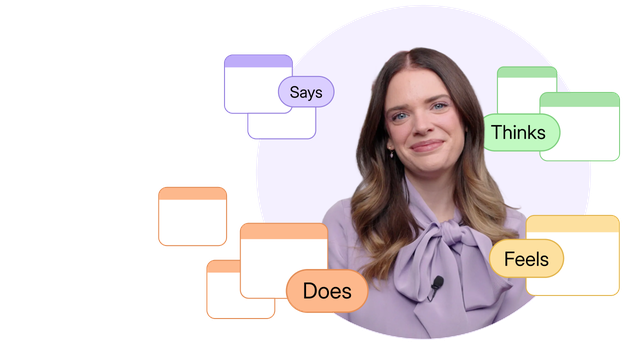
  • Translate research into the 4 standard map quadrants
  • Avoid common pitfalls that make empathy maps ineffective and generic
  • Create user profiles that rely on research, not stereotypes

Facilitate workshops that generate stakeholder buy-in

  • Invite the people who will make the greatest impact
  • Design workshop materials that bring your map to life
  • Manage group dynamics to keep excitement and learning high

Frequently Asked Questions

How long will I have access to this course?
Once purchased, your access will never expire. This ensures you can learn at your own pace and return to review content as often as you'd like, whenever you need.
Will I get personalized instructor feedback on course activities?
No, personalized feedback is not provided for activities completed during the course. Most courses provide answer keys to activities that help learners reflect on their progress and understanding of course materials and examples.
What content can I download?
You can download a variety of resources provided with each course, including templates, how-to guides, cheat sheets, posters, reading lists, and more. Video lessons provided in all courses will not be available for download.
Can I access this course offline or on a mobile device?
Offline access isn't available yet, although we plan to add it. Most courses offer downloadable resources for offline reference.

For the best experience, mobile devices are not recommended.
Is this course eligible for the NNGroup UX Certification Program?
Unfortunately, self-paced courses do not count toward UX Certification. However, learners who complete the final exam will receive a “Recognition of Completion” to demonstrate their achievement.

See our Live Online courses for options that count toward UX Certification.
What can I share with my employer to show I’ve completed the training?
Upon completing a course’s final assessment, you will receive a “Recognition of Completion” showcasing your dedication to learning the topic. This document can be shared with your employer or professional network to demonstrate your new skills and commitment to professional development.