Organize and structure information to improve findability and discoverability

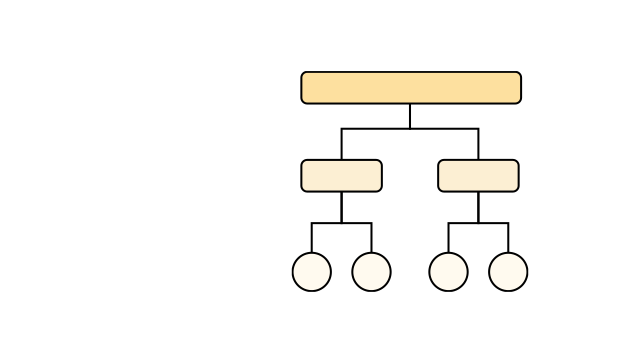
The information architecture (IA), or organization, of a digital product is critical, because it determines whether or not users are successful in finding desired information and completing tasks. This course introduces the core components of a good IA, as well as essential IA design methods and strategies.

Who Should Attend

Any UX practitioner who wants to make things easier to find in the products they work on

What You'll Learn

01 Articulate the importance of information architecture (IA)
  • Why a strong IA can save your company time and money
  • Essential logic and concepts you need to build a useful, usable, and extensible information architecture
02 Understand key information architecture concepts
  • User information-seeking models
  • The pillars of information architecture: structure types, organization schemes, label names, and metadata 
  • Mental models and cognitive models of categorization
03 Design and evaluate information architecture
  • Creating user-centered categories
  • Identifying issues and potential solutions
  • Measuring baseline performance
  • Testing structure, schemes, and labels
  • Card sorting and tree testing research methods

This Course Includes

  • Hands-on activities to practice your new skills
  • Card sorting to create a new category structure
  • Revising an existing information architecture
  • Video clips from user research

Why NN/g

What People Say About This Course

  • This is a course that is great for people who are interested into being a 'researcher' type of UX designers. This involves less graphic/ aesthetics/ designer-ish elements but nonetheless the knowledge is super useful for architecting a product!

    Allen
    Turn Right Limited
  • The Information Architecture course made me re-think my approach to designing websites ensuring that the content is structured in such a way as to maximise findability and simplifying the experience for all users.

    David
    IBM
  • This course is about everything you go back and forth about when organizing your content. Great concrete ways to make decisions about categorizing and grouping information for your users. I want to share this with stakeholders in my organization.

    Lauralee
    University of Rochester Medical Center — Pediatrics
  • I learned a lot about how to structure my contents and the navigation above all. The part about the taxonomy made me aware about the unsuspected risks a bad taxonomy could lead to.

    Liozon
    iMak and My Mini Factory

Frequently Asked Questions

How will I get the link to the Zoom meeting for the course?

60 minutes before your course begins, your link will be available when you log into your NN/g profile.

Can I watch a recording of the course?

Virtual courses are live events that extend throughout the day and include many periods of interactive exercises. The learning experience cannot be replicated by simply watching recordings after the event. We will not be making course recordings, and making your own recordings is not permitted.

Will I be able to network and get to know other participants?

You'll join a Slack community for both course-related discussion and networking with fellow participants. You'll also be able to use the Slack workspace before, during, and after the event to maintain your connections. You'll be invited to join the Slack community the week before the event starts.

What equipment will I need to participate in NN/g live online courses?

You'll be streaming video and audio to your computer, and also speaking with other participants. Make sure you have:

  • A laptop or desktop (using a tablet is not recommended)
  • A stable high-speed internet connection
  • Speakers or headphones
  • A microphone
  • A webcam
Do I really need a microphone and webcam?

White it's possible to attend our virtual courses without your own webcam or microphone, you will not be able to fully participate in learning activities. Many of our courses use hands-on practice as the primary way of learning design and research techniques. You'll learn more during these activities if you can fully participate, and your collaboration partners can see and hear you. We also recommend using headphones.

Do I have to download any software?

All courses use Zoom and Hightail, a file-sharing service. Some courses require the use of Google Drive apps or Miro. All tools are free to use and do not require you to create an account, but you should ensure your device permissions allow you to access these tools.

  • Zoom is a video conferencing service. Our meetings follow security best practices, including passwords and waiting rooms. We recommend installing the Zoom app, which is free. If you are not able to install the Zoom software, you can also join through Chrome web browser. Test your access to Zoom.
  • Hightail will be used to share downloadable course materials (such as PDF copies of presentation slides). Test your access to Hightail. (If your network blocks you from access Hightail, during the event our conference team will be able to assist you with alternative ways to receive your course materials.
  • Google Drive apps are used for collaborative learning activities. If you are not able to use Google Docs or Sheets, you will be able to download copies of the activity materials, but may not be able to fully participate in group work. Test your access to Google Docs.
  • Miro is an online whiteboarding tool and is used for collaborative learning activities in some courses. You can download the Miro app or open a Miro link in your browser.
Will my internet connection be fast enough?

You will need a stable internet connection with a minimum of 3 Mbps (up and down) in order o participate in 
NN/g virtual courses. Ideally, a faster connection speed of 25 Mbps download and 5Mbps upload is recommended to ensure HD video and audio quality. If you are using a WIFI network, disconnect all other devices from that network to improve the streaming quality. Check your internet connection speed.

Can I join from my phone or tablet?

We do not recommend attending our classes from a small-screen device. Although you will be able to connect to the meeting, it will be difficult to see the detailed examples shared during class. It will also be extremely difficult to participate in collaborative exercises which require typing and interactive documents.